Code.BuildThe latest posts from Code.Build.https://code.build/feed2026-10-14T23:48:00.000ZCode.BuildFirestore Tree Data Modelhttps://code.build/p/iL6jjs/firestore-tree-data-model2024-09-22T13:02:05.669Z2024-09-22T13:02:05.669ZJonathan GambleWhen you want to query nested data in Firestore, you must model the data so that one query can get all documents. This can be possible by using a long string for the path.We often need to model tree data in Firestore. Nested comments, categories, graphs, and groups are just some examples. Modeling is difficult, but it can be done with a few hacks.
<br>
<br>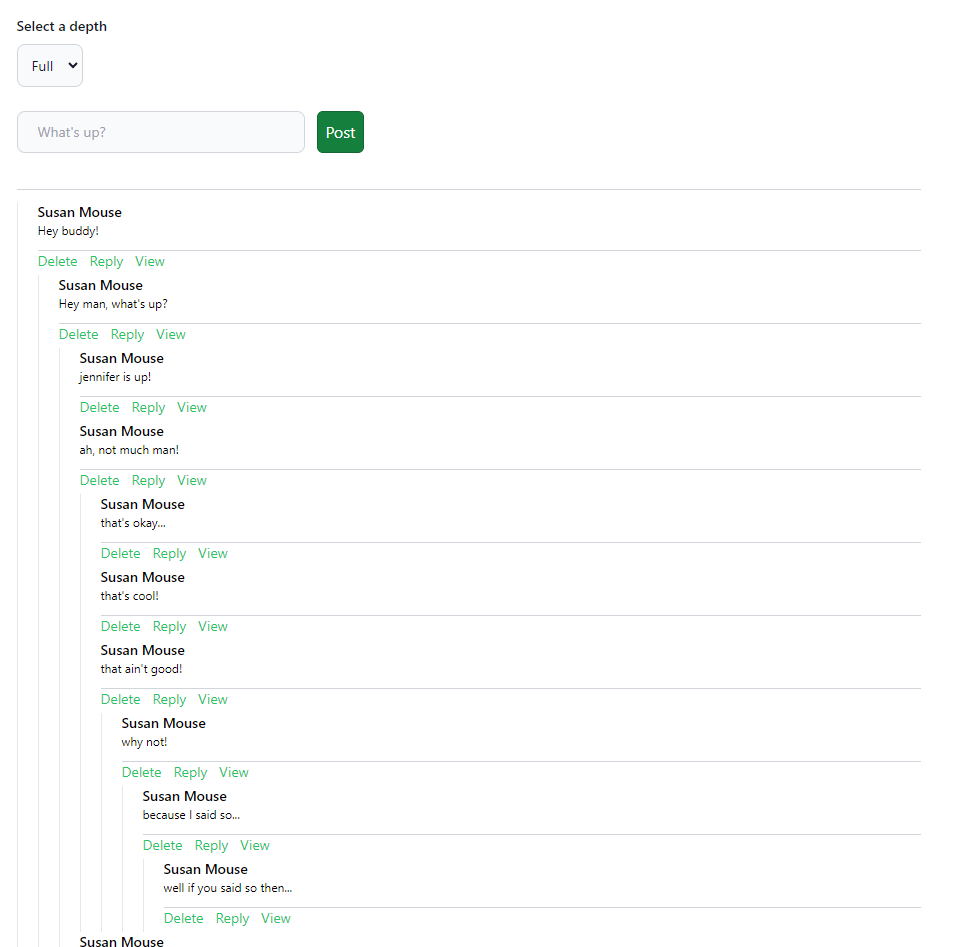
<br>
<br>## TL;DR
<br>
<br>When you want to query nested data in Firestore, you must model the data so that one query can get all documents. This can be possible by using a long string for the path.
<br>
<br>## We Need One Query
<br>
<br>You can easily model the data for multiple queries. The original thought was to query all posts where the parent equals some ID. If there were children, query them separately. The problem with this method is that you will have multiple calls to Firestore. While you would be reading the same documents, you don’t want to have several fetches to Firestore on one page, especially when it can be avoided.
<br>
<br>## Tree Demo in SvelteKit
<br>
<br>This demo uses SvelteKit, so I recommend you read the [[post:C73xaa|Firebase SvelteKit]] post first. There are many advanced techniques, but I am only concentrating on the data model for this post. I use Firebase Client, but I could have equally used Firebase Admin with SvelteKit Form Actions.
<br>
<br>## Hierarchy
<br>
<br>A tree is data that can belong to other data in a hierarchy. To nest data, we must use `startsWith` character hack mentioned in the [[post:Ut2Smh#idea-2-character-hack|Fuzzy Full-Text Search]] post. The algorithm will be slightly different, but we will order the `path` and `parent` variables to get the desired results.
<br>
<br>## Tree Data Model
<br>
<br>We are building a comment system similar to a Reddit Clone, where people can comment on one post in a tree fashion.
<br>
<br>### Short Document ID
<br>
<br>We will create a short ID for faster searching and longer string storage. Theoretically, a document can be as big as 1MB, so one field could be up to that large.
<br>
<br>```ts
<br>const id = doc(
<br> collection(db, 'comments')
<br>).id.substring(0, 5);
<br>```
<br>
<br>This limits the document ID to 5 characters, although you can use whatever length you like.
<br>
<br>### Creating a Comment Document
<br>
<br>We will create the document with a few fields.
<br>
<br>```ts
<br>export const addComment = async (event: SubmitEvent) => {
<br>
<br> const { text, parent: _parent, formElement } = getComment(event);
<br>
<br> const level = _parent.split('/').length + 1 || 1;
<br> const parent = _parent.split('/').join('_');
<br>
<br> const currentUser = auth.currentUser;
<br>
<br> if (!currentUser) {
<br> throw 'No user!';
<br> }
<br>
<br> // create short ID
<br> const id = doc(
<br> collection(db, 'comments')
<br> ).id.substring(0, 5);
<br>
<br> const path = parent ? `${parent}_${id}` : id;
<br>
<br> try {
<br> await setDoc(
<br> doc(db, `comments/${id}`),
<br> {
<br> createdBy: currentUser.uid,
<br> createdAt: serverTimestamp(),
<br> text,
<br> level,
<br> path,
<br> parent,
<br> votes: 0
<br> }
<br> );
<br> formElement.reset();
<br>
<br> } catch (e) {
<br> if (e instanceof FirebaseError) {
<br> console.error(e);
<br> }
<br> }
<br>};
<br>```
<br>
<br>- `text` field stores the comment
<br>- `level` stores the level number from the root
<br>- `path` stores the full path to the document. `/` will be replaced with `_` for searching.
<br>- `parent` stores the full path to the parent document, or null. `/` will be replaced with `_` for searching.
<br>- `votes` is not used in this demo, but could be used to create a voting mechanism similar to Reddit.
<br>
<br>### Deleting a Comment
<br>
<br>When we delete a comment, we must also delete all of its children. We search for them, then use [[post:IKO13Z|batch]] to delete them in a transaction.
<br>
<br>```ts
<br>export const deleteComment = async (path: string) => {
<br>
<br> const _path = path.split('/').join('_');
<br>
<br> const childrenSnap = await getDocs(
<br> query(
<br> collection(db, 'comments'),
<br> ...startsWith('path', _path)
<br> )
<br> );
<br>
<br> if (childrenSnap.empty) {
<br> throw 'No ids!';
<br> }
<br>
<br> const batch = writeBatch(db);
<br>
<br> try {
<br> childrenSnap.docs.map(doc => {
<br> batch.delete(doc.ref);
<br> });
<br> await batch.commit();
<br> } catch (e) {
<br> if (e instanceof FirebaseError) {
<br> console.error(e);
<br> }
<br> }
<br>};
<br>```
<br>
<br>### Starts With
<br>
<br>We have a shorter version of the [[post:Ut2Smh#idea-2-character-hack|startsWith in Fuzzy Text Search]]. This allows you to search for something which starts with a character. We need to use it with the spread operator, as we cannot return more than one item, only an array of items.
<br>
<br>```ts
<br>export const startsWith = (
<br> fieldName: string,
<br> term: string
<br>) => {
<br> return [
<br> orderBy(fieldName),
<br> startAt(term),
<br> endAt(term + '~')
<br> ];
<br>};
<br>```
<br>
<br>### Querying the Tree
<br>
<br>We query the tree by searching for `comments` ordered by the `parent` document. If we want the votes feature, we order by the `votes` secondly. This demo does not use votes, but the feature could easily be added.
<br>
<br>```ts
<br>export const useComments = (
<br> term: string | null = null,
<br> levels: number[] = []
<br>) => {
<br>
<br> const user = useUser();
<br>
<br> // filtering comments depend on user
<br> return derived<
<br> Readable<UserType | null>,
<br> CommentType[]
<br> >(
<br> user, ($user, set) => {
<br> set([]);
<br> if (!$user) {
<br> return;
<br> }
<br> const queryConstraints = [];
<br> if (term) {
<br> const _term = term.split('/').join('_');
<br> queryConstraints.push(
<br> where('path', '>=', _term),
<br> where('path', '<=', _term + '~')
<br> );
<br> }
<br> if (levels?.length) {
<br> queryConstraints.push(
<br> where('level', 'in', levels)
<br> );
<br> }
<br> return onSnapshot(
<br> query(
<br> collection(db, 'comments'),
<br> where('createdBy', '==', $user.uid),
<br> orderBy('path'),
<br> orderBy('votes', 'desc'),
<br> ...queryConstraints
<br> ), (q) => set(snapToData(q))
<br> );
<br> });
<br>};
<br>```
<br>
<br>If we enter a `term` when creating this query, it will only display items under that parent. This is where we need the [[post:Ut2Smh#idea-2-character-hack|startsWith]] hack again.
<br>
<br>### Snapshot Data
<br>
<br>We must take our data and modify it in a tree format. Remember our data is sorted correctly, but we need to display it in a tree fashion.
<br>
<br>```ts
<br>export const snapToData = (
<br> q: QuerySnapshot<DocumentData, DocumentData>
<br>) => {
<br>
<br> // creates comment data from snapshot
<br> if (q.empty) {
<br> return [];
<br> }
<br> const comments = q.docs.map((doc) => {
<br> const data = doc.data({
<br> serverTimestamps: 'estimate'
<br> });
<br> const createdAt = data['createdAt'] as Timestamp;
<br> const comment = {
<br> ...data,
<br> path: data['path']?.split('_').join('/'),
<br> parent: data['parent']?.split('_').join('/'),
<br> createdAt: createdAt.toDate(),
<br> id: doc.id
<br> };
<br> return comment;
<br> }) as CommentType[];
<br>
<br> // create children from IDs
<br> const _comments = nestedComments(comments);
<br> if (dev) {
<br> console.log(_comments);
<br> }
<br> return _comments;
<br>}
<br>```
<br>
<br>Our `parent` and `path` are reformed to a path format.
<br>
<br>### Threaded Comments
<br>
<br>To get our data in the right place, we need to put all children in a `children` array, and all their children in a `children` array etc. This will allow us to display the data correctly in our component template.
<br>
<br>```ts
<br>export const nestedComments = (comments: CommentType[]) => {
<br> const commentMap: Record<string, CommentType> = {};
<br> const result: CommentType[] = [];
<br>
<br> // Initialize the commentMap and set up children arrays
<br> for (let i = 0; i < comments.length; i++) {
<br> const comment = comments[i];
<br> comment.children = [];
<br> commentMap[comment.path] = comment;
<br> }
<br>
<br> // Nest comments under their parents, or handle cases where parent is missing
<br> for (const comment of comments) {
<br> // If the comment doesn't have a parent, add it to the top-level result immediately
<br> if (!comment.parent) {
<br> result.push(comment);
<br> continue;
<br> }
<br>
<br> // If the parent is not in the dataset, handle the child as a top-level comment (or change as needed)
<br> const parent = commentMap[comment.parent];
<br> if (!parent) {
<br> result.push(comment);
<br> continue;
<br> }
<br>
<br> // Add the comment to the parent's children array if the parent exists
<br> parent.children!.push(comment);
<br> }
<br>
<br> return result;
<br>};
<br>```
<br>
<br>## Recursive Component
<br>
<br>Now our data is ready to be displayed recursively in our component.
<br>
<br>```ts
<br><script lang="ts">
<br> import Comment from '$lib/components/comment.svelte';
<br> import Comments from '$lib/components/comments.svelte';
<br>
<br> export let comments: CommentType[];
<br></script>
<br>
<br>{#each comments as comment}
<br> <Comment text={comment.text} path={comment.path}>
<br> {#if comment.children?.length}
<br> <Comments comments={comment.children} />
<br> {/if}
<br> </Comment>
<br>{/each}
<br>```
<br>
<br>## Depth
<br>
<br>Finally, we may want to display only a certain depth in our tree. Remember, a depth is calculated from the current post in whatever position it may be in. For example, a comment in the 5th position but the 3rd position on that page will have a depth of 5 on the main page and 3 on that comment page.
<br>
<br>```ts
<br>where('level', 'in', levels)
<br>```
<br>
<br>We calculate the levels on that page and add them to the query in an array (or multiple where clauses). Three positions starting at level 3, will have a value of `[3, 4, 5]` in the levels array. This works as a filter, so we don’t over-fetch unneeded data.
<br>
<br>## About the Demo Tree
<br>
<br>This demo creates each comment tree using the user’s ID. A real comment tree will probably use a post ID. This is only for demo purposes, so users can have their own tree; we don’t want spam.
<br>
<br>## Bonus: Votes
<br>
<br>With `votes` being the second `orderBy` clause, you could easily modify this demo to be a Reddit Clone. Up and Down clicks on the votes would increment the votes counter on the post. I didn’t do that for simplification, but it would be an easy addition.
<br>
<br>⚠️ Don’t forget to add the necessary indexes from the `console.log` when you run the demo locally using your database.
<br>
<br>**Demo:** [Vercel Serverless](https://firebase-nested-data.vercel.app/)
<br>
<br>**Repo:** [GitHub](https://github.com/jdgamble555/firebase-nested-data)Passwordless Login in Firebasehttps://code.build/p/GekbXt/passwordless-login-in-firebase2024-09-15T13:00:00.000Z2024-09-15T13:00:00.000ZJonathan GamblePasswordless login is the future. You can log in with only an email using a Magic Link. While you can attach the email address to the link, Firebase recommends saving the email address in the local storage for retrieval. Passwords are insecure.I’m a huge fan of passwordless login. You will notice I do not have any articles on creating, resetting, or changing a password. I hate passwords. We do not need them in 2024, and we should not design an application that still uses them. Not only are they insecure, they require more work to implement. Let’s simplify, shall we?
<br>
<br>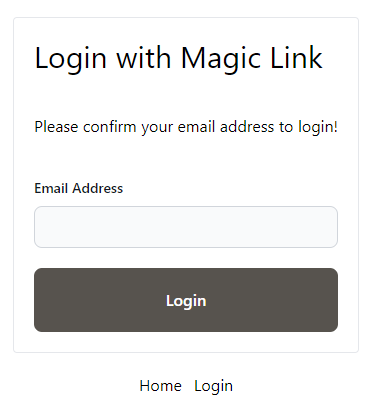
<br>
<br>## TL;DR
<br>
<br>Passwordless login is the future. You can log in with only an email using a Magic Link. While you can attach the email address to the link, Firebase recommends saving the email address in the local storage for retrieval. Passwords are insecure.
<br>
<br>## Magic Link Login
<br>
<br>Our application will request an email from the user. The email is saved to the local storage. The user will receive an email confirming their email address. When the user clicks on the link, the login page obtains the email address from the local storage and logs in. They must confirm their email address if they click the link from a different device.
<br>
<br>## Note on SvelteKit
<br>
<br>This demo uses SvelteKit, but all premises are the same for any framework. See the [[post:C73xaa|SvelteKit Setup]] for Firebase configuration.
<br>
<br>## Login Functions
<br>
<br>First, we need to send the magic link.
<br>
<br>```ts
<br>export const sendMagicLink = async (
<br> email: string,
<br> originURL: string
<br>) => {
<br> try {
<br> await sendSignInLinkToEmail(auth, email, {
<br> handleCodeInApp: true,
<br> url: originURL + '/auth/callback'
<br> });
<br> } catch (e) {
<br> if (e instanceof FirebaseError) {
<br> console.error(e);
<br> return e;
<br> }
<br> }
<br>};
<br>```
<br>
<br>We also need to sign in using the magic link.
<br>
<br>```ts
<br>export const signInWithMagic = async (
<br> email: string,
<br> url: string
<br>) => {
<br> try {
<br> await signInWithEmailLink(auth, email, url);
<br> } catch (e) {
<br> if (e instanceof FirebaseError) {
<br> console.error(e);
<br> return e;
<br> }
<br> }
<br>};
<br>```
<br>
<br>Finally, we should be able to test if the sign in URL is valid.
<br>
<br>```ts
<br>export const isMagicLinkURL = (url: string) => {
<br> return isSignInWithEmailLink(auth, url);
<br>};
<br>```
<br>
<br>### Firebase Helper
<br>
<br>This is optional, but it allows you to check for a user immediately in the loader function. This can only run on the browser. If you need server authentication, see [[post:eFtYMt|Server App]] or [[post:tqdc5j|Firebase Admin]].
<br>
<br>```ts
<br>export const getUser = async () =>
<br> new Promise<User | null>((resolve, reject) => {
<br> const unsubscribe = onIdTokenChanged(auth, (user) => {
<br> unsubscribe();
<br> resolve(user);
<br> }, (error) => {
<br> unsubscribe();
<br> reject(error);
<br> });
<br> });
<br>```
<br>
<br>📝 You should not use Svelte Stores in a load function, but you can use promises.
<br>
<br>📝 You must wait for `onIdTokenChanged` or `onAuthStateChanged` as `auth.currentUser` does not WAIT for the latest value.
<br>
<br>## Login Page
<br>
<br>The login page at `/login` works as expected.
<br>
<br>### Route Guard
<br>
<br>We create a route guard in the loader function at `page.ts` using the `getUser()` method.
<br>
<br>```ts
<br>import { getUser } from '$lib/use-user';
<br>import { redirect } from '@sveltejs/kit';
<br>import type { PageLoad } from './$types';
<br>import { browser } from '$app/environment';
<br>
<br>export const load: PageLoad = async () => {
<br>
<br> if (!browser) {
<br> return {
<br> loading: true
<br> };
<br> }
<br>
<br> const loggedIn = !!(await getUser());
<br>
<br> if (loggedIn) {
<br> return redirect(302, '/');
<br> }
<br>};
<br>```
<br>
<br>You should not see a login page if a user is already logged in.
<br>
<br>### Login
<br>
<br>When not loading, the login page sends the user an email with a valid login link.
<br>
<br>```ts
<br><script lang="ts">
<br> import { page } from '$app/stores';
<br> import LoginForm from '$lib/login-form.svelte';
<br> import { getEmail } from '$lib/tools';
<br> import { sendMagicLink } from '$lib/use-user';
<br> import { error } from '@sveltejs/kit';
<br> import type { PageData } from './$types';
<br> import Loading from '$lib/loading.svelte';
<br>
<br> export let data: PageData;
<br>
<br> let emailSent = false;
<br>
<br> const sendLink = async (event: SubmitEvent) => {
<br> const email = getEmail(event);
<br> const originURL = $page.url.origin;
<br> const sendError = await sendMagicLink(email, originURL);
<br> if (sendError) {
<br> error(500, sendError.message);
<br> }
<br> localStorage.setItem('emailForSignIn', email);
<br> emailSent = true;
<br> setTimeout(() => (emailSent = false), 5000);
<br> };
<br></script>
<br>
<br>{#if data.loading}
<br> <Loading />
<br> <p class="my-5 text-center text-xl font-bold">Loading...</p>
<br>{:else}
<br> <main class="mt-10 flex flex-col items-center justify-center gap-5">
<br> <LoginForm isConfirmPage={false} on:submit={sendLink} />
<br> {#if emailSent}
<br> <p class="text-blue-500">
<br> Email Sent! Check your mailbox. If you don't see it look under junk or spam!
<br> </p>
<br> {/if}
<br> </main>
<br>{/if}
<br>```
<br>
<br>It then saves the email as `emailForSignIn` in local storage.
<br>
<br>### Login Form
<br>
<br>I share the login form with the confirm email form since they share almost identical characteristics.
<br>
<br>```ts
<br><script lang="ts">
<br> export let isConfirmPage: boolean;
<br></script>
<br>
<br><form on:submit>
<br> <div class="flex min-w-72 flex-col gap-5 rounded border p-5">
<br> <h1 class="text-3xl">Login with Magic Link</h1>
<br> <p class="my-5">
<br> {#if isConfirmPage}
<br> Please confirm your email address to login!
<br> {:else}
<br> Enter your email address to receive a magic link to login!
<br> {/if}
<br> </p>
<br> <div>
<br> <label for="email" class="mb-2 block text-sm font-medium text-gray-900 dark:text-white">
<br> Email Address
<br> </label>
<br> <input
<br> type="email"
<br> id="email"
<br> name="email"
<br> class="block w-full rounded-lg border border-gray-300 bg-gray-50 p-2.5 text-sm text-gray-900 focus:border-blue-500 focus:ring-blue-500 dark:border-gray-600 dark:bg-gray-700 dark:text-white dark:placeholder-gray-400 dark:focus:border-blue-500 dark:focus:ring-blue-500"
<br> />
<br> </div>
<br> <button
<br> type="submit"
<br> class="rounded-lg bg-stone-600 p-5 font-semibold text-white hover:opacity-75"
<br> >
<br> {isConfirmPage ? 'Login' : 'Send Link'}
<br> </button>
<br> </div>
<br></form>
<br>```
<br>
<br>The form inputs an email and does something.
<br>
<br>### Form Helper
<br>
<br>I also have a form helper that gets the email from a form event.
<br>
<br>```ts
<br>export const getEmail = (event: SubmitEvent) => {
<br>
<br> event.preventDefault();
<br>
<br> const { email } = Object.fromEntries(
<br> new FormData(event.target as HTMLFormElement)
<br> );
<br>
<br> if (!email || typeof email !== 'string') {
<br> throw "No email!";
<br> }
<br> return email;
<br>};
<br>```
<br>
<br>## Callback
<br>
<br>I created a callback at the url `auth/callback`, but this could be anywhere or even on the same login page.
<br>
<br>### Loader
<br>
<br>The callback load function at `+page.ts` does a few things.
<br>
<br>```ts
<br>import { error, redirect } from '@sveltejs/kit';
<br>import type { PageLoad } from './$types';
<br>import { getUser, isMagicLinkURL, signInWithMagic } from '$lib/use-user';
<br>import { browser } from '$app/environment';
<br>
<br>export const load: PageLoad = async ({ url }) => {
<br>
<br> const urlString = url.toString();
<br>
<br> // you can get the email this way as well
<br> // const _email = url.searchParams.get('email');
<br> // console.log(_email);
<br>
<br> if (!isMagicLinkURL(urlString)) {
<br> error(400, 'Bad request');
<br> }
<br>
<br> // just load on server
<br> if (!browser) {
<br> return {
<br> loading: true
<br> };
<br> }
<br>
<br> const loggedIn = !!(await getUser());
<br>
<br> // redirect if already logged in
<br> if (loggedIn) {
<br> return redirect(302, '/');
<br> }
<br>
<br> // ask for email if no email
<br> const email = localStorage.getItem('emailForSignIn');
<br> if (!email) {
<br> return {
<br> loading: false
<br> };
<br> }
<br>
<br> // otherwise login
<br> const signInError = await signInWithMagic(email, urlString);
<br> if (signInError) {
<br> error(500, signInError.message);
<br> }
<br> localStorage.removeItem('emailForSignIn');
<br> return redirect(302, '/');
<br>};
<br>```
<br>
<br>1. It displays an error if it is not a valid callback URL.
<br>2. It will redirect you home if you have already logged in.
<br>3. It checks for an email.
<br> 1. Logs in if one exists
<br> 2. Displays the confirm email page otherwise
<br>
<br>## Confirm Email Page
<br>
<br>You should only need to confirm an email address if the user is logging in from a different device or if local storage is disabled.
<br>
<br>```ts
<br><script lang="ts">
<br> import { error } from '@sveltejs/kit';
<br> import { goto } from '$app/navigation';
<br> import { page } from '$app/stores';
<br> import LoginForm from '$lib/login-form.svelte';
<br> import { getEmail } from '$lib/tools';
<br> import { signInWithMagic } from '$lib/use-user';
<br> import Loading from '$lib/loading.svelte';
<br> import type { PageData } from './$types';
<br>
<br> export let data: PageData;
<br>
<br> const confirmMagicLink = async (event: SubmitEvent) => {
<br> const email = getEmail(event);
<br> const urlString = $page.url.toString();
<br> const signInError = await signInWithMagic(email, urlString);
<br> if (signInError) {
<br> error(500, signInError.message);
<br> }
<br> localStorage.removeItem('emailForSignIn');
<br> goto('/');
<br> };
<br></script>
<br>
<br>{#if data.loading}
<br> <Loading />
<br> <p class="my-5 text-center text-xl font-bold">Logging you in...</p>
<br>{:else}
<br> <main class="mt-10 flex flex-col items-center justify-center gap-5">
<br> <LoginForm isConfirmPage={true} on:submit={confirmMagicLink} />
<br> </main>
<br>{/if}
<br>```
<br>
<br>## Add email to callback URL?
<br>
<br>Yes, you can.
<br>
<br>```ts
<br>// sendMagicLink()
<br>...
<br>await sendSignInLinkToEmail(auth, email, {
<br> handleCodeInApp: true,
<br> url: originURL + '/auth/callback' + `?email=${email}`
<br>});
<br>...
<br>```
<br>
<br>And you can receive it from the URL.
<br>
<br>```ts
<br>// auth/callback/+page.ts
<br>
<br>export const load: PageLoad = async ({ url }) => {
<br>
<br> const _email = url.searchParams.get('email');
<br>
<br> ...
<br>```
<br>
<br>☢️ The problem is that this is theoretically not secure. A user could hack your email and easily log in to a website with a script. A user could technically do this anyway, as they already have your email address from the email itself, but Firebase recommends against this. However, other login systems see no problem with this method. It is up to you.
<br>
<br>**Repo:** [GitHub](https://github.com/jdgamble555/svelte-firebase-magic-link)
<br>
<br>**Demo:** [Vercel Serverless](https://svelte-firebase-magic-link.vercel.app/)
<br>
<br>JHandling Usernames in Firestorehttps://code.build/p/ilpEaH/handling-usernames-in-firestore2024-09-08T13:00:00.000Z2024-09-08T13:00:00.000ZJonathan GambleWhen adding a new username, a separate usernames collection will complement the users collection. This will enforce uniqueness and allow for easy searchability. To save speed and reads, you should also add the username to a custom claim that can be accessible directly in the ID Token.Most modern apps need usernames. We don’t want to share our email addresses publicly, using a long user ID would look odd. Firebase doesn’t handle usernames out of the box, but you can use them with a few minor modifications.
<br>
<br>
<br>
<br>## TL;DR
<br>
<br>When adding a new username, a separate `usernames` collection will complement the `users` collection. This will enforce uniqueness and allow for easy searchability. To save speed and reads, you should also add the *username* to a custom claim that can be accessible directly in the ID Token.
<br>
<br>## Collections
<br>
<br>Depending on our app, our username could have three main points of reference:
<br>
<br>1. `usernames/{username}` document
<br>2. The field `username` in the `users/{user_id}` document
<br>3. In the custom claim of the `currentUser` object
<br>
<br>📝 We need the `usernames` collection to maintain distinct usernames. Firestore does not handle unique values, so we must use a document ID to emulate this behavior.
<br>
<br>## Adding a Username
<br>
<br>When we add a username, we should add it to both collections simultaneously. Here, I use `firebase-admin`, but you could also do this on the client.
<br>
<br>```ts
<br>const batch = adminDB.batch();
<br>
<br>batch.set(
<br> adminDB.doc(`usernames/${username}`),
<br> {
<br> uid,
<br> username
<br> }
<br>);
<br>
<br>batch.set(
<br> adminDB.doc(`users/${uid}`),
<br> {
<br> username
<br> },
<br> { merge: true }
<br>);
<br>
<br>await batch.commit();
<br>```
<br>
<br>However, we should also delete the old username to keep our records clean. This allows you to use the same method for *updating a username* as for *adding a new one*.
<br>
<br>```ts
<br>const uid = token.uid;
<br>
<br>// get current username if exists
<br>const querySnap = await adminDB
<br> .collection('usernames')
<br> .where('uid', '==', uid)
<br> .get();
<br>
<br>const batch = adminDB.batch();
<br>
<br>// delete current username if exists
<br>if (!querySnap.empty) {
<br>
<br> querySnap.docs.forEach((snap) => {
<br> batch.delete(
<br> adminDB.doc(`usernames/${snap.id}`)
<br> )
<br> });
<br>}
<br>
<br>// add new username
<br>try {
<br> batch.set(
<br> adminDB.doc(`usernames/${username}`),
<br> {
<br> uid,
<br> username
<br> }
<br> );
<br>
<br> batch.set(
<br> adminDB.doc(`users/${uid}`),
<br> {
<br> username
<br> },
<br> { merge: true }
<br> );
<br>
<br> await batch.commit();
<br>
<br>} catch (e) {
<br> if (e instanceof FirebaseError) {
<br> error(400, e.message);
<br> }
<br>}
<br>```
<br>
<br>📝 The `error()` method is in SvelteKit, but you could use whatever method your SSR framework uses to handle errors. You could also use a [[post:Kj5PZ5#callable-function|callable function]] if your app is only client-side.
<br>
<br>## Custom Claims
<br>
<br>It is extremely easy to add a `username` custom claim on the backend.
<br>
<br>```ts
<br>try {
<br> await adminAuth.setCustomUserClaims(uid, {
<br> username
<br> });
<br>} catch (e) {
<br> if (e instanceof FirebaseError) {
<br> error(400, e.message);
<br> }
<br>}
<br>```
<br>
<br>⚠️ You cannot create custom claims on the client side; hence, it is recommended that you use the backend for the entire function.
<br>
<br>📝 Keeping everything on the client side prevents you from having complex Firestore Rules when adding a username. If you keep these functions on the server, make the `usernames` collection `read-only`. See [[post:eyfhvI|Firestore Rules]].
<br>
<br>### Refreshing Token on the Client
<br>
<br>Anytime you update a custom claim, you should update the client token.
<br>
<br>```ts
<br>await currentUser.getIdToken(true);
<br>```
<br>
<br>This should be done after your backend function is safely finished running.
<br>
<br>## Verify the User
<br>
<br>Before adding any custom claims, you should always verify the user. You must pass the `idToken` to the server or Firebase function to do this.
<br>
<br>```ts
<br>export const verifyIdToken = async (idToken: string) => {
<br> try {
<br> const token = await adminAuth.verifyIdToken(idToken);
<br> return {
<br> token,
<br> error: null
<br> };
<br> } catch (e) {
<br> if (e instanceof FirebaseError) {
<br> return {
<br> error: e.message,
<br> token: null
<br> };
<br> }
<br> }
<br> return {
<br> error: null,
<br> token: null
<br> };
<br>};
<br>```
<br>
<br>### Usage
<br>
<br>```ts
<br>const { token, error: tokenError } = await verifyIdToken(idToken);
<br>
<br>if (!token || tokenError) {
<br> error(401, 'Unauthorized!');
<br>}
<br>```
<br>
<br>## Checking for Valid Username
<br>
<br>If you want to check for a valid username, you check for a username in the `usernames` collection.
<br>
<br>```ts
<br>export const usernameAvailable = async (
<br> username: string
<br>) => {
<br> try {
<br> const snap = await getDoc(
<br> doc(db, 'usernames', username)
<br> );
<br> return {
<br> available: !snap.exists(),
<br> error: null
<br> };
<br> } catch (e) {
<br> if (e instanceof FirebaseError) {
<br> return {
<br> error: e.message,
<br> available: null
<br> };
<br> }
<br> }
<br> return {
<br> error: null,
<br> available: null
<br> };
<br>};
<br>```
<br>
<br>### Debounce
<br>
<br>You can check while typing in an *input* field, but you should wait a few seconds before fetching Firebase to prevent unnecessary reads.
<br>
<br>```ts
<br>// reusable debounce function
<br>export function useDebounce<F extends (
<br> ...args: Parameters<F>
<br>) => ReturnType<F>>(
<br> func: F,
<br> waitFor: number,
<br>): (...args: Parameters<F>) => void {
<br> let timeout: NodeJS.Timeout;
<br> return (...args: Parameters<F>): void => {
<br> clearTimeout(timeout);
<br> timeout = setTimeout(() => func(...args), waitFor);
<br> };
<br>}
<br>```
<br>
<br>Then you call it with `oninput`. This varies depending on your framework.
<br>
<br>```ts
<br>const debouceUsername = useDebounce(() => { // do something here });
<br>
<br><input oninput={debounceUsername} ... />
<br>```
<br>
<br>This reusable hook should work anywhere.
<br>
<br>```ts
<br>const { available, error } = await usernameAvailable(username);
<br>```
<br>
<br>## Login with Username Feature
<br>It is worth noting that you could also simulate a login with username feature, even though this is *NOT* supported out-of-the-box, by simply using the username to fetch the user's UID. This would have to be done on the backend, and would use `firebase-admin` as well.
<br>## Example
<br>**Demo:** [Vercel Serverless](https://svelte-firebase-username.vercel.app/)
<br>
<br>**Repo:** [GitHub](https://github.com/jdgamble555/svelte-firebase-username)
<br>
<br>📝 Remember `firebase-admin` will ONLY work in NodeJS Environments. Use a [[post:Kj5PZ5#callable-function|callable Firebase Function]] to deploy to Bun, Vercel Edge, Cloudflare, or Deno environments.Firestore Fuzzy Full-Text Searchhttps://code.build/p/Ut2Smh/firestore-fuzzy-full-text-search2024-09-01T13:06:05.234Z2024-09-02T18:22:22.422ZJonathan GambleAdding full-text search capabilities to Firestore can be easy; it just requires your own index. The fuzzy index with soundex makes full-text searching possible with little headache.After years of getting different ideas for self-indexing search using Firestore, I have finally reached a usable conclusion that doesn’t use too much space, allows typos, sorts by relevance, and works without a separate database.
<br>
<br>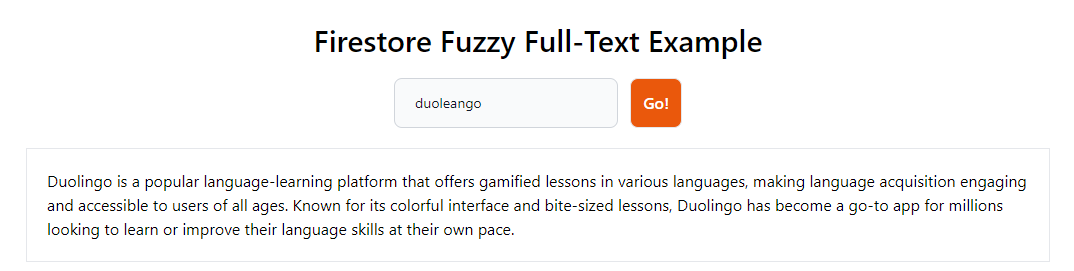
<br>
<br>## TL;DR
<br>
<br>Adding full-text search capabilities to Firestore can be easy; it just requires your own index. The fuzzy index with soundex makes full-text searching possible with little headache.
<br>
<br>## Other Databases
<br>
<br>If you need advanced features, it is recommended to use an external database built for searching. However, I believe this is overkill for most apps, even large ones.
<br>
<br>- [Algolia](https://www.algolia.com/)
<br>- [Elastic Search](https://www.elastic.co/)
<br>- [MeiliSearch](https://www.meilisearch.com/)
<br>- [Typesense](https://typesense.org/)
<br>- [Zinc Search](https://github.com/prabhatsharma/zinc)
<br>
<br>🤦Yes, Google, the biggest search engine in the world, recommends a non-google product for Full-Text searching.
<br>
<br>## Idea 1 - Arrays and Maps
<br>
<br>If all else fails, you can store keywords inside arrays and search for them with where clauses.
<br>
<br>```ts
<br>const db = getFirestore();
<br>
<br>const q = query(
<br> collection(db, 'posts'),
<br> where('terms', 'array-contains', 'query')
<br>);
<br>```
<br>
<br>For more on this:
<br>
<br>- [[post:dyFZgf|array-contains-all]]
<br>- [[post:gm3B5X|maps]]
<br>
<br>## Idea 2 - Character Hack
<br>
<br>Firestore has a hack that allows you to search for the first character of a value. You search for the word up until the end of the character set. I don’t understand why his works, but it does.
<br>
<br>```ts
<br>function startsWith(
<br> collectionRef: CollectionReference,
<br> fieldName: string,
<br> term: string
<br>) {
<br> return query(
<br> collectionRef,
<br> orderBy(fieldName),
<br> startAt(term),
<br> endAt(term + '~')
<br> );
<br>}
<br>```
<br>
<br>📝 You can use `\uf8ff` or the character `~`. Both of these are known for the last character in the utf8 dataset.
<br>
<br>```ts
<br>// THIS IS THE SAME THING BTW
<br>query(
<br> collectionRef,
<br> where(fieldName, '>=', term),
<br> where(fieldName, '<=', term + '\uf8ff')
<br>);
<br>```
<br>
<br>### Usage
<br>
<br>```ts
<br>const d = await getDocs(
<br> startsWith(
<br> collection(db, 'posts'),
<br> 'searchField',
<br> 'my-term'
<br> )
<br>);
<br>```
<br>
<br>### ☢️ Problems
<br>
<br>- You can’t search for the start of a word, only the start of a string.
<br>- This will not work on maps or arrays.
<br>
<br>However, this can be useful in certain situations.
<br>
<br>## Idea 3 - Trigram Fuzzy Search
<br>
<br>I built a [trigram search](https://github.com/jdgamble555/adv-firestore-functions/blob/master/src/shared/search.ts#L352) once upon a time ago. I archived the package. It saves trigrams of a word in an array for searching. Imagine `elon musk baseball`:
<br>
<br>```ts
<br>// could be stored as array or map
<br>[elo, lon, mus, usk, bas, ase, bal, all]
<br>```
<br>
<br>Then, you would search by using where clauses for each trigram or [[post:dyFZgf|array-contains-all]].
<br>
<br>```ts
<br>where('elo', '==', true),
<br>where('lon', '==', true)
<br>```
<br>
<br>### ☢️ Problems
<br>
<br>Just like in all databases, trigram indexing is slow and painful. You also must convert each search phrase to a trigram for searching, as your query gets complex.
<br>
<br>## Idea 4 - Every Character Index
<br>
<br>You could index your array or map to contain any iteration of the word for searching. Let’s say you want to store `elon musk` in a title.
<br>
<br>```ts
<br>['e']
<br>['el']
<br>['elo']
<br>['elon']
<br>['elon ']
<br>['elon m']
<br>...
<br>```
<br>
<br>### ☢️ Problems
<br>
<br>- You need to index every letter manually with repeated information. Imagine if you had a paragraph of text!
<br>
<br>## Solution
<br>
<br>We can build on these ideas and group the text in clusters. No one will search for a whole paragraph; they will search for a few words at a time.
<br>
<br>```ts
<br>const NUMBER_OF_WORDS = 4;
<br>
<br>const createIndex = (text: string) => {
<br>
<br> // regex matches any alphanumeric from any language and strips spaces
<br> const finalArray: string[] = [];
<br>
<br> const wordArray = text
<br> .toLowerCase()
<br> .replace(/[^\p{L}\p{N}]+/gu, ' ')
<br> .replace(/ +/g, ' ')
<br> .trim()
<br> .split(' ');
<br>
<br> do {
<br> finalArray.push(
<br> wordArray.slice(0, NUMBER_OF_WORDS).join(' ')
<br> );
<br> wordArray.shift();
<br>
<br> } while (wordArray.length !== 0);
<br>
<br> return finalArray;
<br>};
<br>```
<br>
<br>This will strip out all non-alphanumeric characters and make an array based on the words in groups of 4. For example, this text:
<br>
<br>- Baseball is a game of strategy and skill, where every pitch, swing, and catch can change the course of the game in an instant.
<br>
<br>We would have something like this:
<br>
<br>```ts
<br>["baseball is a game"],
<br>["is a game of"],
<br>["a game of strategy"],
<br>["game of strategy and"],
<br>["of strategy and skill"],
<br>...
<br>```
<br>
<br>This does not help us, as we need to be able to search as we type the word. So, again, we must go through every iteration of that iteration.
<br>
<br>```ts
<br>for (const phrase of index) {
<br> if (phrase) {
<br> let v = '';
<br> for (let i = 0; i < phrase.length; i++) {
<br> v = phrase.slice(0, i + 1).trim();
<br> // increment for relevance
<br> m[v] = m[v] ? m[v] + 1 : 1;
<br> }
<br> }
<br>}
<br>```
<br>
<br>And we end up with something like this:
<br>
<br>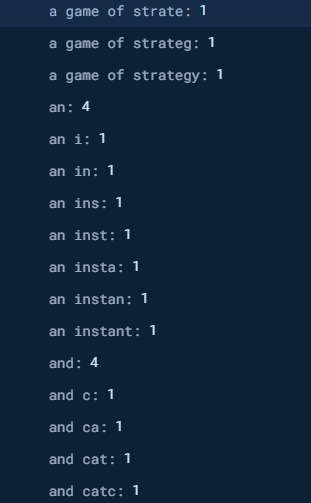
<br>
<br>### Relevance
<br>
<br>Instead of an array, we store it as a map. Notice the number by the word. Luckily, we don’t have to store repeated phrases like “and.” We can increment the value for each repetition of the words. This gives us relevance.
<br>
<br>### Searching
<br>
<br>To search, we find where the search field is equal to `searchField.term`. Since we are ordering by this also, we don’t need a `where` clause.
<br>
<br>```ts
<br>const data = await getDocs(
<br> query(
<br> collection(db, 'posts'),
<br> orderBy(`searchField.${term}`),
<br> limit(5)
<br> )
<br>);
<br>```
<br>
<br>## Fuzzy Search
<br>
<br>What we really want is not an exact search but a fuzzy search. We need some kind of typo tolerance.
<br>
<br>### Typo Tolerance with Soundex
<br>
<br>The soundex algorithm has been used for years to simulate typo tolerance. It allows you to store text as sound patterns, not just as text.
<br>
<br>```ts
<br>// Take any string, and return the soundex
<br>export function soundex(s: string): string {
<br> const a = s.toLowerCase().split("");
<br> const f = a.shift() as string;
<br> let r = "";
<br> const codes: Record<string, number | string> = {
<br> a: "",
<br> e: "",
<br> i: "",
<br> o: "",
<br> u: "",
<br> b: 1,
<br> f: 1,
<br> p: 1,
<br> v: 1,
<br> c: 2,
<br> g: 2,
<br> j: 2,
<br> k: 2,
<br> q: 2,
<br> s: 2,
<br> x: 2,
<br> z: 2,
<br> d: 3,
<br> t: 3,
<br> l: 4,
<br> m: 5,
<br> n: 5,
<br> r: 6,
<br> };
<br> r = f + a
<br> .map((v: string) => codes[v])
<br> .filter((v, i: number, b) =>
<br> i === 0 ? v !== codes[f] : v !== b[i - 1])
<br> .join("");
<br> return (r + "000").slice(0, 4).toUpperCase();
<br>}
<br>```
<br>
<br>📝 There are different versions for different languages. Here is one for [French](https://github.com/thejellyfish/soundex-fr/blob/master/index.js), for example.
<br>
<br>Using this pattern, we can slightly modify our storage mechanism to translate for soundex first.
<br>
<br>```ts
<br>const temp = [];
<br>// translate to soundex
<br>for (const i of index) {
<br> temp.push(i.split(' ').map(
<br> (v: string) => soundex(v)
<br> ).join(' '));
<br>}
<br>index = temp;
<br>// add each iteration from the createIndex
<br>for (const phrase of index) {
<br> if (phrase) {
<br> let v = '';
<br> const t = phrase.split(' ');
<br> while (t.length > 0) {
<br> const r = t.shift();
<br> v += v ? ' ' + r : r;
<br> // increment for relevance
<br> m[v] = m[v] ? m[v] + 1 : 1;
<br> }
<br> }
<br>}
<br>```
<br>
<br>The beauty of this is it greatly simplifies your storage.
<br>
<br>
<br>
<br>You’re only storing the sound itself, not the letters, and there are fewer iterations of sounds than words.
<br>
<br>Remember to translate the text to soundex before you search as well!
<br>
<br>```ts
<br>
<br>// get the soundex terms
<br>const searchText = text
<br> .trim()
<br> .split(' ')
<br> .map(v => soundex(v))
<br> .join(' ');
<br>
<br>// search
<br>const data = getDocs(
<br> query(
<br> collection(db, 'posts'),
<br> orderBy(`search.${searchText}`),
<br> limit(50)
<br> )
<br>);
<br>```
<br>
<br>💵 This is simpler and faster than [[post:Gli7vK|Vector Search]]!
<br>
<br>🤷 I have archived my [j-firebase](https://github.com/jdgamble555/j-firebase/tree/master) package, as I lack time to keep up with a repo.
<br>
<br>📝 For an extra idea, you could also theoretically add [stop-words](https://gist.github.com/sebleier/554280), and ignore indexing them.
<br>
<br>## Backend or Frontend
<br>
<br>In practice, you should build a trigger function on each document creation for your collection to handle this indexing. The second best option is to use a backend function to add the data simultaneously. Technically, you can do this on the frontend with no problem, but offloading the generation to the backend makes more sense.
<br>
<br>**Demo:** [Vercel Serverless](https://firebase-fuzzy-search.vercel.app/)
<br>
<br>**Repo:** [GitHub](https://github.com/jdgamble555/firebase-fuzzy-search)
<br>
<br>JFirestore Vector Full-Text Searchhttps://code.build/p/Gli7vK/firestore-vector-full-text-search2024-08-25T13:00:00.000Z2024-09-01T13:06:05.234ZJonathan GambleWhile Vector Search adds a type of full-text search support to your app, you must create an embedding for every search term before searching. This can be slow and cumbersome. The Vector Search is really just a document sort, and not a filter. However, it is very powerful and pretty cool in my book.With the AI revolution, Vector Databases have become popular. Almost every big database that didn’t already have the option has added Vector support, and Firestore is no different. This demo was incredibly tedious and difficult to build; I will try to simplify it and show you what I learned.
<br>
<br>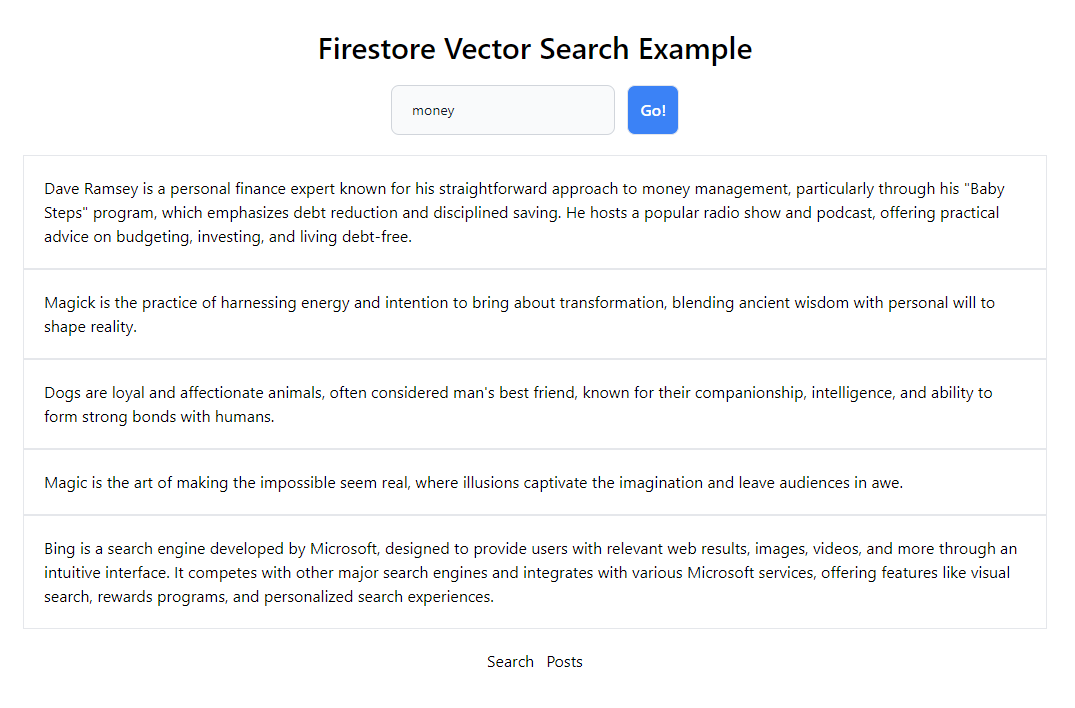
<br>
<br>## TL;DR
<br>
<br>While Vector Search adds a type of full-text search support to your app, you must create an embedding for every search term before searching. This can be slow and cumbersome. The Vector Search is really just a document sort, and not a filter. However, it is very powerful and pretty cool in my book.
<br>
<br>## Vector Setup
<br>
<br>1. Enable the [Vector AI API](https://cloud.google.com/vertex-ai/generative-ai/docs/embeddings/get-text-embeddings) in Google Console.
<br>2. Get a [[post:tqdc5j#firebase-admin|Firebase Admin Private Key]] and add it to your `.env` file.
<br>3. Add [Vertex AI Administrator](https://console.cloud.google.com/iam-admin/iam) to the Firebase IAM account you just generated.
<br>4. Install *Firebase Admin for NodeJS*
<br>
<br>```ts
<br>npm i -D firebase-admin
<br>```
<br>
<br>*For non-Node environments, you must use the Firebase REST API instead.*
<br>
<br>1. (Optional) Install Vertex AI for NodeJS
<br>
<br>```ts
<br>npm i -D @google-cloud/aiplatform
<br>```
<br>
<br>I have also included the REST API version, which I find more intuitive in this case.
<br>
<br>## Firebase Admin Setup
<br>
<br>Depending on your Framework, this could vary a bit, but the premise is the same.
<br>
<br>```ts
<br>import { PRIVATE_FIREBASE_ADMIN_CONFIG } from '$env/static/private';
<br>import { getApps, initializeApp, cert, getApp } from 'firebase-admin/app';
<br>import { getAuth } from 'firebase-admin/auth';
<br>import { getFirestore } from 'firebase-admin/firestore';
<br>
<br>const firebase_admin_config = JSON.parse(PRIVATE_FIREBASE_ADMIN_CONFIG);
<br>
<br>// initialize admin firebase only once
<br>export const adminApp = getApps().length
<br> ? getApp()
<br> : initializeApp({
<br> credential: cert(firebase_admin_config),
<br> projectId: firebase_admin_config.project_id
<br> });
<br>
<br>export const adminAuth = getAuth(adminApp);
<br>export const adminDB = getFirestore(adminApp, 'firestore-testing');
<br>```
<br>
<br>Notice I am using `firestore-testing` as a secondary database. We import the key from the `.env` file created before.
<br>
<br>## Embeddings
<br>
<br>The key to Vector Search is generating embeddings before storing data and searching for data. Unfortunately, this means you must make two API calls every time you search. One call will translate the data from your query text, and another will be used to search the Firestore database.
<br>
<br>### Vertex AI Model
<br>
<br>You can use OpenAI or any other LLM, but Google already has a model ready for text searching.
<br>
<br>| English models | Multilingual models |
<br>| --- | --- |
<br>| `textembedding-gecko@001` | `textembedding-gecko-multilingual@001` |
<br>| `textembedding-gecko@003` | `text-multilingual-embedding-002` |
<br>| `text-embedding-004` | |
<br>| `text-embedding-preview-0815` | |
<br>
<br>For English, the recommended model is `text-embedding-004`.
<br>
<br>### Task Type
<br>
<br>You also must select how you’re storing the data in the embedding.
<br>
<br>| Task Type | Description |
<br>| --- | --- |
<br>| `SEMANTIC_SIMILARITY` | Used to generate embeddings that are optimized to assess text similarity |
<br>| `CLASSIFICATION` | Used to generate embeddings that are optimized to classify texts according to preset labels |
<br>| `CLUSTERING` | Used to generate embeddings that are optimized to cluster texts based on their similarities |
<br>| `RETRIEVAL_DOCUMENT`, `RETRIEVAL_QUERY`, `QUESTION_ANSWERING`, and `FACT_VERIFICATION` | Used to generate embeddings that are optimized for document search or information retrieval |
<br>
<br>Because we want to build a full-text search, we will use `SEMANTIC_SIMILARITY`. However, `RETRIEVAL_DOCUMENT` or `RETRIEVAL_QUERY` could also work for this use case. I tested those as well, and there is not much difference.
<br>
<br>### Dimensionality
<br>
<br>What is the quality of the Vector you want to store? The higher the quality, the more space you will use in Firestore. While the docs say a number between 1 and 2048, The maximum allowable dimensionality for the best quality is `768`.
<br>
<br>## Instances
<br>
<br>Both API versions take an array of `instances` to search for. You could ultimately use this search for more than one term at a time. However, this example only uses one instance and task type.
<br>
<br>### Vertex AI Package
<br>
<br>We need to generate the embeddings from our text. This version needs to use our Firebase Admin keys directly.
<br>
<br>```ts
<br>import { PRIVATE_FIREBASE_ADMIN_CONFIG } from '$env/static/private';
<br>import { adminAuth } from '$lib/firebase-admin';
<br>import { PredictionServiceClient, helpers } from '@google-cloud/aiplatform';
<br>import type { google } from '@google-cloud/aiplatform/build/protos/protos';
<br>
<br>const firebase_admin_config = JSON.parse(PRIVATE_FIREBASE_ADMIN_CONFIG);
<br>
<br>const model = 'text-embedding-004';
<br>const task = 'SEMANTIC_SIMILARITY';
<br>const location = 'us-central1';
<br>const apiEndpoint = 'us-central1-aiplatform.googleapis.com';
<br>const dimensionality = 768;
<br>
<br>export const getEmbedding = async (content: string) => {
<br>
<br> const project = adminAuth.app.options.projectId;
<br>
<br> const client = new PredictionServiceClient({
<br> apiEndpoint,
<br> credentials: {
<br> client_email: firebase_admin_config.client_email,
<br> private_key: firebase_admin_config.private_key
<br> }
<br> });
<br>
<br> const [response] = await client.predict({
<br> endpoint: `projects/${project}/locations/${location}/publishers/google/models/${model}`,
<br> instances: [
<br> helpers.toValue({ content, task }) as google.protobuf.IValue
<br> ],
<br> parameters: helpers.toValue({
<br> outputDimensionality: dimensionality
<br> })
<br> });
<br>
<br> const predictions = response.predictions;
<br>
<br> if (!predictions) {
<br> throw 'No predictions!';
<br> }
<br>
<br> const embeddings = predictions.map(p => {
<br> const embeddingsProto = p.structValue!.fields!.embeddings;
<br> const valuesProto = embeddingsProto.structValue!.fields!.values;
<br> return valuesProto.listValue!.values!.map(v => v.numberValue);
<br> });
<br>
<br> return embeddings[0] as number[];
<br>};
<br>```
<br>
<br>Packages like `firebase-admin` usually automatically handle mapping the vector data, but this package was just as difficult to use as basic REST API. You have to map the fields manually and return the complex array correctly. Google Packages will automatically log errors to the console.
<br>
<br>### REST API Method
<br>
<br>Alternatively, call the REST API directly. Here, we can use our Firebase Access Token.
<br>
<br>```ts
<br>export const getEmbedding2 = async (content: string) => {
<br>
<br> const project = adminAuth.app.options.projectId;
<br> const token = await adminAuth.app.options.credential!.getAccessToken();
<br>
<br> const url = `https://us-central1-aiplatform.googleapis.com/v1/projects/${project}/locations/us-central1/publishers/google/models/text-embedding-004:predict`;
<br>
<br> const r = await fetch(url, {
<br> method: 'POST',
<br> headers: {
<br> 'Authorization': `Bearer ${token.access_token}`,
<br> 'Content-Type': 'application/json'
<br> },
<br> body: JSON.stringify({
<br> instances: [
<br> {
<br> "task_type": task,
<br> // you can also use "title" for RETRIEVAL tasks
<br> "content": content
<br> },
<br> ],
<br> parameters: {
<br> outputDimensionality: dimensionality
<br> }
<br> })
<br> });
<br>
<br> if (!r.ok) {
<br> const error = await r.json();
<br> throw error;
<br> }
<br>
<br> const response = await r.json();
<br>
<br> const predictions = response.predictions;
<br>
<br> if (!predictions) {
<br> throw 'No predictions!';
<br> }
<br>
<br> // @ts-expect-error: You should make your own types in reality here
<br> const embeddings = predictions.map(p => p.embeddings.values);
<br>
<br> return embeddings[0] as number[];
<br>};
<br>```
<br>
<br>## Save Data to Firestore
<br>
<br> In this example, we save the content to the `text` field and the vector to the `search` field.
<br>
<br>```ts
<br>const embeddings = await getEmbedding(text);
<br>
<br>await adminDB.collection('posts').add({
<br> text,
<br> search: FieldValue.vector(embeddings)
<br>});
<br>```
<br>
<br>## Retrieving Data
<br>
<br>When retrieving our documents normally, without searching, we want to exclude the Vector field, as it will not be serializable from the server, and we don’t need to download extraneous information.
<br>
<br>```ts
<br> const data = await adminDB.collection('posts').get();
<br>
<br> // don't return actual vector, won't serialize
<br> const docs = data.docs.map((doc) => {
<br> const data = doc.data();
<br> return {
<br> id: doc.id,
<br> text: data['text']
<br> };
<br> });
<br>
<br> return {
<br> docs
<br> };
<br>```
<br>
<br>📝 Using the *Firebase REST API*, you can choose the fields you want to download, thus avoiding the vector altogether and saving on data transfer.
<br>
<br>## Create an Index
<br>
<br>Before searching, you must add a Vector Index. Currently, there is no way to do this outside of using the `gcloud` CLI. I could not even get that to work on my local machine. Luckily, it works as expected using the [Google Cloud Shell](https://cloud.google.com/shell). Hopefully, this will be fixed soon when it is out of alpha.
<br>
<br>```ts
<br>gcloud alpha firestore indexes composite create
<br> --collection-group=YOUR-COLLECTION
<br> --query-scope=COLLECTION
<br> --field-config field-path=search,vector-config='{"dimension":"768","flat": "{}"}'
<br> --project=YOUR-PROJECT-ID
<br> --database="YOUR-DATABASE"
<br>```
<br>
<br>Replace `YOUR-COLLECTION`, `YOUR-PROJECT-ID`, and `YOUR-DATABASE` with the respected information.
<br>
<br>⚠️ `COLLECTION` is not to be replaced or confused with `YOUR-COLLECTION`.
<br>
<br>📝 You can also edit the `dimension` here for indexing if you want to change the default quality.
<br>
<br>⚠️ Get rid of all new lines before using this command!
<br>
<br>## Searching
<br>
<br>To search, we use the `findNearest` method. Unfortunately, we must get an embedding even for the data to be searched.
<br>
<br>```ts
<br>const embeddings = await getEmbedding(text);
<br>
<br>const data = await adminDB
<br> .collection('posts')
<br> .findNearest(
<br> 'search',
<br> FieldValue.vector(embeddings), {
<br> limit: 5,
<br> distanceMeasure: 'EUCLIDEAN'
<br> })
<br> .get();
<br>
<br>// don't return actual vector, won't serialize
<br>const docs = data.docs.map((doc) => {
<br> const data = doc.data();
<br> return {
<br> id: doc.id,
<br> text: data['text']
<br> };
<br>});
<br>
<br>return {
<br> docs
<br>};
<br>```
<br>
<br>- `search` is our Vector Field
<br>- Since all vector data is ultimately related, we limit our results to 5. Otherwise, we could potentially return all documents. This is required for a reason. Vector Search ultimately just sorts the data. You can only return a maximum of 1000 documents.
<br>- We want to use `EUCLIDEAN` to measure the shortest distance for semantic search. However, `COSINE` and `DOT_PRODUCT` are also available for more [advanced cases](https://firebase.google.com/docs/firestore/vector-search).
<br>
<br>## Pricing
<br>
<br>- [Embeddings](https://cloud.google.com/vertex-ai/generative-ai/pricing#embedding-models) are charged $0.000025 per 1000 characters.
<br>- [Vector Search](https://cloud.google.com/firestore/pricing#firestore-pricing) is charged one read operation for each batch of up to 100 kNN vector index entries read by the query.
<br>
<br>## Other Filtering
<br>
<br>You can also add any [other filters](https://firebase.google.com/docs/firestore/vector-search) except for inequalities. However, each filter will require a separate index.
<br>
<br>## Vector Limitations
<br>
<br>- Vectors only work on the backend. If you need frontend support, write a `WRITE` [[post:teQxZV|trigger function]] that creates the vector anytime a new document is added to your collection. However, you would still need a backend to convert the search text to a vector before searching.
<br>- For this reason, I’m not sure if it will ever be available on the frontend JS package. This is the worst part of the search. This also limits the ability to use real-time listeners.
<br>
<br>Google needs to use TypeScript for its examples instead of pure JavaScript. This was one of my many issues, and the documentation was terrible. Nevertheless, *we got er goin*!
<br>
<br>## Demo
<br>
<br>- The demo uses SvelteKit with Form Actions.
<br>- Searching for something may take 1-20 seconds. This is not ideal, but it varies consistently and is quick enough most of the time.
<br>- I disabled adding new data to the production version to reduce spam.
<br>
<br>**Demo**: [Vercel Serverless](https://firestore-vector-search.vercel.app/)
<br>
<br>**Repo:** [GitHub](https://github.com/jdgamble555/firestore-vector-search)
<br>
<br>J
<br>
<br>### Note
<br>I highly recommend you use the [[post:Ut2Smh|Fuzzy Full-Text Search]] instead of this one, as it is faster, smaller, and easier.Firebase Now Works on the Serverhttps://code.build/p/eFtYMt/firebase-now-works-on-the-server2024-08-18T13:00:00.000Z2024-08-18T17:58:45.192ZJonathan GambleYou can now use the firebase-js-sdk library directly on the server without needing the firebase-admin package. You can fetch Firestore data that requires user credentials and normal fetching. You can add service workers to your app that add the login token to every fetch. The fetch logins on the server with initializeServerApp.When Firebase was released, before Google even owned the company, you didn’t need to fetch anything on the server. Over 10 years later, you can pre-fetch your data to Firebase on the server before loading it on the client. This is faster, smaller, and less painful.
<br>
<br>## TL;DR
<br>
<br>You can now use the `firebase-js-sdk` library directly on the server without needing the `firebase-admin` package. You can fetch Firestore data that requires user credentials and normal fetching. You can add service workers to your app that add the login token to every `fetch`. The fetch logins on the server with `initializeServerApp`.
<br>
<br>## Firestore Lite
<br>
<br>Firebase has technically worked on the server for a long time, but not without headaches. [[post:tqdc5j|Firebase Admin]] can load your data, but only on Node servers. Firebase Lite allows you to run Firebase on Edge Servers, including NextJS Middleware, Cloudflare, Bun, and Vercel.
<br>
<br>Remember to use `firebase/firestore/lite` if you’re on the edge for importing Firestore.
<br>
<br>## Firebase Authentication on the Server
<br>
<br>The problem has been using authentication. There has not been a way to authenticate your data on the server that works across platforms. Since Firebase 10.12.3, everything works as expected, even on the Edge.
<br>
<br>## SvelteKit
<br>
<br>This example uses SvelteKit, but I will update all framework examples over time. First, make sure to follow the [[post:C73xaa|SvelteKit Todo App with Firebase]] to understand the Svelte setup.
<br>
<br>### Firebase Lite
<br>
<br>Here, we create a separate server file to handle the server request. This will be identical in all frameworks except loading the `.env` config and using error handling.
<br>
<br>```ts
<br>// lib/firebase-lite.ts
<br>
<br>import { PUBLIC_FIREBASE_CONFIG } from "$env/static/public";
<br>import { error } from "@sveltejs/kit";
<br>import { initializeServerApp } from "firebase/app";
<br>import { getFirestore } from "firebase/firestore/lite";
<br>import { getAuth } from "firebase/auth";
<br>
<br>const firebase_config = JSON.parse(PUBLIC_FIREBASE_CONFIG);
<br>
<br>export const firebaseServer = async (request: Request) => {
<br>
<br> const authIdToken = request.headers.get('Authorization')?.split('Bearer ')[1];
<br>
<br> if (!authIdToken) {
<br> error(401, 'Not Logged In!');
<br> }
<br>
<br> const serverApp = initializeServerApp(firebase_config, {
<br> authIdToken
<br> });
<br>
<br> const auth = getAuth(serverApp);
<br>
<br> const db = getFirestore(serverApp);
<br>
<br> await auth.authStateReady();
<br>
<br> if (auth.currentUser === null) {
<br> error(401, 'Invalid Token');
<br> }
<br>
<br> return {
<br> auth,
<br> db
<br> };
<br>};
<br>```
<br>
<br>The `initializeServerApp` is key. This allows us to create a temporary server app from an ID Token. We must get it from the request first. Then we await the authorization state before getting the current user.
<br>
<br>The request object is passed to our `firebaseServer` function.
<br>
<br>```ts
<br>// routes/about/+page.server.ts
<br>
<br>import { getAbout } from '$lib/about';
<br>import { firebaseServer } from '$lib/firebase-lite';
<br>
<br>import type { PageServerLoad } from './$types';
<br>
<br>export const load = (async ({ request }) => {
<br>
<br> const { db } = await firebaseServer(request);
<br>
<br> return {
<br> about: await getAbout(db)
<br> };
<br>
<br>}) satisfies PageServerLoad;
<br>```
<br>
<br>## Service Worker
<br>
<br>The key to making this work is a Service Worker. The SW intercepts all fetch requests and adds the ID token to it. This is beautiful and doesn’t require complex session cookies.
<br>
<br>```ts
<br>// service-worker/index.ts
<br>
<br>/// <reference lib="webworker" />
<br>
<br>import { requestProcessor } from "./utils";
<br>
<br>declare const self: ServiceWorkerGlobalScope;
<br>
<br>self.addEventListener('activate', (event) => {
<br>
<br> const evt = event as ExtendableEvent;
<br>
<br> evt.waitUntil(self.clients.claim())
<br>});
<br>
<br>self.addEventListener('fetch', (event) => {
<br>
<br> const evt = event as FetchEvent;
<br>
<br> evt.respondWith(requestProcessor(evt));
<br>});
<br>```
<br>
<br>We want to activate our service worker as soon as it is available, and then we listen to fetch requests.
<br>
<br>### Process Request
<br>
<br>This is simplified code from [Firebase](https://firebase.google.com/docs/auth/web/service-worker-sessions). The Authorization Token is added to the request. I had to translate it to TypeScript. It should have been written that way first 🤓
<br>
<br>```ts
<br>// service-worker/utils.ts
<br>
<br>import { getIdTokenPromise } from "$lib/firebase-worker";
<br>
<br>export const getOriginFromUrl = (url: string): string => {
<br> const [protocol, , host] = url.split('/');
<br> return `${protocol}//${host}`;
<br>};
<br>
<br>// Get underlying body if available. Works for text and json bodies.
<br>export const getBodyContent = async (req: Request): Promise<BodyInit | null | undefined> => {
<br>
<br> if (req.method === 'GET') {
<br> return null;
<br> }
<br>
<br> try {
<br> if (req.headers.get('Content-Type')?.includes('json')) {
<br> const json = await req.json();
<br> return JSON.stringify(json);
<br> }
<br> return await req.text();
<br>
<br> } catch {
<br> return null;
<br> }
<br>};
<br>
<br>export const requestProcessor = async (event: FetchEvent) => {
<br>
<br> let req = event.request;
<br>
<br> const idToken = await getIdTokenPromise();
<br>
<br> if (
<br> self.location.origin === getOriginFromUrl(event.request.url) &&
<br> (self.location.protocol === 'https:' || self.location.hostname === 'localhost') &&
<br> idToken
<br> ) {
<br> const headers = new Headers(req.headers);
<br> headers.append('Authorization', 'Bearer ' + idToken);
<br> const body = await getBodyContent(req);
<br>
<br> try {
<br> req = new Request(req.url, {
<br> method: req.method,
<br> headers: headers,
<br> mode: 'same-origin',
<br> credentials: req.credentials,
<br> cache: req.cache,
<br> redirect: req.redirect,
<br> referrer: req.referrer,
<br> body,
<br> });
<br> } catch {
<br> // This will fail for CORS requests. We just continue with the fetch logic without passing the ID token.
<br> }
<br> }
<br>
<br> return await fetch(req);
<br>};
<br>```
<br>
<br>### Firebase in the Worker
<br>
<br>We need to get the ID token to pass it. `onAuthStateChanged` will always contain the latest token, so we convert it to a Promise.
<br>
<br>```ts
<br>import { PUBLIC_FIREBASE_CONFIG } from "$env/static/public";
<br>import { getApp, getApps, initializeApp } from "firebase/app";
<br>import { getAuth, getIdToken, onAuthStateChanged } from "firebase/auth";
<br>
<br>const firebase_config = JSON.parse(PUBLIC_FIREBASE_CONFIG);
<br>
<br>const workerApp = getApps().length
<br> ? getApp()
<br> : initializeApp(firebase_config);
<br>
<br>const auth = getAuth(workerApp);
<br>
<br>export const getIdTokenPromise = (): Promise<string | null> => {
<br> return new Promise((resolve, reject) => {
<br> const unsubscribe = onAuthStateChanged(auth, async (user) => {
<br> unsubscribe();
<br> if (!user) {
<br> return resolve(null);
<br> }
<br> try {
<br> const idToken = await getIdToken(user);
<br> resolve(idToken);
<br> } catch (e) {
<br> reject(e);
<br> }
<br> }, reject);
<br> });
<br>};
<br>```
<br>
<br>## Hosting Caveat
<br>
<br>While this works on *Vercel Edge,* which uses Cloudflare, there is a small bug with direct Cloudflare hosting that we are still waiting for the PR. See [Server App Not Logging in](https://github.com/firebase/firebase-js-sdk/issues/8355). It is one line of code, so hopefully, this will be repaired soon. It should work with Vercel Edge, Vercel Serverless, Netlify, etc.
<br>
<br>**Demo**: [Vercel Edge](https://sveltekit-firebase-deploy.vercel.app/)
<br>
<br>**Code**: [GitHub](https://github.com/jdgamble555/sveltekit-firebase-deploy)Firebase Storage User Profile Imagehttps://code.build/p/7r4PUK/firebase-storage-user-profile-image2024-06-23T13:00:00.000Z2024-06-23T13:00:00.000ZJonathan GambleWe use Svelte to update a user’s photoURL in the Firebase Authentication database. The image is stored in Firebase Storage, the old image is deleted automatically, and only image types are allowable.Many database platforms handle authentication with the database functions, but not many have built-in storage capabilities. Firebase Storage allows you to securely and easily upload files in buckets, similar to folders.
<br>
<br>
<br>
<br>## TL;DR
<br>
<br>We use Svelte to update a user’s `photoURL` in the Firebase Authentication database. The image is stored in Firebase Storage, the old image is deleted automatically, and only image types are allowable.
<br>
<br>## Svelte Example
<br>
<br>If you read many articles on this site, you should know now that I use Svelte for easy prototyping. This app is no exception. However, the concept is the same in any framework.
<br>
<br>## Edit Image Component
<br>
<br>I use a custom image hook that returns a `status` and a `files` writable. In other frameworks, this would use signals instead of stores. You may also use a form and submit this to the backend.
<br>
<br>```html
<br><script lang="ts">
<br> import { useUploadImage } from '$lib/use-upload-image';
<br> import Card from '@components/elements/card.svelte';
<br>
<br> const { status, files } = useUploadImage();
<br></script>
<br>
<br><div class="my-5 flex items-center justify-center">
<br> <div class="w-3/4 max-w-3xl">
<br> <Card class="flex flex-col gap-5">
<br> <h1 class="text-3xl font-bold">Upload Image</h1>
<br> <input type="file" bind:files={$files} accept="image/*" />
<br> {#if $status.progress}
<br> <p>Percent: {$status.progress.toString()}</p>
<br> {/if}
<br> {#if $status.error}
<br> <p class="text-red-600">
<br> <span class="font-bold">Error: </span>
<br> {$status.error}
<br> </p>
<br> {/if}
<br> </Card>
<br> </div>
<br></div>
<br>```
<br>
<br>### Image Type
<br>
<br>You can tell an HTML Input Element what you want to accept. For any image type:
<br>
<br>```ts
<br><input type="file" bind:files={$files} accept="image/*" />
<br>```
<br>
<br>For specific MIME types:
<br>
<br>```ts
<br><input type="file" accept="image/png, image/webp, image/jpeg, image/jpg, image/gif" />
<br>```
<br>
<br>Or by extension:
<br>
<br>```ts
<br><input type="file" accept=".png, .webp, .jpg, .jpeg, .gif">
<br>```
<br>
<br>We will need to secure this later in Firebase Storage Rules.
<br>
<br>## Upload Image Hook
<br>
<br>The hook looks complicated.
<br>
<br>```ts
<br>import { auth, storage } from "./firebase";
<br>import {
<br> derived,
<br> writable,
<br> type Writable
<br>} from "svelte/store";
<br>import {
<br> deleteObject,
<br> getDownloadURL,
<br> ref,
<br> uploadBytesResumable,
<br> type TaskState
<br>} from "firebase/storage";
<br>import { updateProfile } from "firebase/auth";
<br>
<br>type UploadState = {
<br> progress: number | null;
<br> state: TaskState | null;
<br> error: string | null;
<br> downloadURL: string | null;
<br>}
<br>
<br>export const useUploadImage = () => {
<br>
<br> const files = writable<FileList>();
<br>
<br> const status = derived<
<br> Writable<FileList>,
<br> UploadState
<br> >(files, ($files, set) => {
<br>
<br> if (!$files) {
<br> set({
<br> progress: null,
<br> state: null,
<br> error: null,
<br> downloadURL: null
<br> });
<br> return;
<br> }
<br>
<br> if (!auth.currentUser) {
<br> throw 'Not logged in!';
<br> }
<br>
<br> const uid = auth.currentUser.uid;
<br>
<br> const new_file = $files[0];
<br>
<br> if (new_file.size >= 1 * 1024 * 1024) {
<br> set({
<br> progress: null,
<br> state: null,
<br> error: 'Image size must be less than 1MB!',
<br> downloadURL: null
<br> })
<br> return;
<br> }
<br>
<br> const uploadTask = uploadBytesResumable(
<br> ref(storage, `profiles/${uid}/${new_file.name}`),
<br> new_file
<br> );
<br>
<br> uploadTask.on('state_changed',
<br> (snapshot) => {
<br>
<br> // handle upload progress
<br> const progress = (
<br> snapshot.bytesTransferred / snapshot.totalBytes
<br> ) * 100;
<br> set({
<br> progress,
<br> state: snapshot.state,
<br> error: null,
<br> downloadURL: null
<br> });
<br>
<br> },
<br> (error) => {
<br>
<br> // error handling
<br> set({
<br> progress: null,
<br> state: 'error',
<br> error: error.message,
<br> downloadURL: null
<br> })
<br> },
<br> () => {
<br>
<br> // success, get download URL
<br> getDownloadURL(uploadTask.snapshot.ref)
<br> .then((downloadURL) => {
<br>
<br> // delete current image
<br> deleteImage().then(() => {
<br> if (!auth.currentUser) {
<br> throw 'No User!';
<br> }
<br> // update profile with new image
<br> updateProfile(auth.currentUser, {
<br> displayName: auth.currentUser.displayName,
<br> photoURL: downloadURL
<br> }).then(() => {
<br>
<br> // set progress to 100%
<br> set({
<br> progress: 100,
<br> state: 'success',
<br> error: null,
<br> downloadURL
<br> });
<br> });
<br> })
<br>
<br> });
<br> }
<br> );
<br>
<br> });
<br>
<br> return {
<br> files,
<br> status
<br> };
<br>};
<br>
<br>```
<br>
<br>### File Type
<br>
<br>With an input file element, you can keep track of the file being uploaded with a `FileList` type. Since we are only uploading one file, the file will be the first in the array.
<br>
<br>```ts
<br>const new_file = $files[0];
<br>```
<br>
<br>We can limit the file size to 1MB for our client. This should be matched on the backend as well.
<br>
<br>```ts
<br>new_file.size >= 1 * 1024 * 1024
<br>```
<br>
<br>### Upload Part
<br>
<br>Let’s break down the upload part first.
<br>
<br>```ts
<br>const uploadTask = uploadBytesResumable(
<br> ref(storage, `profiles/${uid}/${new_file.name}`),
<br> new_file
<br>);
<br>```
<br>
<br>We upload to the `profiles/{userId}/{filename}` folder here. The file name can be anything as long as it is in the user’s folder.
<br>
<br>### Progress
<br>
<br>We can keep track of the upload in real-time using `uploadTask.on`.
<br>
<br>```ts
<br>uploadTask.on('state_changed',
<br> (snapshot) => {
<br>
<br> // handle upload progress
<br> const progress = (
<br> snapshot.bytesTransferred / snapshot.totalBytes
<br> ) * 100;
<br> // handle progress
<br>
<br> },
<br> (error) => {
<br>
<br> // error handling
<br>
<br> },
<br> () => {
<br>
<br> // success, get download URL
<br> getDownloadURL(uploadTask.snapshot.ref)
<br> .then((downloadURL) => {
<br>
<br> // handle download URL
<br> // set progress to 100%
<br>
<br> });
<br> }
<br>);
<br>```
<br>
<br>We can translate this to an observable, a signal, or a store (in the case of Svelte).
<br>
<br>### Delete Image
<br>
<br>In some cases, we may want to allow the user to have only one profile image at a time. Here, we remove the old profile image.
<br>
<br>```ts
<br>deleteObject(
<br> ref(storage, photoURL)
<br>);
<br>```
<br>
<br>### Update the User Profile
<br>
<br>We also need to [[post:jp6P3K|update the user’s profile]] once we receive an image, upload a new image, or delete an image. The linked article explains this more fully.
<br>
<br>## Storage Rules
<br>
<br>Of course, we should secure our app on the backend as well.
<br>
<br>```ts
<br>rules_version = '2';
<br>service firebase.storage {
<br> match /b/{bucket}/o {
<br> match /profiles/{userId}/{image} {
<br> allow read;
<br> allow create: if isLoggedIn()
<br> && isOwner()
<br> && isImageType()
<br> && oneMBLimit();
<br> allow delete: if isLoggedIn()
<br> && isOwner();
<br> }
<br> }
<br>
<br> function isOwner() {
<br> return request.path[4] == request.auth.uid;
<br> }
<br>
<br> function isLoggedIn() {
<br> return request.auth != null;
<br> }
<br>
<br> function isImageType() {
<br> return request.resource.contentType.matches('image/.*');
<br> }
<br>
<br> function oneMBLimit() {
<br> return request.resource.size < 1 * 1024 * 1024;
<br> }
<br>
<br>}
<br>```
<br>
<br>Our `path` will be the storage file path instead of the collection path. For a more in-depth discussion of rules, see the [[post:eyfhvI|Firestore Security Rules Example Guide]]. You may need some advanced rules. See [Security Rules for Cloud Storage Reference](https://firebase.google.com/docs/reference/security/storage).
<br>
<br>### Image Best Practices
<br>
<br>- If your images could be used in multiple places, you may not want to ever delete them. Images are cheap to store and are hosted on a CDN.
<br>- However, if an image could be an orphan (with no links to it), it is best practice to delete it automatically to save yourself in the long run.
<br>- Your image should have good keywords in the file name for best SEO practices. I don’t do that here, but it is good to know.
<br>- ⚠️ Always use a new name when replacing an image. Images are cached by default, and it is extremely hard to reset the browser, server, and CDN caches when you update an image.
<br> - Images belonging to a user should go in that user’s folder. Ex: `profiles/{userId}`
<br> - You could generate a random UUID for every image or use a date timestamp.
<br> - You could keep the keywords with the random string. Ex: `profiles/{userId}/firebase-functions-image-x2030s0eksl.jpg`.
<br>
<br>## Firebase Function Storage Triggers
<br>
<br>There are Cloud Storage Trigger Functions that allow you to handle different events. I will only cover Generation 2, which you should use for speed and security.
<br>
<br>- `onObjectArchived` - Used when versioning is enabled to archive old versions of files.
<br>- `onObjectDeleted` - Used when a file is deleted.
<br>- `onObjectFinalized` - Used when a file has finished uploading, even when replacing old files.
<br>- `onMetadataUpdated` - Used when metadata changes.
<br>
<br>### Usage
<br>
<br>Relating to this app, you could use a storage trigger function to guarantee that the old user profile image is deleted or that the `photoURL` is updated.
<br>
<br>- ⚠️ *CAVEAT*: When the user profile image is updated on the server (in a server function or Cloud Function), it will not get updated until the active user logs out and back in. You could redundantly update it, but in a real app you would probably use Cloud Firestore to store the profile image. See [[post:jp6P3K|Update a User Profile in Firebase]].
<br>
<br>In a production app, the best bet is to update Cloud Firestore inside the trigger function with the new download URL.
<br>
<br>**Demo:** [Vercel Serverless](https://firebase-storage-trigger.vercel.app/)
<br>
<br>**Repo:** [GitHub](https://github.com/jdgamble555/firebase-storage-trigger)
<br>
<br>JInner Joins with Firebase Functionshttps://code.build/p/teQxZV/inner-joins-with-firebase-functions2024-06-02T13:00:00.000Z2024-06-02T13:18:03.826ZJonathan GambleYou can’t have a serious Firebase app without needing Firebase Functions to perform joins for you. Luckily, it can make these aggregations very simple with BulkWriter.Because Firestore is a NoSQL database, you can’t use joins like in SQL. You must plan your queries when you write your data, or you must over-fetch. There are no other options unless you use a third-party database alongside Firestore.
<br>
<br>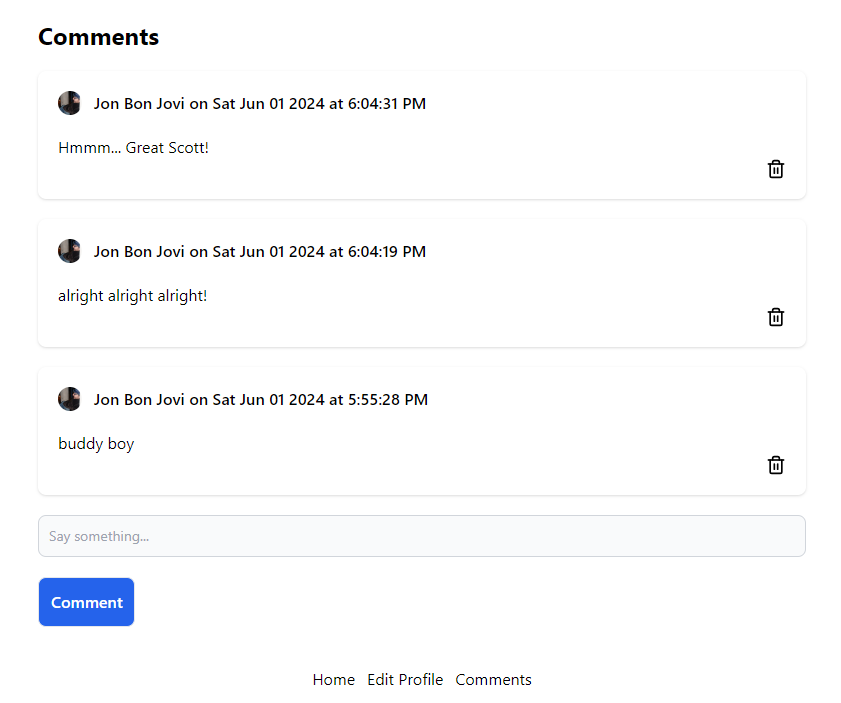
<br>
<br>## TL;DR
<br>
<br>You can’t have a serious Firebase app without needing Firebase Functions to perform joins for you. Luckily, it can make these aggregations very simple with `BulkWriter`.
<br>
<br>## Connections
<br>
<br>In SQL, you use joins to get nested data. You may have to use a `jsonb` type, and return the data as a nested JSON object.
<br>
<br>### One-to-One
<br>
<br>A 1:1 example would be a `user` and a `profile`. The `user` data may be secure, while the profile data is visible to everyone. This is similar to [[post:jp6P3K|linking a user’s profile]] data from the Firebase Auth database to the Firestore `users` or `profiles` collection.
<br>
<br>### One-to-Many and Many-to-One
<br>
<br>One-to-many is the most common example in Firestore. If there are many authors, and each author only writes one book, that is one-to-one. However, in reality, each author could write several books. An author or user could write several `posts`, `comments`, or have many `bookmarks`. From the author's perspective, this is a one-to-many relationship. Each user can have multiple items. From the item perspective, this is a many-to-one. Each item can only have one user.
<br>
<br>🔍 If you query a list of posts, each post needs to query a user. You have 2x the Firestore read cost. This means for every many-to-one query, you get charged double.
<br>
<br>### Many-to-Many
<br>
<br>For completeness, many-to-many relationships are like a book with many authors. Or, a student can belong to many classes, and a class can have many students. I have other posts on these.
<br>
<br>- [[post:X9mf6s|Many-to-Many Arrays]]
<br>- [[post:gm3B5X|Many-to-Many Maps]]
<br>
<br>## Join with Reference Type
<br>
<br>If you don’t care about reads or the extra latency of several queries in one, you may want to look into the [[post:fxhopT|Reference Type]] for Joins. This has advantages when you need a quick mock-up or don’t want to deal with Firebase Functions.
<br>
<br>## Firebase Functions
<br>
<br>Before deploying any functions during the creation and testing phases, I suggest you test with [[post:PV6xq8|Firebase Emulators]] on your local machine. This will save you time trying to redeploy for every change and can keep you from managing a secondary cloud database.
<br>
<br>### Initialization
<br>
<br>First, update your Firebase CLI to the latest version.
<br>
<br>```ts
<br> npm i -g firebase-tools
<br>```
<br>
<br>Next, add Firebase to your project.
<br>
<br>```ts
<br>firebase init
<br>```
<br>
<br>You will be asked to log in and link to a current Firebase project. I *highly* suggest you use TypeScript and avoid ESLint unless you’re a pro at it. The default configuration is out-of-date and too strict.
<br>
<br>### Generation 2
<br>
<br>I will use only *Generation 2* Functions for this example, as they are faster and allow you to select more than one database.
<br>
<br>## Inner Joins
<br>
<br>To perform joins, you must copy data into the document you want to query. You also need to know your queries when you write your data, before any query occurs. Joins will take the form of nested JSON objects in a Firestore document.
<br>
<br>### User Operations
<br>
<br>Let’s say you want to include the user’s (author’s) information on each post. While the join involves 6 operations, depending on your application, you may need only 3 triggers. It is common to use only two of them.
<br>
<br>1. Add a User
<br> 1. You can’t add a post without a user, so there is nothing to do.
<br>2. Modify a User
<br> 1. ❗This is *the* expensive operation. You must update every post by that user with the new user data only if the user’s data has changed. We use an `onDocumentUpdated` trigger on the `users` collection for this.
<br>3. Delete a User
<br> 1. Most modern apps use a soft delete, which requires marking every user's post as hidden. You could add a filter or copy it to an archive collection. Use an `onDocumentDeleted` trigger on the `users` collection, then grab all posts and mark them as private or use some other name for a filter.
<br> 2. You could also emulate a *Cascade Delete*, and delete every post by that user. Every post could have comments, and you could delete every comment with a separate *Cascade Delete* emulation. Use an `onDocumentDeleted` trigger on the `users` collection, then grab all posts and delete them individually. You could have the `onDocumentDeleted` trigger on the `posts` collection to do the same for the `comments`.
<br>4. Create a Post
<br> 1. You can add the user information directly when the post is created, and this can be enforced with Firestore Rules. There may be edge cases where you have to add an `onCreate` trigger to your `posts` collection to enforce the correct data, but I am only mentioning it for awareness.
<br>5. Update a Post
<br> 1. Again, using [[post:eyfhvI|Firestore Security Rules]] you can easily prevent the nested user data from being edited.
<br>6. Delete a Post
<br> 1. Everything gets deleted, so there is nothing to do.
<br>
<br>## Comment Page Example
<br>
<br>I made an example app where users can add comments to a page. I am using `comments` and `profiles` collections. We will need 3 Triggers.
<br>
<br>1. Update a Profile
<br> 1. Make sure all comments by that user get updated
<br>2. Create a Comment
<br> 1. Add nested user data automatically
<br>3. Delete a Profile
<br> 1. Cascade Delete all comments
<br>
<br>### Update a Profile
<br>
<br>We update all comments with the latest user information. This app displays the `photoURL` and the `displayName`. Although not strictly necessary, I also update the [[post:jp6P3K#1-use-firebase-auth-as-the-main-database|Firebase Auth database]].
<br>
<br>⚠️ Remember that the Firebase Auth database must be updated on the client to be updated immediately in the session. There are lots of moving parts.
<br>
<br>```ts
<br>export const updateComments = onDocumentUpdated(
<br> 'profiles/{docId}',
<br> async (event) => {
<br>
<br> const eventData = event.data;
<br>
<br> if (!eventData) {
<br> return null;
<br> }
<br>
<br> const userId = event.params.docId;
<br>
<br> // Update user in Firebase Auth
<br> const { displayName, photoURL } = eventData.after.data();
<br>
<br> await adminAuth.updateUser(userId, {
<br> displayName,
<br> photoURL
<br> });
<br>
<br> // Update all comments
<br> const db = eventData.after.ref.firestore;
<br>
<br> const bulkWriter = db.bulkWriter();
<br>
<br> const comments = await db.collection('comments')
<br> .where('createdBy.uid', '==', userId)
<br> .get();
<br>
<br> // Bulk Update by looping
<br> comments.forEach((comment) => {
<br> bulkWriter.set(comment.ref, {
<br> createdBy: {
<br> displayName,
<br> photoURL
<br> }
<br> }, { merge: true });
<br> });
<br>
<br> bulkWriter.onWriteError((error) => {
<br> const MAX_RETRIES = 3;
<br> if (error.failedAttempts < MAX_RETRIES) {
<br> return true;
<br> }
<br> // Handle errors here
<br> return false;
<br> });
<br>
<br> await bulkWriter.close();
<br>
<br> return event;
<br> });
<br>```
<br>
<br>### Bulk Writer
<br>
<br>Using [[post:IKO13Z|batch]] is faster than consecutive writes but not faster than simultaneous writes. For that, we use `bulkwriter`. We can retry up to 10 times but are still stuck with the Firebase Function limits of 9 minutes per function call. This should not be a problem. This is known as the `fan-out` method or aggregating the data. If we need more processing power than Firebase Functions can provide, we should use the trigger function to offload the bulk updates to a faster server.
<br>
<br>### Create a Comment
<br>
<br>We trigger the comments function, but only re-update the comment document if the data has not been properly added. Normally, we want to add the data on the client.
<br>
<br>You can pick and choose any field(s). Since it costs money to read a `users` document, I am getting the data from the [[post:jp6P3K#1-use-firebase-auth-as-the-main-database|Firebase Auth database]]. You must *ALWAYS* think about reads. However, most of the time, you should read another document to join data.
<br>
<br>```ts
<br>export const createComment = onDocumentCreated(
<br> 'comments/{commentId}',
<br> async (event) => {
<br>
<br> const eventData = event.data;
<br>
<br> if (!eventData) {
<br> return null;
<br> }
<br>
<br> // createdBy should be enforced in Security Rules
<br> const docData = eventData.data();
<br>
<br> const {
<br> displayName,
<br> photoURL
<br> } = await adminAuth.getUser(docData.createdBy.uid);
<br>
<br> if (
<br> docData.displayName !== displayName
<br> || docData.photoURL !== photoURL
<br> ) {
<br> return eventData.ref.set({
<br> createdBy: {
<br> displayName,
<br> photoURL
<br> }
<br> }, { merge: true });
<br> }
<br>
<br> return event;
<br> });
<br>```
<br>
<br>### Cascade Delete
<br>
<br>This is just for example. The concept for deleting is exactly the same.
<br>
<br>```ts
<br>export const deleteProfile = onDocumentDeleted(
<br> { document: 'profiles/{docId}' },
<br> async (event) => {
<br>
<br> const eventData = event.data;
<br>
<br> if (!eventData) {
<br> return null;
<br> }
<br>
<br> const userId = event.params.docId;
<br>
<br> // Delete in Firebase Auth
<br> await adminAuth.deleteUser(userId);
<br>
<br> const db = eventData.ref.firestore;
<br>
<br> // Delete all comments...
<br>
<br> const bulkWriter = db.bulkWriter();
<br>
<br> const comments = await db.collection('comments')
<br> .where('createdBy.uid', '==', userId)
<br> .get();
<br>
<br> // Bulk Delete by looping
<br> comments.forEach((comment) => {
<br> bulkWriter.delete(comment.ref);
<br> });
<br>
<br> bulkWriter.onWriteError((error) => {
<br> const MAX_RETRIES = 3;
<br> if (error.failedAttempts < MAX_RETRIES) {
<br> return true;
<br> }
<br> // Handle errors here
<br> return false;
<br> });
<br>
<br> await bulkWriter.close();
<br>
<br> // Delete all posts...
<br>
<br> // ...
<br>
<br> return event;
<br> });
<br>```
<br>
<br>### Trigger from a Different Database
<br>
<br>Firebase Functions Generation 2 allows you to select a different database. Instead of using a string for the first input of the trigger, you could use an object with a database key.
<br>
<br>```ts
<br>export const deleteProfile = onDocumentDeleted(
<br> { document: 'profiles/{docId}', database: 'cars' },
<br> async (event) => {
<br>```
<br>
<br>### Update Only Changed
<br>
<br>There could be situations where a user is updated, and some of the nested data has already been updated. You could save writes by checking for the updates first, although each conditional could slow down write time. This probably won’t be significant.
<br>
<br>```ts
<br>// Bulk Update by looping
<br>comments.forEach((comment) => {
<br>
<br> const { createdBy } = comment.data();
<br>
<br> // only update if data has changed
<br> if (
<br> createdBy.displayName !== displayName
<br> || createdBy.photoURL !== photoURL
<br> ) {
<br>
<br> bulkWriter.set(comment.ref, {
<br> createdBy: {
<br> displayName,
<br> photoURL
<br> }
<br> }, { merge: true });
<br> }
<br>});
<br>```
<br>
<br>### Even Faster Reads
<br>
<br>The Firebase REST API allows you to query only the document IDs for a query. This still costs you one document read per document, but it could save you time and money by not downloading all the document data. However, the setup time will be longer since converting a query to the REST API is cumbersome.
<br>
<br>### How to Avoid the Joins
<br>
<br>1. Update a Profile
<br> 1. Don’t display the user information.
<br> 2. Don’t allow user information to be changed (Ex. use a username). This is why you can’t edit a tweet on Twitter; it is an expensive operation.
<br> 3. Grab the data on the client, and cache it.
<br>2. Create a Comment
<br> 1. Add the User information on the client, and enforce it with Firestore Rules (you should do this anyway)
<br>3. Delete a Profile
<br> 1. Don’t allow a profile to be deleted.
<br> 2. Disable the profile but not the posts or comments.
<br>
<br>## More on One-to-Many
<br>
<br>This method could also save you read charges and give you a better developer experience when reading several documents. You don’t want to make 10 API calls if you have one post with 9 comments. You could aggregate the latest 10 comments to your post document and use an infinite scroll or a load button to load the rest of the comments.
<br>
<br>**Demo:** [Vercel Serverless](https://firebase-inner-join.vercel.app/)
<br>
<br>**Repo:** [GitHub](https://github.com/jdgamble555/firebase-inner-join)
<br>
<br>For more, see [Cloud Functions](/t/cloud-functions).
<br>
<br>JUpdate Firebase Email with Reauthenticationhttps://code.build/p/XjVwnr/update-firebase-email-with-reauthentication2024-05-29T13:00:00.000Z2024-05-29T13:00:00.000ZJonathan GambleAfter 5 minutes of logging in with Firebase, you must reauthenticate your login session to change a password or update an email. This requires a different login function than authenticating for the first time. You must check for an error code and direct the user correctly.Updating an email or password is handled differently in Firebase than updating a user’s profile name or photo URL. There is a separate function, you may have to reauthenticate the user, and the email must be confirmed.
<br>
<br>## TL;DR
<br>
<br>After 5 minutes of logging in with Firebase, you must reauthenticate your login session to change a password or update an email. This requires a different login function than authenticating for the first time. You must check for an error code and direct the user correctly.
<br>
<br>## Other Methods
<br>
<br>You could technically store the user’s email in Firestore, and use a Trigger Function to update the email in the Firebase Auth database like you might use when [[post:jp6P3K|updating the profile information]], but this would be less secure and could cause conflicts. You want to update the email directly in the Firebase Auth database to ensure integrity and security.
<br>
<br>## Shared State
<br>
<br>You need some version of shared state. This app uses Svelte because I can prototype a demo very quickly. The [[post:C73xaa#shared-context|Svelte Shared Store]] allows you to use a writable context anywhere in your app.
<br>
<br>```ts
<br>// writable store context
<br>export const useWritable = <T>(name: string, value?: T) =>
<br> useSharedStore(name, writable, value);
<br>
<br>// use reLogin
<br>export const useRelogin = () => useWritable('relogin', false);
<br>```
<br>
<br>## Relogin
<br>
<br>Along with the login, we need to be able to *relogin* when necessary.
<br>
<br>### Functions
<br>
<br>```ts
<br>export const loginWithGoogle = async () =>
<br> await signInWithPopup(
<br> auth, new GoogleAuthProvider()
<br> );
<br>
<br>// requires the user
<br>export const reLoginWithGoogle = async () => {
<br> if (auth.currentUser) {
<br> await reauthenticateWithPopup(
<br> auth.currentUser,
<br> new GoogleAuthProvider()
<br> );
<br> }
<br>}
<br>```
<br>
<br>### Login Component
<br>
<br>Here, we check for the re-login state. Otherwise, we display a regular login component.
<br>
<br>```ts
<br><script lang="ts">
<br> import { loginWithGoogle, reLoginWithGoogle, useRelogin } from '$lib/user-user';
<br>
<br> const relogin = useRelogin();
<br>
<br> const login = async () => {
<br> if ($relogin) {
<br> await reLoginWithGoogle();
<br> relogin.set(false);
<br> return;
<br> }
<br> await loginWithGoogle();
<br> };
<br></script>
<br>
<br><form method="POST" on:submit|preventDefault={login}>
<br> <button type="submit" class="bg-red-600 p-2 font-semibold text-white">
<br> Signin with Google
<br> </button>
<br></form>
<br>{#if $relogin}
<br> <p>You must re-signin to change your email.</p>
<br>{/if}
<br>```
<br>
<br>## Update Email
<br>
<br>The function returns an error or nothing.
<br>
<br>```ts
<br>export const updateProfileEmail = async (
<br> email: string
<br>) => {
<br>
<br> if (!auth.currentUser) {
<br> return {
<br> error: 'Not Logged In!'
<br> };
<br> }
<br> try {
<br> await updateEmail(auth.currentUser, email);
<br> } catch (e) {
<br> if (e instanceof FirebaseError) {
<br> return {
<br> error: e.message
<br> };
<br> }
<br> }
<br> return {};
<br>};
<br>```
<br>
<br>### Reauthenticate
<br>
<br>In Firebase Auth, some actions require reauthentication. If it is necessary, you will be thrown an error.
<br>
<br>```ts
<br>// error.code === 'auth/requires-recent-login'
<br>
<br>or
<br>
<br>// error.message === 'Firebase: Error (auth/requires-recent-login).'
<br>```
<br>
<br>Because I’m only dealing with messages in my app for simplicity, I check for the error message.
<br>
<br>```ts
<br>const user = useUser();
<br>const toast = useToast();
<br>const relogin = useRelogin();
<br>
<br>let email: HTMLInputElement;
<br>
<br>const updateProfile = async () => {
<br> const { error } = await updateProfileEmail(email.value);
<br> if (error) {
<br> if (error === 'Firebase: Error (auth/requires-recent-login).') {
<br> relogin.set(true);
<br> return;
<br> }
<br> toast.error(error);
<br> return;
<br> }
<br>
<br> toast.open('Email Updated!');
<br>};
<br>```
<br>
<br>This sets the relogin state dynamically, which will display the relogin button.
<br>
<br>```ts
<br>{#if $user}
<br> <main class="mt-5 flex flex-col items-center justify-center gap-5">
<br> <form class="flex flex-col items-center gap-5" on:submit|preventDefault={updateProfile}>
<br> {#if $relogin}
<br> <LoginWithGoogle />
<br> {:else}
<br> <div>
<br> <label for="email" class="mb-2 block text-sm font-medium text-gray-900 dark:text-white">
<br> Email
<br> </label>
<br> <input
<br> bind:this={email}
<br> type="text"
<br> id="email"
<br> name="email"
<br> value={$user.email}
<br> class="block w-full rounded-lg border border-gray-300 bg-gray-50 p-2.5 text-sm text-gray-900 focus:border-blue-500 focus:ring-blue-500"
<br> required
<br> />
<br> </div>
<br> <button
<br> type="submit"
<br> class="w-fit rounded-lg border bg-blue-600 p-3 font-semibold text-white"
<br> >
<br> Update
<br> </button>
<br> {/if}
<br> </form>
<br> </main>
<br>{:else}
<br> <LoginWithGoogle />
<br>{/if}
<br>```
<br>
<br>After a relogin, the state will return to editing an email. This could be done in a million different ways, but I tried to show you a simple one.
<br>
<br>## When Is Reauthentication Necessary?
<br>
<br>After *5 minutes* you must reauthenticate to change your password or change your email. You will not see me showing any password authentication states on this website, as I do not believe it is good practice or secure.
<br>
<br>
<br>
<br>**Demo**: [Vercel Serverless](https://svelte-edit-email.vercel.app/email)
<br>
<br>**Repo:** [GitHub](https://github.com/jdgamble555/svelte-edit-email)
<br>
<br>See more on [[post:C73xaa|Svelte with Firebase]]How to Update a User Profile in Firebasehttps://code.build/p/jp6P3K/how-to-update-a-user-profile-in-firebase2024-05-12T13:00:00.000Z2024-05-28T01:53:03.453ZJonathan GambleA user’s profile in Firebase specifically refers to the photoURL and the displayName. These two items can be stored and updated in Firebase without using Firestore or Firebase Realtime Database. You can update them by calling the updateProfile function in Firebase Auth SDK. You must choose how to sync your data with other databases.Firebase Authentication is its own Database, separate from Firestore. You can use it securely with any database you like to handle your login needs. However, this database has no filterable queries and is only available to the client for the logged-in user. How you store your user's profile information depends on your app's complexity.
<br>
<br>## TL;DR
<br>
<br>A user’s profile in Firebase specifically refers to the `photoURL` and the `displayName`. These two items can be stored and updated in Firebase without using Firestore or Firebase Realtime Database. You can update them by calling the `updateProfile` function in Firebase Auth SDK. You must choose how to sync your data with other databases.
<br>
<br>## Where to Store the User?
<br>
<br>If you want the best of both worlds, you can store your user profile information inside Firestore and Firebase Authentication. [[post:jSWukw#server-trigger-method|Copying the data on sign-up]] is easy. However, updating a user can be trickier.
<br>
<br>1. While there is a `user().onCreate` trigger, there is *NOT* a `user().onUpdate` trigger.
<br>2. There is no way to prevent users from updating their own record in Firebase Authentication once logged in.
<br>3. Firebase Authentication is free, but Firestore charges per read.
<br>
<br>## Handling Synchronization
<br>
<br>There are trade-offs in everything we do.
<br>
<br>### 1. Use Firebase Auth as the Main Database
<br>
<br>This is the easiest and best way for small apps. There is no reason to have a separate `users` collection when no joins are involved, or you don't need to have a complicated user profile. This can be the best route when dealing only with the user profile information.
<br>
<br>Here, we have an `updateUser` function that can update the `displayName` and the `photoURL`.
<br>
<br>```ts
<br>export const updateUser = async (
<br> displayName: string,
<br> photoURL: string
<br>) => {
<br>
<br> if (!auth.currentUser) {
<br> return {
<br> error: 'Not Logged In!'
<br> };
<br> }
<br> try {
<br> await updateProfile(auth.currentUser, {
<br> displayName,
<br> photoURL
<br> });
<br> } catch (e) {
<br> if (e instanceof FirebaseError) {
<br> return {
<br> error: e.message
<br> };
<br> }
<br> }
<br> return {};
<br>};
<br>```
<br>
<br>📝 Get the `auth` object using your [[post:P2rX5i|Framework Setup]].
<br>
<br>This puts the boilerplate in one place. You can call it in your component while only returning an `error` if there is one.
<br>
<br>```ts
<br>const { error } = await updateUser(displayName, photoURL);
<br>if (error) {
<br> // handle error
<br> ...
<br> return;
<br>}
<br>// handle success
<br>...
<br>```
<br>
<br>If you need to get the user information for a public profile on a different user than is logged in, you would have to use Firebase Admin on the server.
<br>
<br>```ts
<br>// Get user from Firebase Authentication database
<br>export const getProfile = async (uid: string) {
<br>
<br> const { displayName, photoURL } = await adminAuth.getUser(uid);
<br>
<br> // Only return the profile values for security
<br> return {
<br> displayName,
<br> photoURL
<br> };
<br>
<br>};
<br>```
<br>
<br>📝 Get the `adminAuth` object using your [[post:tqdc5j|Firebase Admin Setup]].
<br>
<br>### 2 - Update Both Databases on the Client
<br>
<br>This version is more obvious but won’t be as safe.
<br>
<br>```ts
<br>export const updateUser = async (
<br> displayName: string,
<br> photoURL: string
<br>) => {
<br>
<br> // Update Firebase Authentication Database
<br> ...
<br>
<br> // Update Firestore Database
<br> try {
<br> await updateDoc(
<br> doc(db, 'users', auth.currentUser!.uid),
<br> {
<br> displayName,
<br> photoURL
<br> }
<br> )
<br> } catch(e) {
<br> if (e instanceof FirebaseError) {
<br> return {
<br> error: e.message
<br> }
<br> }
<br> }
<br> return {};
<br>};
<br>```
<br>
<br>### 3 - Update Both Databases with a Firestore Trigger
<br>
<br>If you want to align both databases, you can trigger Firestore to automatically update the Firebase Authentication database when a change occurs.
<br>
<br>```ts
<br>import { firestore, https } from 'firebase-functions';
<br>import { auth } from 'firebase-admin';
<br>
<br>const adminAuth = auth();
<br>
<br>export const updateAuthProfile = firestore
<br> .document('users/{userId}')
<br> .onUpdate(async (change, context) => {
<br>
<br> const beforeData = change.before.data();
<br> const afterData = change.after.data();
<br> const userId = context.params.userId;
<br>
<br> // Initialize an object to hold updates
<br> const updates: Partial<{
<br> displayName: string,
<br> photoURL: string
<br> }> = {};
<br>
<br> // Check if displayName has been modified
<br> if (beforeData.displayName !== afterData.displayName) {
<br> updates.displayName = afterData.displayName;
<br> }
<br>
<br> // Check if photoURL has been modified
<br> if (beforeData.photoURL !== afterData.photoURL) {
<br> updates.photoURL = afterData.photoURL;
<br> }
<br>
<br> if (!Object.keys(updates).length) {
<br> console.log('No relevant changes detected in user profile');
<br> return;
<br> }
<br>
<br> // Attempt to update the user's Authentication profile
<br> try {
<br> await adminAuth.updateUser(userId, updates);
<br> console.log(`Updated user profile for user ${userId}:`, updates);
<br> } catch (error) {
<br> console.error('Error updating user profile:', error);
<br> throw new https.HttpsError(
<br> 'internal',
<br> 'Failed to update user profile in Auth',
<br> error
<br> );
<br> }
<br> });
<br>```
<br>
<br>### Generation 2
<br>
<br>In case you’re using Generation 2.
<br>
<br>```ts
<br>
<br>import { onDocumentUpdated } from 'firebase-functions/v2/firestore';
<br>import { auth } from 'firebase-admin';
<br>import { https } from 'firebase-functions/v2';
<br>
<br>const adminAuth = auth();
<br>
<br>export const updateAuthProfile = onDocumentUpdated('users/{userId}',
<br> async (event) => {
<br>
<br> const beforeData = event.data!.before.data();
<br> const afterData = event.data!.after.data();
<br> const userId = event.params.userId;
<br>
<br> // Initialize an object to hold updates
<br> const updates: Partial<{
<br> displayName: string,
<br> photoURL: string
<br> }> = {};
<br>
<br> // Check if displayName has been modified
<br> if (beforeData.displayName !== afterData.displayName) {
<br> updates.displayName = afterData.displayName;
<br> }
<br>
<br> // Check if photoURL has been modified
<br> if (beforeData.photoURL !== afterData.photoURL) {
<br> updates.photoURL = afterData.photoURL;
<br> }
<br>
<br> if (!Object.keys(updates).length) {
<br> console.log('No relevant changes detected in user profile');
<br> return;
<br> }
<br>
<br> // Attempt to update the user's Authentication profile
<br> try {
<br> await adminAuth.updateUser(userId, updates);
<br> console.log(`Updated user profile for user ${userId}:`, updates);
<br> } catch (error) {
<br> console.error('Error updating user profile:', error);
<br> throw new https.HttpsError(
<br> 'internal',
<br> 'Failed to update user profile in Auth',
<br> error
<br> );
<br> }
<br> });
<br>
<br>```
<br>
<br>📝 You could equally use an SQL trigger function or a trigger function in your database of choice.
<br>
<br>## Caveats
<br>
<br>Because there is no guarantee that both databases will stay in sync if you have any client Firebase features, you must choose your *principal* database; your client API key will be easily available to any programmer.
<br>
<br>1. Use the *Firebase Authentication* database if you have no need for complex profile features and you want to save on reads.
<br>2. Use *Firestore* or any external database if you have any complex data and don’t care about keeping *Firebase Authentication* database in sync.
<br>3. Use both databases if keeping the data in sync is not mandatory.
<br>
<br>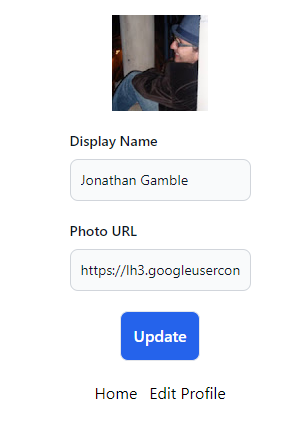
<br>
<br>**Repo:** [GitHub](https://github.com/jdgamble555/firebase-edit-profile)
<br>
<br>**Demo:** [Vercel Serverless](https://firebase-edit-profile.vercel.app/)
<br>
<br>JFirestore Security Rules Example Guidehttps://code.build/p/eyfhvI/firestore-security-rules-example-guide2024-05-05T13:00:00.000Z2024-05-05T13:00:00.000ZJonathan GambleUsing Firestore Rules can be cumbersome. However, simplifying your rules into reusable functions can make writing complex, secure apps much easier. Remember the Security Rules Limitations, when to use Trigger Functions instead, and how you are charged per document read.I want you to learn “how to write Firebase Rules” rather than what specific rules you need to write. Once you understand what kinds of operations are available and how to write clean code, you should be able to write reusable functions for any Firebase app.
<br>
<br>## TL;DR
<br>
<br>Using Firestore Rules can be cumbersome. However, simplifying your rules into reusable functions can make writing complex, secure apps much easier. Remember the Security Rules Limitations, when to use Trigger Functions instead, and how you are charged per document read.
<br>
<br>## Firestore Rules
<br>
<br>```ts
<br>// firestore.rules
<br>rules_version = '2';
<br>
<br>service cloud.firestore {
<br>
<br> match /databases/{database}/documents {
<br>
<br> // MATCHES
<br>
<br> match /users/{document} {
<br>
<br> allow read, write: if false;
<br>
<br> }
<br> }
<br>}
<br>```
<br>
<br>- Use version 2 by default
<br>- Lock your data by default using `if false`
<br>
<br>## Permission
<br>
<br>- `allow read` - single and multiple documents
<br> - `allow get` - a single document with `getDoc` or `onSnapshot`
<br> - `allow list` - multiple documents with `getDocs` or `onSnapshot`
<br>- `allow write` - create, update, delete
<br> - `allow create` - create a document with `addDoc` or `setDoc`
<br> - `allow update` - update a document with `updateDoc` or `setDoc` using `merge`
<br> - `allow delete` - delete a document with `deleteDoc`
<br>
<br>## Resource
<br>
<br>- `resource` - document being read or written
<br> - `resource.data` - map of document data
<br> - `resource.id` - resource document id as string
<br> - `resource['__name__']` or `request.path` - the document name as path
<br>
<br>## Request
<br>
<br>- `request` - the incoming request context
<br> - `request.auth` - request authentication context
<br> - `uid` - user ID
<br> - `token` - token map
<br> - `request.method` - request method
<br> - `get`
<br> - `list`
<br> - `create`
<br> - `update`
<br> - `delete`
<br> - `request.path` - path of affected resource
<br> - `request.query` - map of query properties when present
<br> - `limit`
<br> - `offset`
<br> - `orderBy`
<br> - `request.time` - time request was received
<br> - `request.resource` - new resource value, present on write requests only
<br>
<br>### Request Resource
<br>
<br>- `request.resource` - resource document *AFTER* write
<br> - `request.resource` - map of document data
<br> - `resource.id` - resource document id as string
<br> - `resource['__name__']` or `request.path` - the document name as path
<br>
<br>### Request token
<br>
<br>- `request.auth.token`
<br> - `email`
<br> - `email_verified`
<br> - `phone_number`
<br> - `name`
<br> - `sub`
<br> - `firebase.identities`
<br> - `firebase.sign_in_provider`
<br> - `firebase.tenant`
<br>
<br>### Request Patterns
<br>
<br>- `request.path[3]` - request collection
<br>- `request.path[4]` - request document id or `request.resource.id`
<br>- `request.path[N]` - request sub-collection and sub-collection document ID
<br>
<br>There is currently no way to check if a request is for a `collection` or `sub-collection` document inside a function. See [StackOverflow](https://stackoverflow.com/questions/49193264/size-of-firestore-rules-path).
<br>
<br>## Counters and Timestamp Rules
<br>
<br>- [[post:IKO13Z|Batch Increment Counters]]
<br>You can verify increments with rules.
<br>- [[post:WjGiiQ|Dates and Timestamps]]
<br>You can use `request.time` to verify `serverTimestamp()`
<br>
<br>## Ownership
<br>
<br>- Create
<br> - Check for ownership after creation
<br>- Delete
<br> - Check for ownership before deletion
<br>- Update
<br> - Check for ownership both before and after updating
<br>
<br>```ts
<br>// assumes you have a `createdBy` set to uid
<br>
<br>function isOwnerBefore() {
<br> return request.auth.uid == resource.data.createdBy
<br> || resource == null;
<br>}
<br>
<br>function isOwnerAfter() {
<br> return request.auth.uid == request.resource.data.createdBy
<br> || request.resource == null;
<br>}
<br>```
<br>
<br>📝 Checking for `null` before and after makes the function usable in more places with `write` instead of a separate `create` and `update`.
<br>
<br>## Logged In
<br>
<br>```ts
<br>function isLoggedIn() {
<br> return request.auth != null;
<br>}
<br>```
<br>
<br>## Verifying Keys
<br>
<br>You can verify a document only contains certain fields or that only certain fields can be updated. First, you must get the `keys()` from the `map` type.
<br>
<br>```ts
<br>function hasAll(data, fields) {
<br> // data has all fields
<br> return data.keys().hasAll(fields);
<br>}
<br>
<br>function hasOnly(data, fields) {
<br> // data has only fields
<br> return data.keys().hasOnly(fields);
<br>}
<br>
<br>function isValidUserDocument() {
<br> let fields = ['title', 'slug', 'minutes', 'content'];
<br> return hasAll(request.resource.data, fields);
<br>}
<br>```
<br>
<br>📝 Arrays are `lists` in Firebase Rules.
<br>
<br>### List Methods
<br>
<br>- `concat`
<br>- `hasAll`
<br>- `hasAny`
<br>- `hasOnly`
<br>- `join`
<br>- `removeAll`
<br>- `size`
<br>- `toSet` - a unique set of lists
<br>
<br>### Map Methods
<br>
<br>- `diff(map_to_compare)`
<br>- `get(key, default_value)`
<br>- `keys()`
<br>- `size()`
<br>- `values()`
<br>
<br>## String Verification Example
<br>
<br>Strings should be verified as well.
<br>
<br>```ts
<br>// verify the content is string type and at least 2 characters
<br>&& request.resource.data.content is string
<br>&& request.resource.data.content.size() > 2
<br>```
<br>
<br>### String Methods
<br>
<br>- `lower()`
<br>- `matches(re)`
<br>- `replace(re, sub)`
<br>- `size()`
<br>- `split(re)`
<br>- `toUtf8()`
<br>- `trim()`
<br>- `upper()`
<br>
<br>### Slug Example
<br>
<br>You could verify a slug, although this might be better handled in a trigger write function.
<br>
<br>```ts
<br>// verify slug = a slugify(title)
<br>// should be updated for utf8 characters
<br>request.resource.data.slug == request.resource.data.title
<br>.lower().replace('[^a-z0-9]+', '-').replace('^-|-$','')
<br>```
<br>
<br>## Other Types
<br>
<br>- You can view the [Firestore Rules Index](https://firebase.google.com/docs/reference/rules/index-all) of all functions and operators for all types.
<br>
<br>## Reading is Expensive
<br>
<br>⚠️ Always use the current document from the `request.resource`, and `resource` variables. If you need to compare other documents, it will cost one read for each document. You should also consider custom claims instead of reading the user document from `request.auth.token`. These are all free, as you are already reading the document outside Firestore Rules.
<br>
<br>### Reading Firestore External Documents
<br>
<br>You can compare other documents with four functions when it can't be avoided.
<br>
<br>- `get(path)` - document before write
<br>- `getAfter(path)` - document after write
<br>- `exists(path)` - or `get(path) != null` whether document exists before write
<br>- `existsAfter(path)` - or `getAfter(path) != null` whether document exists after write
<br>
<br>```ts
<br>allow write: if exists(/databases/${database)/documents/collectionName/documentID)
<br>```
<br>
<br>### Pricing
<br>
<br>- You are only charged one read for multiple requests to the same document.
<br>- You are only charged one read for the same document in a transaction or batch.
<br> - See [StackOverFlow Answer](https://stackoverflow.com/a/60676273/271450) by Firebase Staff
<br>- Some document access calls may be cached and don’t count against you
<br>
<br>## Clean Code and Limitations
<br>
<br>You need to model your data correctly to avoid the least amount of reads, keep your data consistent, and not have too much hassle. This requires you to know Firestore well, when to use Functions or the Server Environment, and how to write clean code.
<br>
<br>### Reusable Functions
<br>
<br>I personally avoid using variables in the match path. You can get the data you need from the `request` and `resource` variables anywhere in your code; there is no reason to create extra function parameters for global variables.
<br>
<br>### Notable Function Limitations
<br>
<br>- Maximum of 7 function arguments
<br>- Maximum of 10 let variables per function
<br>- Maximum of 20 function call depth
<br>- Maximum of 1000 expressions evaluated per request
<br>
<br>### No Loops
<br>
<br>You cannot do loops or recursion in Firestore. This means you must set verifiable limits to verify a data set like `tags`. Your function would need to run a string test 1-5 times, for example. Otherwise, you would use Firebase Functions to prevent problematic documents (after the write).
<br>
<br>### Match
<br>
<br>Put all your `match` statements in one place, usually at the top or bottom of the document. The top will allow you less scrolling to see what you need. I like to use one function for every match call to keep in line with the *Single Responsibilty Principle* and to have cleaner code. However, you must keep track of the function dependencies to not reach the Firestore Rules Limitations.
<br>
<br>```ts
<br>
<br> match /databases/{database}/documents {
<br>
<br> // MATCHES
<br>
<br> match /users/{document} {
<br>
<br> allow read, write: if allowUser();
<br>
<br> }
<br>
<br> // FUNCTIONS
<br>
<br> function allowUser() {
<br>
<br> return isLoggedIn() && isOwner()...
<br>
<br> }
<br>
<br> ...
<br>
<br> }
<br>```
<br>
<br>Writing Firebase Security Rules is an art.
<br>
<br>JSolidStart Todo App with Firebasehttps://code.build/p/p0UcKV/solidstart-todo-app-with-firebase2024-05-01T13:00:00.000Z2026-10-11T21:03:00.000ZJonathan GambleA SolidStart todo app using reactive components, Solid signals and stores, Firebase Authentication, Firestore, Tailwind CSS, and an SSR-loaded About page.## TL;DR<br><br>A SolidStart todo app using reactive components, Solid signals and stores, Firebase Authentication, Firestore, Tailwind CSS, and an SSR-loaded About page.<br><br>## Setup<br><br>Use the modular Firebase JavaScript SDK directly. Solid's context, stores, and effects provide shared reactive state without an additional Firebase integration library.<br><br>This project uses Node.js 24 or newer, SolidStart 2, Vite 8, and Nitro 3. Install the dependencies in this repository:<br><br>~~~bash<br>npm install<br>~~~<br><br>Firebase and Valibot are already included in the package manifest. Tailwind CSS 3 supplies the utility classes used by the components.<br><br>### Firebase Setup<br><br>Create a Firebase project, register a web app, enable Google Authentication, and create a Firestore database. Add localhost and your deployed hostname to Authentication's authorized domains.<br><br>Copy `.env.example` to `.env` and replace the placeholders with your Firebase web app configuration:<br><br>~~~dotenv<br>VITE_PUBLIC_FIREBASE_CONFIG='{"apiKey":"...","authDomain":"...","projectId":"...","appId":"..."}'<br>~~~<br><br>The browser and server Firebase clients use the same configuration. This is public web app configuration; access to your data is controlled by Firestore rules. Never put service-account credentials in a Vite environment variable.<br><br>Publish the supplied Firestore rules and create the composite index shown below. Building the app does not deploy either file.<br><br>In the Firebase console, create `about/ZlNJrKd6LcATycPRmBPA` with two string fields, `name` and `description`. The About page reads this document without a signed-in browser user.<br><br>### Data Types<br><br>The types live beside the code that uses them rather than in global declarations:<br><br>- `UserType` and `UserState` are defined in `src/lib/use-user.tsx`.<br>- `TodoDoc` is exported from `src/lib/use-todos.tsx`.<br>- The About document is validated and its return type inferred in `src/lib/about.ts`.<br><br>Each todo stores `uid`, `text`, `complete`, and `createdAt`. Its document ID becomes `id` when read. Completion changes also write `updatedAt`.<br><br>### `src/lib/firebase.ts`<br><br>Initialize Firebase once and export the shared auth and realtime Firestore clients. Reuse the default Firebase app when the module is evaluated again.<br><br>~~~ts<br>import { getApp, getApps, initializeApp } from "firebase/app";<br>import { getAuth } from "firebase/auth";<br>import { getFirestore } from "firebase/firestore";<br><br>const config = JSON.parse(import.meta.env.VITE_PUBLIC_FIREBASE_CONFIG);<br><br>export const app = getApps().length<br> ? getApp()<br> : initializeApp(config);<br><br>export const auth = getAuth(app);<br>export const db = getFirestore(app);<br>~~~<br><br>## Authentication<br><br>Google sign-in is exposed through a Solid context backed by a Firebase auth listener.<br><br>The provider creates a store containing the loading state and current user. A browser effect subscribes to token changes, and `onCleanup` removes the subscription when the provider is disposed.<br><br>### How the Auth State Is Shared<br><br>`setUser()` creates the reactive state. `UserProvider` makes that state available to its descendants, and `getUser()` reads it. Components should access properties such as `user.data` inside reactive expressions so Solid can track changes.<br><br>### `src/lib/use-user.tsx`<br><br>The listener maps Firebase's user object to the smaller shape used by the UI. Login and logout return Firebase error messages to their callers.<br><br>~~~tsx<br>import { createContext, createEffect, onCleanup, useContext, type ParentComponent } from "solid-js";<br>import { createStore } from "solid-js/store";<br>import { FirebaseError } from "firebase/app";<br>import { GoogleAuthProvider, onIdTokenChanged, signInWithPopup, signOut } from "firebase/auth";<br>import { auth } from "./firebase";<br><br>export type UserType = {<br> displayName: string | null;<br> photoURL: string | null;<br> uid: string;<br> email: string | null;<br>};<br><br>type UserState = {<br> loading: boolean;<br> data: UserType | null;<br>};<br><br>const UserContext = createContext<UserState>();<br><br>export const setUser = () => {<br> const [user, updateUser] = createStore<UserState>({<br> loading: true,<br> data: null,<br> });<br><br> createEffect(() => {<br> const unsubscribe = onIdTokenChanged(auth, (user) => {<br> if (!user) {<br> updateUser({ loading: false, data: null });<br> return;<br> }<br><br> const { displayName, photoURL, uid, email } = user;<br> updateUser({<br> loading: false,<br> data: { displayName, photoURL, uid, email },<br> });<br> });<br><br> onCleanup(unsubscribe);<br> });<br><br> return user;<br>};<br><br>export const UserProvider: ParentComponent = (props) => {<br> const user = setUser();<br><br> return (<br> <UserContext.Provider value={user}><br> {props.children}<br> </UserContext.Provider><br> );<br>};<br><br>export const getUser = () => {<br> const user = useContext(UserContext);<br> if (!user) throw new Error("getUser requires a UserProvider.");<br> return user;<br>};<br><br>export const loginWithGoogle = async () => {<br> try {<br> await signInWithPopup(auth, new GoogleAuthProvider());<br> return { error: null };<br> } catch (error) {<br> if (error instanceof FirebaseError) {<br> return { error: error.message };<br> }<br> throw error;<br> }<br>};<br><br>export const logout = async () => {<br> try {<br> await signOut(auth);<br> return { error: null };<br> } catch (error) {<br> if (error instanceof FirebaseError) {<br> return { error: error.message };<br> }<br> throw error;<br> }<br>};<br>~~~<br><br>### `src/lib/helpers.tsx`<br><br>Shared loading, sign-in, and sign-out controls keep the components small. These basic auth buttons invoke the actions; they do not currently render the returned action errors.<br><br>~~~tsx<br>import { loginWithGoogle, logout } from "./use-user";<br><br>export const Loading = () => <p>Loading...</p>;<br><br>export const Login = () => (<br> <button<br> type="button"<br> class="p-2 text-white bg-red-600 border rounded-md"<br> onClick={() => loginWithGoogle()}<br> ><br> Sign in with Google<br> </button><br>);<br><br>export const Logout = () => (<br> <p><br> <button<br> type="button"<br> class="p-2 text-white border rounded-md bg-lime-600"<br> onClick={() => logout()}<br> ><br> Logout<br> </button><br> </p><br>);<br>~~~<br><br>### `src/components/home.tsx`<br><br>Show the loading state, signed-in profile, or Google sign-in button according to the auth store.<br><br>~~~tsx<br>import { Loading, Login } from "~/lib/helpers";<br>import { getUser } from "~/lib/use-user";<br>import Profile from "./profile";<br><br>export default function Home() {<br> const user = getUser();<br><br> return (<br> <div class="text-center"><br> <h1 class="my-3 text-3xl font-semibold">SolidStart Firebase Todo App</h1><br> {user.loading ? <Loading /> : user.data ? <Profile /> : <Login />}<br> </div><br> );<br>}<br>~~~<br><br>### `src/components/profile.tsx`<br><br>The profile displays the current user, sign-out button, and todo list. The Show callback exposes the available user through an accessor.<br><br>~~~tsx<br>import { Show } from "solid-js";<br>import { Logout } from "~/lib/helpers";<br>import { getUser } from "~/lib/use-user";<br>import Todos from "./todos";<br><br>export default function Profile() {<br> const user = getUser();<br><br> return (<br> <Show when={user.data}><br> {(user) => (<br> <div class="flex flex-col items-center gap-3"><br> <h3 class="font-bold">Hi {user().displayName}!</h3><br> <img src={user().photoURL || ""} width="100" height="100" alt="user avatar" /><br> <p>Your userID is {user().uid}</p><br> <Logout /><br> <Todos /><br> </div><br> )}<br> </Show><br> );<br>}<br>~~~<br><br>## Todos<br><br>Firestore todos are filtered by the signed-in user and updated in real time.<br><br>The query combines `where("uid", "==", currentUser.uid)` with `orderBy("createdAt")`. The listener is recreated when the authenticated user changes, and the previous subscription is removed by the effect cleanup.<br><br>### `src/lib/use-todos.tsx`<br><br>The converter turns Firestore timestamps into JavaScript dates and includes the document ID. Pending server timestamps use an estimate. The store tracks data, loading, and listener errors; the write helpers return action errors separately.<br><br>~~~tsx<br>import { createEffect, onCleanup } from "solid-js";<br>import { createStore } from "solid-js/store";<br>import {<br> collection,<br> deleteDoc,<br> doc,<br> FirestoreError,<br> onSnapshot,<br> orderBy,<br> query,<br> serverTimestamp,<br> setDoc,<br> Timestamp,<br> type FirestoreDataConverter,<br> updateDoc,<br> where,<br>} from "firebase/firestore";<br>import { auth, db } from "./firebase";<br>import { getUser } from "./use-user";<br><br>export type TodoDoc = {<br> id: string;<br> uid: string;<br> text: string;<br> complete: boolean;<br> createdAt: Date;<br>};<br><br>const todoConverter: FirestoreDataConverter<TodoDoc> = {<br> toFirestore(todo) {<br> return todo;<br> },<br><br> fromFirestore(snapshot) {<br> const data = snapshot.data({ serverTimestamps: "estimate" });<br> const createdAt = data.createdAt as Timestamp;<br><br> return {<br> id: snapshot.id,<br> uid: data.uid,<br> text: data.text,<br> complete: data.complete,<br> createdAt: createdAt.toDate(),<br> };<br> },<br>};<br><br>export const useTodos = () => {<br> const user = getUser();<br> const [todos, setTodos] = createStore<{<br> data: TodoDoc[];<br> loading: boolean;<br> error: string | null;<br> }>({<br> data: [],<br> loading: true,<br> error: null,<br> });<br><br> createEffect(() => {<br> const currentUser = user.data;<br><br> if (!currentUser) {<br> setTodos({<br> data: [],<br> loading: false,<br> error: null<br> });<br><br> return;<br> }<br><br> setTodos({<br> data: [],<br> loading: true,<br> error: null<br> });<br><br> const unsubscribe = onSnapshot(<br> query(<br> collection(db, "todos"),<br> where("uid", "==", currentUser.uid),<br> orderBy("createdAt"),<br> ).withConverter(todoConverter),<br> (snapshot) => {<br> const data = snapshot.docs.map((item) => item.data());<br> setTodos({<br> data,<br> loading: false,<br> error: null<br> });<br> },<br> (error) => {<br> setTodos({<br> data: [],<br> loading: false,<br> error: error.message<br> });<br> },<br> );<br><br> onCleanup(unsubscribe);<br> });<br><br> return todos;<br>};<br><br>export const addTodo = async (text: string) => {<br> const user = auth.currentUser;<br><br> if (!user) return { error: "No user" };<br> if (!text.trim()) return { error: "Enter a task." };<br><br> try {<br> await setDoc(doc(collection(db, "todos")), {<br> uid: user.uid,<br> text: text.trim(),<br> complete: false,<br> createdAt: serverTimestamp(),<br> });<br> return { error: null };<br> } catch (error) {<br> if (error instanceof FirestoreError) {<br> return { error: error.message };<br> }<br> throw error;<br> }<br>};<br><br>export const updateTodo = async (id: string, complete: boolean) => {<br> try {<br> await updateDoc(doc(db, "todos", id), {<br> complete,<br> updatedAt: serverTimestamp(),<br> });<br> return { error: null };<br> } catch (error) {<br> if (error instanceof FirestoreError) {<br> return { error: error.message };<br> }<br> throw error;<br> }<br>};<br><br>export const deleteTodo = async (id: string) => {<br> try {<br> await deleteDoc(doc(db, "todos", id));<br> return { error: null };<br> } catch (error) {<br> if (error instanceof FirestoreError) {<br> return { error: error.message };<br> }<br> throw error;<br> }<br>};<br>~~~<br><br>### `src/components/todos.tsx`<br><br>Todos coordinates the store, list items, and TodoForm. The form uses signals for its input and action error, generates its initial example value after mounting, and resets only after a successful write.<br><br>~~~tsx<br>import { createSignal, For, onMount, Show } from "solid-js";<br>import { collection, doc } from "firebase/firestore";<br>import { db } from "~/lib/firebase";<br>import { addTodo, useTodos } from "~/lib/use-todos";<br>import { Todo } from "./todo-item";<br><br>export const generateText = () =><br> doc(collection(db, "todos")).id.substring(0, 10).toLowerCase();<br><br>export default function Todos() {<br> const todos = useTodos();<br><br> return (<br> <div><br> <div class="flex flex-col gap-3"><br> {todos.loading ? (<br> <p>Loading todos...</p><br> ) : todos.error ? (<br> <p role="alert" class="text-red-600">{todos.error}</p><br> ) : (<br> <For each={todos.data} fallback={<p><b>Add your first todo item!</b></p>}><br> {(todo) => <Todo todo={todo} />}<br> </For><br> )}<br> </div><br> <TodoForm /><br> </div><br> );<br>}<br><br>export function TodoForm() {<br> const [text, setText] = createSignal("");<br> const [error, setError] = createSignal<string | null>(null);<br><br> onMount(() => setText(generateText()));<br><br> const onSubmit = async (event: SubmitEvent) => {<br> event.preventDefault();<br> setError(null);<br><br> const result = await addTodo(text());<br> setError(result.error);<br><br> if (!result.error) setText(generateText());<br> };<br><br> return (<br> <div class="mt-5"><br> <form class="flex items-center justify-center gap-3" onSubmit={onSubmit}><br> <input<br> class="p-2 border rounded-lg"<br> aria-label="New task"<br> value={text()}<br> onInput={(event) => setText(event.currentTarget.value)}<br> required<br> /><br> <button class="p-2 font-semibold text-white bg-purple-600 border rounded-lg" type="submit"><br> Add Task<br> </button><br> </form><br> <Show when={error()}><br> <p role="alert" class="mt-2 text-center text-red-600">{error()}</p><br> </Show><br> </div><br> );<br>}<br>~~~<br><br>### `src/components/todo-item.tsx`<br><br>Each item owns its action error so a failed update or delete does not replace the list state. Read the todo through props to preserve reactivity.<br><br>~~~tsx<br>import { createSignal, Show } from "solid-js";<br>import { deleteTodo, updateTodo, type TodoDoc } from "~/lib/use-todos";<br><br>export function Todo(props: { todo: TodoDoc }) {<br> const [error, setError] = createSignal<string | null>(null);<br><br> const toggleComplete = async () => {<br> const result = await updateTodo(props.todo.id, !props.todo.complete);<br> setError(result.error);<br> };<br><br> const handleDelete = async () => {<br> const result = await deleteTodo(props.todo.id);<br> setError(result.error);<br> };<br><br> return (<br> <div class="grid grid-cols-[auto,auto,auto,auto] gap-3 items-center justify-items-start"><br> <span class={props.todo.complete ? "line-through text-green-700" : ""}><br> {props.todo.text}<br> </span><br> <span class={props.todo.complete ? "line-through text-green-700" : ""}><br> {props.todo.id}<br> </span><br> <button type="button" aria-label="Toggle task completion" onClick={toggleComplete}><br> {props.todo.complete ? "✔️" : "❌"}<br> </button><br> <button type="button" aria-label="Delete task" onClick={handleDelete}><br> 🗑<br> </button><br> <Show when={error()}><br> <p role="alert" class="col-span-4 text-red-600">{error()}</p><br> </Show><br> </div><br> );<br>}<br>~~~<br><br>### Firestore Rules<br><br>Publish these rules in your Firebase project. Users can read and delete their own todos, create valid todos for themselves, and change only completion and update timestamp fields.<br><br>The single About document is publicly readable and cannot be written through the client SDK. Create or edit it through the Firebase console.<br><br>### `firestore.rules`<br><br>~~~text<br>rules_version = '2';<br>service cloud.firestore {<br> match /databases/{database}/documents {<br> function signedIn() { return request.auth != null; }<br> function validTodo(data) {<br> return data.uid is string && data.text is string &&<br> data.text.size() > 0 && data.complete is bool && data.createdAt is timestamp;<br> }<br> match /todos/{id} {<br> allow read, delete: if signedIn() && resource.data.uid == request.auth.uid;<br> allow create: if signedIn() && request.resource.data.uid == request.auth.uid &&<br> validTodo(request.resource.data) &&<br> request.resource.data.keys().hasOnly(['uid', 'text', 'complete', 'createdAt']) &&<br> request.resource.data.complete == false &&<br> request.resource.data.createdAt == request.time;<br> allow update: if signedIn() && resource.data.uid == request.auth.uid &&<br> validTodo(request.resource.data) &&<br> request.resource.data.diff(resource.data).affectedKeys().hasOnly(['complete', 'updatedAt']) &&<br> request.resource.data.updatedAt == request.time;<br> }<br> match /about/{id} {<br> allow read: if id == 'ZlNJrKd6LcATycPRmBPA';<br> allow write: if false;<br> }<br> }<br>}<br>~~~<br><br>### Firestore Index<br><br>Create a collection-scope composite index for todos with uid ascending and createdAt ascending. You can use the Firebase console or deploy the supplied index file through a Firebase CLI configuration that references it. A missing-index query error also includes a creation link.<br><br>### `firestore.indexes.json`<br><br>~~~json<br>{<br> "indexes": [<br> {<br> "collectionGroup": "todos",<br> "queryScope": "COLLECTION",<br> "fields": [<br> { "fieldPath": "uid", "order": "ASCENDING" },<br> { "fieldPath": "createdAt", "order": "ASCENDING" }<br> ]<br> }<br> ],<br> "fieldOverrides": []<br>}<br>~~~<br><br>If you have older todos that use a created field, copy those timestamps into createdAt. Firestore ordering excludes documents that do not contain the ordered field.<br><br>## Server-side Firestore<br><br>The About page reads one Firestore document in a SolidStart server query.<br><br>The server uses Firestore Lite for the one-time read and validates the result before returning it. This Firebase web SDK client still obeys Firestore security rules; it does not have Admin SDK privileges.<br><br>### `src/lib/firebase-lite.ts`<br><br>Import this helper only from server-side data code. It reuses the default Firebase app and creates a Firestore Lite client.<br><br>~~~ts<br>import { getApp, getApps, initializeApp } from "firebase/app";<br>import { getFirestore } from "firebase/firestore/lite";<br><br>const config = JSON.parse(import.meta.env.VITE_PUBLIC_FIREBASE_CONFIG);<br><br>const serverApp = getApps().length<br> ? getApp()<br> : initializeApp(config);<br><br>export const serverDB = getFirestore(serverApp);<br>~~~<br><br>### `src/lib/about.ts`<br><br>Keep the Firestore read and Valibot validation together. Missing or malformed documents throw errors rather than returning invalid data to the component.<br><br>~~~ts<br>import { doc, getDoc } from "firebase/firestore/lite";<br>import * as v from "valibot";<br>import { serverDB } from "./firebase-lite";<br><br>const AboutDocSchema = v.object({<br> name: v.string(),<br> description: v.string(),<br>});<br><br>export async function getAbout() {<br> const snapshot = await getDoc(doc(serverDB, "about/ZlNJrKd6LcATycPRmBPA"));<br><br> if (!snapshot.exists()) {<br> throw new Error("About document does not exist.");<br> }<br><br> const result = v.safeParse(AboutDocSchema, snapshot.data());<br><br> if (!result.success) {<br> throw new Error("Malformed About document.");<br> }<br><br> return result.output;<br>}<br>~~~<br><br>### `src/routes/about.tsx`<br><br>The query marks its callback with use server and calls the statically imported helper. Route preloading starts the read, and createAsync exposes the result to the component. deferStream waits for the data during the server render.<br><br>~~~tsx<br>import { Title } from "@solidjs/meta";<br>import { RouteDefinition, query, createAsync } from "@solidjs/router";<br>import { Show } from "solid-js";<br>import { getAbout } from "~/lib/about";<br><br>const getAboutPage = query(async () => {<br> 'use server';<br> return getAbout();<br>}, 'about');<br><br>export const route = {<br> preload: () => getAboutPage(),<br>} satisfies RouteDefinition;<br><br>export default function About() {<br><br> const about = createAsync(() => getAboutPage(), { deferStream: true });<br><br> return (<br> <Show when={about()}><br> {(data) => (<br> <><br> <Title>About</Title><br> <div class="flex items-center justify-center my-5"><br> <div class="border w-[400px] p-5 flex flex-col gap-3"><br> <h1 class="text-3xl font-semibold">{data().name}</h1><br> <p>{data().description}</p><br> </div><br> </div><br> </><br> )}<br> </Show><br> );<br>};<br>~~~<br><br>## App Structure<br><br>SolidStart discovers routes in `src/routes`. The index route provides the authentication context for the home component and its descendants. The root app supplies metadata support, a Suspense boundary, and navigation.<br><br>### `src/routes/index.tsx`<br><br>~~~tsx<br>import { Meta, Title } from "@solidjs/meta";<br>import Home from "~/components/home";<br>import { UserProvider } from "~/lib/use-user";<br><br>export default function Index() {<br> return (<br> <main><br> <UserProvider><br> <Title>SolidStart Firebase Todo App</Title><br> <Meta name="description" content="Sign in with Google and manage your realtime Firebase todo list with SolidStart." /><br> <Home /><br> </UserProvider><br> </main><br> );<br>}<br>~~~<br><br>### `src/app.tsx`<br><br>~~~tsx<br>import { MetaProvider } from "@solidjs/meta";<br>import { Router, A } from "@solidjs/router";<br>import { FileRoutes } from "@solidjs/start/router";<br>import { Suspense } from "solid-js";<br><br><br>export default function App() {<br> return (<br> <Router<br> root={props => (<br> <MetaProvider><br> <Suspense>{props.children}</Suspense><br> <nav class="flex justify-center gap-3 mt-5"><br> <A href="/">Home</A><br> <A href="/about">About</A><br> </nav><br> </MetaProvider><br> )}<br> ><br> <FileRoutes /><br> </Router><br> );<br>}<br>~~~<br><br>## Build Configuration<br><br>SolidStart and Nitro are configured through Vite. The current deployment preset is Vercel, and local development uses Nitro's Node worker runner.<br><br>### `vite.config.ts`<br><br>The optimizeDeps entry converts the indicated browser dependency for development.<br><br>~~~ts<br>import { solidStart } from "@solidjs/start/config";<br>import { nitro } from "nitro/vite";<br>import { defineConfig } from "vite";<br><br>export default defineConfig({<br> plugins: [solidStart(), nitro()],<br> optimizeDeps: {<br> // The browser export is UMD and needs conversion to ESM during development.<br> include: ["@jridgewell/resolve-uri"],<br> },<br> nitro: {<br> preset: "vercel",<br> devServer: {<br> runner: "node-worker",<br> },<br> },<br>});<br>~~~<br><br>### Run the App<br><br>~~~bash<br>npm run dev<br>~~~<br><br>Sign in with Google, add a task, toggle completion, and delete it. Open a second signed-in tab to see realtime changes. Sign out and confirm the private list disappears. Visit `/about` to check the server-loaded document.<br><br>Stop the development server with Ctrl+C when finished.<br><br>### Check and Build<br><br>~~~bash<br>npm run typecheck<br>npm run build<br>~~~<br><br>For a local production preview, run `npm run preview` and stop it with Ctrl+C when finished.<br><br>And that's it!<br><br>JLocal Development with Firebase Emulatorshttps://code.build/p/PV6xq8/local-development-with-firebase-emulators2024-04-28T13:00:00.000Z2024-09-08T21:39:04.701ZJonathan GambleAlways remember to install Java JDK. Follow the firebase init instructions. Connect the emulators to your app in development mode only, and use the authentication to generate a random fake user for you.I noticed there are many articles about creating unit tests with Firestore Emulators, but I find them most useful for building apps. You can run the full Firebase Local Suite without touching your live data in the cloud or creating an extra development database.
<br>
<br>## TL;DR
<br>
<br>Always remember to install Java JDK. Follow the `firebase init` instructions. Connect the emulators to your app in development mode only, and use the authentication to generate a random fake user for you.
<br>
<br>## Emulator Setup
<br>
<br>1. Install Java JDK
<br>
<br>The Firebase Emulator Suite is built upon the [Java JDK](https://jdk.java.net/). It must be installed first.
<br>
<br>2. Make sure you have *Firebase Tools* installed globally.
<br>
<br>```ts
<br>npm install -g firebase-tools
<br>```
<br>
<br>3. Initialize Firebase inside your project.
<br>
<br>```ts
<br>firebase init
<br>```
<br>
<br>4. Select `Emulators` and whatever features you want to test locally.
<br>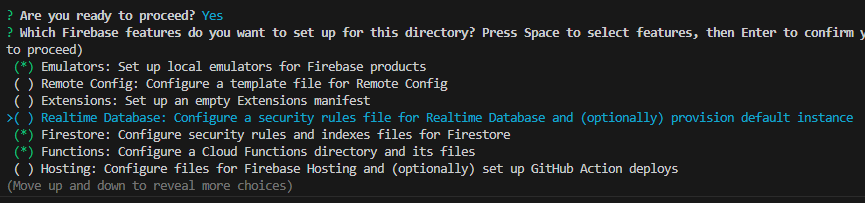
<br>
<br>5. Set up the `default` project.
<br>
<br>The full set of *Firebase Emulators* requires you to link with an existing project. However, you do not have to modify your cloud version if you’re spinning up a project for local testing.
<br>
<br>6. Use the defaults for `firestore.rules` and `firestore.indexes.json` files. Install `TypeScript` because you’re a professional with standards who writes quality code. Use `eslint` for testing, and go ahead and install dependencies.
<br>7. Finally, select the default ports and add the emulators you want to use, like `Authentication`, `Functions`, and `Firestore`.
<br>
<br>🗈 If you’re using any of my test projects, use `firebase use` to connect your local instance to an active database in your Firebase Cloud.
<br>
<br>### Emulator Helper
<br>
<br>I like to add a helper in `package.json` so that the emulators can be run without switching directories. This is particularly useful with Firebase Functions Emulators.
<br>
<br>```ts
<br>"emulators": "npm run build --prefix functions & firebase emulators:start"
<br>```
<br>
<br>### Functions with Eslint
<br>
<br>Edit `functions/.eslintrc.js` to include `.eslintrc.js` in the ignore file.
<br>
<br>```ts
<br> ignorePatterns: [
<br> "/lib/**/*", // Ignore built files.
<br> ".eslintrc.js"
<br> ],
<br>```
<br>
<br>Also, change your rules to fit your style of writing code.
<br>
<br>```ts
<br>
<br>module.exports = {
<br> root: true,
<br> env: {
<br> es6: true,
<br> node: true,
<br> },
<br> extends: [
<br> "plugin:import/errors",
<br> "plugin:import/warnings",
<br> "plugin:import/typescript",
<br> "google",
<br> "plugin:@typescript-eslint/recommended",
<br> ],
<br> parser: "@typescript-eslint/parser",
<br> parserOptions: {
<br> project: ["tsconfig.json", "tsconfig.dev.json"],
<br> sourceType: "module",
<br> tsconfigRootDir: __dirname,
<br> },
<br> ignorePatterns: [
<br> "/lib/**/*", // Ignore built files.
<br> ".eslintrc.js"
<br> ],
<br> plugins: [
<br> "@typescript-eslint",
<br> "import",
<br> ],
<br> rules: {
<br> "quotes": ["error", "single"],
<br> 'object-curly-spacing': ['error', 'always'],
<br> "import/no-unresolved": 0,
<br> "indent": ["error", 4],
<br> },
<br>};
<br>
<br>```
<br>
<br>## Firebase Setup
<br>
<br>Create a `lib/firebase.ts` file and add emulator support. Your [[post:P2rX5i|framework implementation]] may vary slightly.
<br>
<br>```ts
<br>// emulators
<br>if (dev) {
<br> connectFirestoreEmulator(db, 'localhost', 8080);
<br> connectAuthEmulator(auth, 'http://localhost:9099');
<br> connectFunctionsEmulator(functions, "http://localhost", 5001);
<br>}
<br>```
<br>
<br>Here is a full example file.
<br>
<br>```ts
<br>import { PUBLIC_FIREBASE_CONFIG } from '$env/static/public';
<br>import { dev } from '$app/environment';
<br>
<br>import { getApps, initializeApp } from 'firebase/app';
<br>import { connectAuthEmulator, getAuth } from 'firebase/auth';
<br>import { connectFirestoreEmulator, getFirestore } from 'firebase/firestore';
<br>import { connectFunctionsEmulator, getFunctions } from 'firebase/functions';
<br>
<br>const firebase_config = JSON.parse(
<br> PUBLIC_FIREBASE_CONFIG
<br>);
<br>
<br>// initialize and login
<br>
<br>if (!getApps().length) {
<br> initializeApp(firebase_config);
<br>}
<br>
<br>export const auth = getAuth();
<br>export const db = getFirestore();
<br>export const functions = getFunctions();
<br>
<br>// emulators
<br>if (dev) {
<br> connectFirestoreEmulator(db, 'localhost', 8080);
<br> connectAuthEmulator(auth, 'http://localhost:9099');
<br> connectFunctionsEmulator(functions, "http://localhost", 5001);
<br>}
<br>
<br>```
<br>
<br>📝 The ports are imported differently depending on the service.
<br>
<br>### Angular
<br>
<br>If you’re using Angular, you must import it into each of the *providers* array.
<br>
<br>```ts
<br>export const appConfig: ApplicationConfig = {
<br> providers: [
<br> provideRouter(routes),
<br> provideClientHydration(),
<br> // Angular Providers
<br> importProvidersFrom(
<br> provideFirebaseApp(() => initializeApp(firebaseConfig)),
<br> provideFirestore(() => {
<br> const firestore = getFirestore();
<br> connectFirestoreEmulator(firestore, 'localhost', 8080);
<br> return firestore;
<br> }),
<br> provideAuth(() => getAuth()),
<br> // provideStorage(() => getStorage()),
<br> // provideAnalytics(() => getAnalytics()),
<br> )
<br> ]
<br>};
<br>```
<br>
<br>## Running the Emulators
<br>
<br>Thanks to our emulators helper, we can run the emulators in our root directory with `npm run emulators`. We should get a second window that opens. Minimize that. Our main terminal will have the emulator links. We can click `ctrl+` and the link to open a new window with our emulators.
<br>
<br>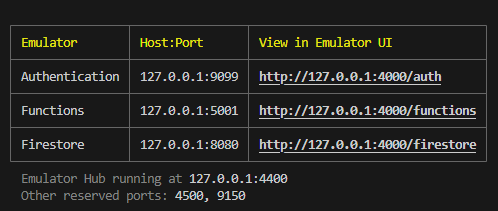
<br>
<br>## Authentication
<br>
<br>When we want to login to our app, we must create a fake profile.
<br>
<br>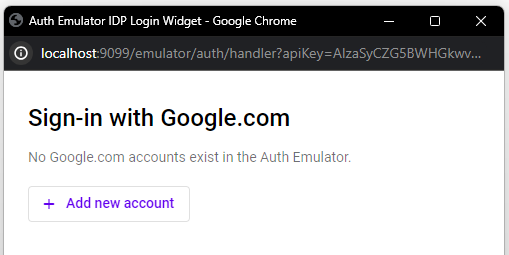
<br>
<br>Clicking on `add a new account` allows us to emulate a real user.
<br>
<br>
<br>
<br>We can then sign in with this fake user to test our app.
<br>
<br>## Firestore Emulator
<br>
<br>The Firestore Emulator will be in purple to clarify that it is a development environment.
<br>
<br>
<br>
<br>Everything else should work as expected. You can now test your app on your local machine without modifying your live data.
<br>
<br>### Seeding Data
<br>
<br>To seed your data, you must write your own functions. You must connect to [[post:tqdc5j|Firebase Admin]], run the function only in dev mode, and call it in your `package.json` file with a command or in your app only in development mode.
<br>
<br>⚠️ All data is lost when you stop the emulators.
<br>
<br>## Test Projects
<br>
<br>You can view some of the projects in my [[post:VQkzmv|Counters]] posts for Firebase Emulator examples.
<br>
<br>- [[post:JuC0Pw|Firestore Cloud Function Counters]]
<br>- [[post:Kj5PZ5|Firestore Server Side Counter]]
<br>
<br>Now go test locally!
<br>
<br>JReact Router Todo App with Firebasehttps://code.build/p/p4HFXN/react-router-todo-app-with-firebase2024-04-24T13:00:00.000Z2026-10-14T23:48:00.000ZJonathan GambleBuild a React Router framework todo app with React hooks and context, Google authentication, realtime Firestore, Tailwind CSS, and a server-rendered About page.## TL;DR<br><br>Build a React Router framework todo app with React hooks and context, Google authentication, realtime Firestore, Tailwind CSS, and a server-rendered About page.<br><br>## Setup<br><br>Use Node.js 24.x for this project. Install the dependencies:<br><br>~~~bash<br>npm install<br>~~~<br><br>The repository uses React Router 8, React 19, Firebase 13, Valibot, TypeScript, Vite, and Tailwind CSS 4. React hooks connect directly to the modular Firebase SDK.<br><br>### Firebase Setup<br><br>Create a Firebase project, register a web app, enable Google sign-in, and create a Firestore database. Add localhost and your deployed hostname to Authentication's authorized domains.<br><br>Copy `.env.example` to `.env` and enter your Firebase web app configuration:<br><br>~~~dotenv<br>VITE_FIREBASE_CONFIG='{"apiKey":"...","authDomain":"...","projectId":"...","appId":"..."}'<br>~~~<br><br>Vite loads .env and .env.local automatically. Variables prefixed with VITE_ are embedded into the browser bundle at build time. Provide the configuration before building, and restart development or rebuild production after changing it. This is public web configuration; never include service-account secrets.<br><br>Configure Firestore rules separately from the application build. Todo reads, updates, and deletes must require an authenticated user whose UID matches the stored uid. Creation must require the submitted uid to match the authenticated user, and updates must prevent ownership changes. A client-side query does not secure the database.<br><br>Create a composite index for collection todos with uid ascending and createdAt ascending. A missing-index error includes a link to create the required index.<br><br>Create `about/ZlNJrKd6LcATycPRmBPA` with string fields name and description. Allow public reads of that document because the server loader does not inherit browser authentication. Restrict writes to your intended administrative workflow.<br><br>This repository does not include deployable Firestore rules or index files; configure these in Firebase before testing.<br><br>### Data Types<br><br>- UserType and UserState live in `app/lib/use-user.tsx`.<br>- TodoDoc lives in `app/lib/use-todos.tsx`.<br>- Valibot validates the About document and infers its return type in `app/lib/about.server.ts`.<br><br>Todos store uid, text, complete, and createdAt. Reads add the document ID and convert the timestamp to a JavaScript date. Completion updates also write updatedAt.<br><br><br>### `app/lib/firebase.ts`<br><br>Initialize the shared Firebase app, Authentication, and realtime Firestore clients. Reuse the default app during module reloads.<br><br>~~~ts<br>import { getApp, getApps, initializeApp } from 'firebase/app';<br>import { getAuth } from 'firebase/auth';<br>import { getFirestore } from 'firebase/firestore';<br><br>const firebase_config = JSON.parse(<br> import.meta.env.VITE_FIREBASE_CONFIG<br>);<br><br>// initialize and login<br><br>export const app = getApps().length<br> ? getApp()<br> : initializeApp(firebase_config);<br><br>export const auth = getAuth(app);<br>export const db = getFirestore(app);<br>~~~<br><br>## Authentication<br><br>### How the Auth State Is Shared<br><br>UserProvider shares authentication through React context. Its browser effect subscribes to token changes and returns the unsubscribe function. Consumers rerender when state changes. React Router needs no `"use client"` directive; effects run after hydration.<br><br>### `app/lib/use-user.tsx`<br><br>Keep only the profile fields used by the UI. Login and logout return recognized Firebase errors and rethrow unexpected failures. The provider syntax uses React 19.<br><br>~~~tsx<br>import { createContext, useContext, useEffect, useState, type ReactNode } from "react";<br>import { FirebaseError } from "firebase/app";<br>import { GoogleAuthProvider, onIdTokenChanged, signInWithPopup, signOut } from "firebase/auth";<br>import { auth } from "./firebase";<br><br>export type UserType = {<br> displayName: string | null;<br> photoURL: string | null;<br> uid: string;<br> email: string | null;<br>};<br><br>export type UserState = {<br> loading: boolean;<br> data: UserType | null;<br>};<br><br>const UserContext = createContext<UserState | null>(null);<br><br>export function UserProvider({ children }: { children: ReactNode }) {<br> const [getUser, setUser] = useState<UserState>({ loading: true, data: null });<br><br> useEffect(() => onIdTokenChanged(auth, (user) => {<br> if (!user) {<br> setUser({ loading: false, data: null });<br> return;<br> }<br> const { displayName, photoURL, uid, email } = user;<br> setUser({ loading: false, data: { displayName, photoURL, uid, email } });<br> }), []);<br><br> return <UserContext value={getUser}>{children}</UserContext>;<br>}<br><br>export function useUser() {<br> const getUser = useContext(UserContext);<br> if (!getUser) throw new Error("useUser requires a UserProvider.");<br> return getUser;<br>}<br><br>export const loginWithGoogle = async () => {<br> try {<br> await signInWithPopup(auth, new GoogleAuthProvider());<br> return { error: null };<br> } catch (error) {<br> if (error instanceof FirebaseError) {<br> return { error: error.message };<br> }<br> throw error;<br> }<br>};<br><br>export const logout = async () => {<br> try {<br> await signOut(auth);<br> return { error: null };<br> } catch (error) {<br> if (error instanceof FirebaseError) {<br> return { error: error.message };<br> }<br> throw error;<br> }<br>};<br>~~~<br><br>### `app/lib/helpers.tsx`<br><br>Share loading, login, and logout controls. These basic auth buttons do not display returned authentication errors.<br><br>~~~tsx<br>import { loginWithGoogle, logout } from "./use-user";<br><br>export const Loading = () => <p>Loading...</p>;<br><br>export const Login = () => (<br> <button<br> type="button"<br> className="p-2 text-white bg-red-600 border rounded-md"<br> onClick={() => loginWithGoogle()}<br> ><br> Sign in with Google<br> </button><br>);<br><br>export const Logout = () => (<br> <p><br> <button<br> type="button"<br> className="p-2 text-white border rounded-md bg-lime-600"<br> onClick={() => logout()}<br> ><br> Logout<br> </button><br> </p><br>);<br>~~~<br><br>### `app/components/home.tsx`<br><br>Choose loading, profile, or login from the context value.<br><br>~~~tsx<br>import { Loading, Login } from "~/lib/helpers";<br>import { useUser } from "~/lib/use-user";<br>import Profile from "./profile";<br><br>export default function Home() {<br> const user = useUser();<br> return (<br> <div className="text-center"><br> <h1 className="text-3xl font-semibold my-3">React Router Firebase Todo App</h1><br> {user.loading ? <Loading /> : user.data ? <Profile /> : <Login />}<br> </div><br> );<br>}<br>~~~<br><br>### `app/components/profile.tsx`<br><br>Display the profile, optional avatar, logout button, and todos. A native img with explicit dimensions needs no framework image configuration.<br><br>~~~tsx<br>import { Logout } from "~/lib/helpers";<br>import { useUser } from "~/lib/use-user";<br>import Todos from "./todos";<br><br>export default function Profile() {<br><br> const user = useUser();<br><br> if (!user.data) {<br> return;<br> }<br><br> const { displayName, photoURL, uid } = user.data;<br><br> return (<br> <div className="flex flex-col gap-3 items-center"><br> <h3 className="font-bold">Hi {displayName}!</h3><br> {photoURL &&<br> <img src={photoURL} width="100" height="100" alt="user avatar" /><br> }<br> <p>Your userID is {uid}</p><br> <Logout /><br> <Todos /><br> </div><br> );<br>}<br>~~~<br><br>## Todos<br><br>Subscribe to tasks filtered by the current UID and ordered by createdAt. Firestore rules enforce ownership independently of this filter.<br><br>### `app/lib/use-todos.tsx`<br><br>The effect depends on the UID and returns the listener cleanup function. Snapshot state records its UID to hide previous account data during account changes. The converter estimates pending timestamps and converts them to dates. Listener errors belong to the list; write helpers return action errors. Creation trims text and uses a server timestamp. generateText creates an ID without writing a document.<br><br>~~~tsx<br>import { useEffect, useState } from "react";<br>import {<br> collection,<br> deleteDoc,<br> doc,<br> FirestoreError,<br> onSnapshot,<br> orderBy,<br> query,<br> serverTimestamp,<br> setDoc,<br> Timestamp,<br> type FirestoreDataConverter,<br> updateDoc,<br> where,<br>} from "firebase/firestore";<br>import { auth, db } from "./firebase";<br>import { useUser } from "./use-user";<br><br>export type TodoDoc = {<br> id: string;<br> uid: string;<br> text: string;<br> complete: boolean;<br> createdAt: Date;<br>};<br><br>const todoConverter: FirestoreDataConverter<TodoDoc> = {<br> toFirestore(todo) {<br> return todo;<br> },<br><br> fromFirestore(snapshot) {<br> const data = snapshot.data({ serverTimestamps: "estimate" });<br> const createdAt = data.createdAt as Timestamp;<br><br> return {<br> id: snapshot.id,<br> uid: data.uid,<br> text: data.text,<br> complete: data.complete,<br> createdAt: createdAt.toDate(),<br> };<br> },<br>};<br><br>export const useTodos = () => {<br> const user = useUser();<br> const uid = user.data?.uid;<br> const [todos, setTodos] = useState<{<br> data: TodoDoc[];<br> loading: boolean;<br> error: string | null;<br> uid: string | undefined;<br> }>({ data: [], loading: true, error: null, uid: undefined });<br><br> useEffect(() => {<br> if (!uid) return;<br><br> return onSnapshot(<br> query(<br> collection(db, "todos"),<br> where("uid", "==", uid),<br> orderBy("createdAt"),<br> ).withConverter(todoConverter),<br> (snapshot) => setTodos({<br> data: snapshot.docs.map((item) => item.data()),<br> loading: false,<br> error: null,<br> uid,<br> }),<br> (error) => setTodos({ data: [], loading: false, error: error.message, uid }),<br> );<br> }, [uid]);<br><br> // Never expose a previous user's data while a new subscription starts.<br> if (!uid) return { data: [], loading: false, error: null };<br> if (todos.uid !== uid) return { data: [], loading: true, error: null };<br> return todos;<br>};<br><br>export const generateText = () =><br> doc(collection(db, "todos")).id.substring(0, 10).toLowerCase();<br><br>export const addTodo = async (text: string) => {<br> const user = auth.currentUser;<br><br> if (!user) return { error: "No user" };<br> if (!text.trim()) return { error: "Enter a task." };<br><br> try {<br> await setDoc(doc(collection(db, "todos")), {<br> uid: user.uid,<br> text: text.trim(),<br> complete: false,<br> createdAt: serverTimestamp(),<br> });<br> return { error: null };<br> } catch (error) {<br> if (error instanceof FirestoreError) {<br> return { error: error.message };<br> }<br> throw error;<br> }<br>};<br><br>export const updateTodo = async (id: string, complete: boolean) => {<br> try {<br> await updateDoc(doc(db, "todos", id), {<br> complete,<br> updatedAt: serverTimestamp(),<br> });<br> return { error: null };<br> } catch (error) {<br> if (error instanceof FirestoreError) {<br> return { error: error.message };<br> }<br> throw error;<br> }<br>};<br><br>export const deleteTodo = async (id: string) => {<br> try {<br> await deleteDoc(doc(db, "todos", id));<br> return { error: null };<br> } catch (error) {<br> if (error instanceof FirestoreError) {<br> return { error: error.message };<br> }<br> throw error;<br> }<br>};<br>~~~<br><br>### `app/components/todos.tsx`<br><br>Render tasks with stable document IDs as keys. The form tracks input and errors with React state and resets text only after a successful write. Here Todos mounts after browser authentication resolves, so its random initial text is absent from the server render. If you render the form during SSR, initialize text to an empty string and generate the example after mounting to avoid a hydration mismatch. SubmitEvent is the React event type used in this repository.<br><br>~~~tsx<br>import { useState, type SubmitEvent } from "react";<br><br>import { addTodo, generateText, useTodos } from "~/lib/use-todos";<br>import { Todo } from "./todo-item";<br><br>export default function Todos() {<br> const todos = useTodos();<br><br> return (<br> <div><br> <div className="flex flex-col gap-3"><br> {todos.loading ? (<br> <p>Loading todos...</p><br> ) : todos.error ? (<br> <p role="alert" className="text-red-600">{todos.error}</p><br> ) : (<br> todos.data.length ? todos.data.map((todo) => (<br> <Todo key={todo.id} todo={todo} /><br> )) : <p><b>Add your first todo item!</b></p><br> )}<br> </div><br> <TodoForm /><br> </div><br> );<br>}<br><br>export function TodoForm() {<br> const [text, setText] = useState(generateText);<br> const [error, setError] = useState<string | null>(null);<br><br> const onSubmit = async (event: SubmitEvent<HTMLFormElement>) => {<br> event.preventDefault();<br> setError(null);<br><br> const result = await addTodo(text);<br> setError(result.error);<br><br> if (!result.error) setText(generateText());<br> };<br><br> return (<br> <div className="mt-5"><br> <form className="flex items-center justify-center gap-3" onSubmit={onSubmit}><br> <input<br> className="p-2 border rounded-lg"<br> aria-label="New task"<br> value={text}<br> onChange={(event) => setText(event.currentTarget.value)}<br> required<br> /><br> <button className="p-2 font-semibold text-white bg-purple-600 border rounded-lg" type="submit"><br> Add Task<br> </button><br> </form><br> {error && (<br> <p role="alert" className="mt-2 text-center text-red-600">{error}</p><br> )}<br> </div><br> );<br>}<br>~~~<br><br>### `app/components/todo-item.tsx`<br><br>Each row stores its own update and delete errors. Successful writes appear through the realtime listener.<br><br>~~~tsx<br>import { useState } from "react";<br>import { deleteTodo, updateTodo, type TodoDoc } from "~/lib/use-todos";<br><br>export function Todo(props: { todo: TodoDoc }) {<br> const [error, setError] = useState<string | null>(null);<br><br> const toggleComplete = async () => {<br> const result = await updateTodo(props.todo.id, !props.todo.complete);<br> setError(result.error);<br> };<br><br> const handleDelete = async () => {<br> const result = await deleteTodo(props.todo.id);<br> setError(result.error);<br> };<br><br> return (<br> <div className="grid grid-cols-[auto_auto_auto_auto] gap-3 items-center justify-items-start"><br> <span className={props.todo.complete ? "line-through text-green-700" : ""}><br> {props.todo.text}<br> </span><br> <span className={props.todo.complete ? "line-through text-green-700" : ""}><br> {props.todo.id}<br> </span><br> <button type="button" aria-label="Toggle task completion" onClick={toggleComplete}><br> {props.todo.complete ? "✔️" : "❌"}<br> </button><br> <button type="button" aria-label="Delete task" onClick={handleDelete}><br> 🗑<br> </button><br> {error && (<br> <p role="alert" className="col-span-4 text-red-600">{error}</p><br> )}<br> </div><br> );<br>}<br>~~~<br><br>## Server-side Firestore<br><br>The About route uses Firestore Lite for a one-time server read. This web SDK obeys security rules and has no Admin SDK privileges or inherited browser authentication session.<br><br>### `app/lib/firebase-lite.server.ts`<br><br>The .server.ts suffix prevents this module from entering the browser module graph. Reuse the default Firebase app for the Lite client.<br><br>~~~ts<br>import { getApp, getApps, initializeApp } from "firebase/app";<br>import { getFirestore } from "firebase/firestore/lite";<br><br>const config = JSON.parse(import.meta.env.VITE_FIREBASE_CONFIG);<br><br>const serverApp = getApps().length<br> ? getApp()<br> : initializeApp(config);<br><br>export const serverDB = getFirestore(serverApp);<br>~~~<br><br>### `app/lib/about.server.ts`<br><br>Fetch and validate name and description with Valibot. Missing documents and malformed data throw errors.<br><br>~~~ts<br>import { doc, getDoc } from "firebase/firestore/lite";<br>import * as v from "valibot";<br>import { serverDB } from "./firebase-lite.server";<br><br>const AboutDocSchema = v.object({<br> name: v.string(),<br> description: v.string(),<br>});<br><br>export async function getAbout() {<br> const snapshot = await getDoc(doc(serverDB, "about/ZlNJrKd6LcATycPRmBPA"));<br><br> if (!snapshot.exists()) {<br> throw new Error("About document does not exist.");<br> }<br><br> const result = v.safeParse(AboutDocSchema, snapshot.data());<br><br> if (!result.success) {<br> throw new Error("Malformed About document.");<br> }<br><br> return result.output;<br>}<br>~~~<br><br>### `app/routes/about.tsx`<br><br>A server loader awaits the helper and passes its result to the component through loaderData. React Router generates Route.ComponentProps. SSR with no prerender configuration loads the document at request time; client navigation invokes the server loader through React Router. The meta export provides the page title.<br><br>~~~tsx<br>import type { Route } from "./+types/about";<br>import { getAbout } from "~/lib/about.server";<br><br>export const meta: Route.MetaFunction = () => [{ title: "About" }];<br><br>export const loader = async () => {<br> <br> const about = await getAbout();<br> <br> return about;<br>};<br><br>export default function AboutPage({ loaderData: about }: Route.ComponentProps) {<br><br> return (<br> <div className="flex items-center justify-center my-5"><br> <div className="border w-[400px] p-5 flex flex-col gap-3"><br> <h1 className="text-3xl font-semibold">{about.name}</h1><br> <p>{about.description}</p><br> </div><br> </div><br> );<br>}<br>~~~<br><br>## App Structure<br><br>Declare routes explicitly in app/routes.ts. The root module provides the document layout and an Outlet for the matching route. The ~/* alias resolves to app/*. Ordinary React components hydrate in the browser; server-only helpers use .server.ts filenames.<br><br>### `app/routes.ts`<br><br>Register the home index route and /about. The index() declaration makes _index.tsx the index route.<br><br>~~~ts<br>import { index, route, type RouteConfig } from "@react-router/dev/routes";<br><br>export default [index("routes/_index.tsx"), route("about", "routes/about.tsx")] satisfies RouteConfig;<br>~~~<br><br>### `app/routes/_index.tsx`<br><br>Wrap Home with UserProvider so profile and todo descendants can consume authentication. The provider belongs to the home route, so About does not start an auth listener. Export the home metadata here.<br><br>~~~tsx<br>import type { Route } from "./+types/_index";<br>import Home from "~/components/home";<br>import { UserProvider } from "~/lib/use-user";<br><br>export const meta: Route.MetaFunction = () => [<br> { title: "React Router Firebase Todo App" },<br> { name: "description", content: "Sign in with Google and manage your realtime Firebase todo list with React Router." },<br>];<br><br>export default function Index() {<br> return <main><UserProvider><Home /></UserProvider></main>;<br>}<br>~~~<br><br>### `app/root.tsx`<br><br>Provide the HTML document, global stylesheet, metadata, navigation, scroll restoration, and hydration scripts. Link uses to for destinations; Outlet renders the matched route.<br><br>~~~tsx<br>import { Links, Meta, Outlet, Scripts, ScrollRestoration, Link } from "react-router";<br>import type { ReactNode } from "react";<br>import type { Route } from "./+types/root";<br>import stylesheet from "~/tailwind.css?url";<br><br>export const links: Route.LinksFunction = () => [<br> { rel: "stylesheet", href: stylesheet },<br>];<br><br>export function Layout({ children }: { children: ReactNode }) {<br> return (<br> <html lang="en"><br> <head><br> <meta charSet="utf-8" /><br> <meta name="viewport" content="width=device-width, initial-scale=1" /><br> <Meta /><br> <Links /><br> </head><br> <body><br> {children}<br> <nav className="flex gap-3 justify-center mt-5"><br> <Link to="/">Home</Link><br> <Link to="/about">About</Link><br> </nav><br> <ScrollRestoration /><br> <Scripts /><br> </body><br> </html><br> );<br>}<br><br>export default function App() {<br> return <Outlet />;<br>}<br>~~~<br><br>## Build Configuration<br><br>React Router integrates with Vite for development and production builds. Tailwind CSS 4 runs through its Vite plugin.<br><br>### `react-router.config.ts`<br><br>Enable SSR without prerendering. About data is read at request time rather than during the build.<br><br>~~~ts<br>import type { Config } from "@react-router/dev/config";<br><br>export default { ssr: true } satisfies Config;<br>~~~<br><br>### `vite.config.ts`<br><br>Register the Tailwind and React Router plugins and resolve ~ to app. tsconfig.json also maps ~/* to ./app/* for TypeScript.<br><br>~~~ts<br>import { reactRouter } from "@react-router/dev/vite";<br>import tailwindcss from "@tailwindcss/vite";<br>import { defineConfig } from "vite";<br>import { fileURLToPath } from "node:url";<br><br>export default defineConfig({<br> plugins: [tailwindcss(), reactRouter()],<br> resolve: { alias: { "~": fileURLToPath(new URL("./app", import.meta.url)) } },<br>});<br>~~~<br><br>### `app/global.d.ts`<br><br>Declare the Firebase environment variable for TypeScript. This declaration does not validate its JSON value.<br><br>~~~ts<br>interface ImportMetaEnv {<br> readonly VITE_FIREBASE_CONFIG: string;<br>}<br><br>interface ImportMeta {<br> readonly env: ImportMetaEnv;<br>}<br>~~~<br><br><br>### Run the App<br><br>~~~bash<br>npm run dev<br>~~~<br><br>Open the URL printed by Vite, normally `http://localhost:5173`. Sign in, add a task, toggle completion, and delete it. Use another signed-in tab to check realtime updates. Sign out and switch accounts to verify previous account tasks disappear. Visit /about to check the server-loaded document.<br><br>Check loading and error states too. Missing rules, an index, or a valid About document can cause Firebase requests to fail even when the application builds successfully.<br><br>Stop the development server with Ctrl+C when finished.<br><br>### Check and Build<br><br>~~~bash<br>npm run lint<br>npm run typecheck<br>npm run build<br>~~~<br><br>Lint uses Oxlint. Typecheck generates React Router route types before running TypeScript. Supply the Firebase configuration before building. The build emits browser assets in build/client and the server bundle in build/server.<br><br>After building, preview production locally:<br><br>~~~bash<br>npm start<br>~~~<br><br>This serves ./build/server/index.js with react-router-serve. Open the URL printed by the server. Stop it with Ctrl+C when finished.<br><br>Deploy both build outputs with the runtime dependencies. For this project's Vercel setup, select the React Router framework preset, use Node.js 24.x, and provide VITE_FIREBASE_CONFIG before building. Remove stale Remix build or output-directory overrides.<br><br>And that's it!<br><br>JFirestore Query and Mutation Patternshttps://code.build/p/w5vhl7/firestore-query-and-mutation-patterns2024-04-21T13:02:15.043Z2024-04-21T13:02:15.043ZJonathan GambleThere are simple patterns to querying and modifying data effectively in Firestore. Always be aware of your environment, use error handling, and ALWAYS unsubscribe if you’re using onSnapshot.Since Firebase released the Web Modular API in Firebase 9, queries have been handled faster, bundles are smaller due to *Tree-Shaking*, and the API is growing with new features. However, the entire API is less intuitive and requires more practice than its predecessor.
<br>
<br>## TL;DR
<br>
<br>There are simple patterns to querying and modifying data effectively in Firestore. Always be aware of your environment, use error handling, and *ALWAYS* unsubscribe if you’re using `onSnapshot`.
<br>
<br>## Setup
<br>
<br>First, you must securely store your Firebase configuration information in a `.env` file. While this information is technically available to any novice hacker on the client, you still don’t want to upload it to GitHub or make it easily accessible. If you have secure Firestore Rules, there should be no worries.
<br>
<br>```ts
<br>const firebase_config = JSON.parse(
<br> import.meta.env.PUBLIC_FIREBASE_CONFIG
<br>);
<br>```
<br>
<br>Follow the [[post:P2rX5i|Framework Guide]] for the best way to do this.
<br>
<br>### Initialize
<br>
<br>Next, you need to initialize Firebase in the client. If you’re only running one instance of Firebase, you only need to initialize Firebase when there is not an existing instance.
<br>
<br>```ts
<br>if (!getApps().length) {
<br> initializeApp(firebase_config);
<br>}
<br>```
<br>
<br>Firebase is a *singleton* class, meaning it can only be run once, but the SDK will still throw a warning if re-initialized. You can set a variable for the application if you like, but it is not strictly necessary. Firebase will get the default initialized app automatically.
<br>
<br>```ts
<br>export const app = getApps().length
<br> ? getApp()
<br> : initializeApp(firebase_config);
<br>```
<br>
<br>If you run more than one Firebase instance in a single app, you have to pass the application instance to your functions.
<br>
<br>### Firebase Products
<br>
<br>You should return a variable for each product you want to use.
<br>
<br>```ts
<br>export const db = getFirestore();
<br>export const auth = getAuth();
<br>export const storable = getStorage();
<br>export const functions = getFunctions();
<br>```
<br>
<br>Remember to pass the app only if you need to.
<br>
<br>```ts
<br>export const db = getFirestore(app);
<br>```
<br>
<br>## Server and Client Environments
<br>
<br>Firebase is limited in server environments.
<br>
<br>### NodeJS
<br>
<br>When dealing with a Node environment, like *AWS Serverless Functions,* you can fetch unauthenticated data using the client SDK. You may have access to limited authentication functions, but you should not use them.
<br>
<br>### Session and Cookies
<br>
<br>You do not want to store a user’s authentication information on the server. You should use the proper cookie and session techniques and the client API. See [[post:tqdc5j|SvelteKit Todo App with Firebase Admin]].
<br>
<br>### Edge Functions
<br>
<br>You can fetch unauthenticated data in *Edge Functions* like *Cloudflare* and *Vercel Edge* (which uses Cloudflare) by importing *Firestore Lite*. This just uses the Firebase REST API under the hood but does not work with any authentication.
<br>
<br>```ts
<br>import { doc, getDoc, getFirestore } from "firebase/firestore/lite";
<br>```
<br>
<br>However, you will not have access to any session or cookie functions. You must call a *Firebase Callable Function* to get authenticated data and handle sessions and cookies. You could equally call an API in any NodeJS environment. Either way, your authenticated data will probably be retrieved slower. The only other method is to directly query the REST API, which will require a lot of boilerplate. This hopefully changes in the future. See [[post:94kMYC|Firebase Wish List]].
<br>
<br>Tradeoffs.
<br>
<br>### Importing
<br>
<br>Be careful importing functions in environments that do not support them. You do not need to create a shared hook for Firebase on the client, but it is a good idea on the server.
<br>
<br>## Queries
<br>
<br>This is how you return documents with promises. For all examples I will be using the `posts` collection.
<br>
<br>### Get a Document
<br>
<br>```ts
<br>const snap = await getDoc(
<br> doc(db, 'posts/some-document-id')
<br>);
<br>```
<br>
<br>### Get All Documents
<br>
<br>```ts
<br>const snaps = await getDocs(
<br> collection(db, 'posts')
<br>);
<br>```
<br>
<br>### Get Some Documents
<br>
<br>```ts
<br>const snaps = await getDocs(
<br> query(
<br> collection(db, 'posts'),
<br> limit(3)
<br> )
<br>);
<br>```
<br>
<br>### Options
<br>
<br>```ts
<br>// filters
<br>where(field, comparison, value)
<br>orderBy(field, "desc|asc")
<br>limit(1)
<br>or(query)
<br>
<br>// cursors using field or docSnap
<br>startAt()
<br>startAFter()
<br>endAt()
<br>endBefore()
<br>
<br>// comparisons
<br>"<", "<=", "==", ">", ">=", "!="
<br>
<br>// array comparisons
<br>"array-contains", "array-contains-any", "in", "not-in"
<br>```
<br>
<br>### Snapshot
<br>
<br>When you get document data, you get the snapshot data. You then need to decide what to do with it. You may want to use [[post:sSveEL|Data Converters]] as well. You should check for existence and combine the document ID with the data.
<br>
<br>```ts
<br>const snapToData = <T>(
<br> snap: DocumentSnapshot<DocumentData, DocumentData>
<br>) => {
<br>
<br> if (!snap.exists()) {
<br> throw 'Document DNE!';
<br> }
<br>
<br> return {
<br> data: snap.data() as T,
<br> id: snap.id
<br> };
<br>}
<br>```
<br>
<br>You would call it after getting the snapshot.
<br>
<br>```ts
<br>const snap = await getDoc(
<br> doc(db, 'posts', 'post-document-id')
<br>);
<br>
<br>const data = snapToData<PostType>(snap);
<br>```
<br>
<br>Or for multiple documents.
<br>
<br>```ts
<br>const snaps = await getDocs(
<br> collection(db, 'posts')
<br>);
<br>
<br>if (snap.empty) {
<br> throw 'No Documents';
<br>}
<br>
<br>const data = snaps.docs.map(snap => snapToData<PostType>(snap))
<br>```
<br>
<br>## Realtime
<br>
<br>To make any query real-time, use `onSnapshot` instead of `getDoc` or `getDocs`. This subscribes to changes to the document snapshot.
<br>
<br>```ts
<br>const unsubscribe = onSnapshot(
<br> doc(db, 'posts', postID),
<br> (doc) => {
<br> // handle document snapshot(s)
<br> }
<br>);
<br>```
<br>
<br>### Convert to Observable
<br>
<br>It is often more useful to convert the `onSnapshot` to an `RxJS` Observable.
<br>
<br>```ts
<br>const postSnap = new Observable<DocumentSnapshot<PostType>>(
<br> (subscriber) => onSnapshot(
<br> doc(db, 'posts', 'x1s3') as any,
<br> subscriber
<br> ));
<br>```
<br>
<br>You could also use a [[post:sSveEL|data converter]] here for better typing. Here is the query version.
<br>
<br>```ts
<br>const postSnaps = new Observable<QuerySnapshot<PostType>>(
<br> (subscriber) => onSnapshot(
<br> collection(db, 'posts').withConverter<PostType>(dataConverter),
<br> subscriber
<br> ));
<br>```
<br>
<br>### Unsubscribe
<br>
<br>⚠️ ALWAYS unsubscribe. No excuses, or you will have memory leaks in your app. This is usually handled in an *onDestroy* function.
<br>
<br>```ts
<br>onDestroy(unsubscribe);
<br>```
<br>
<br>## Mutations
<br>
<br>You also need to *CRUD* documents.
<br>
<br>### Add a Document
<br>
<br>```ts
<br>await addDoc(
<br> collection(db, 'posts'), {
<br> title: 'new post',
<br> ...
<br> }
<br>);
<br>```
<br>
<br>OR
<br>
<br>```ts
<br>// create a new document ID
<br>const newID = collection(db, 'posts').id;
<br>
<br>await setDoc(
<br> doc(db, 'posts', newID), {
<br> title: 'new post',
<br> ...
<br> }
<br>);
<br>```
<br>
<br>### Update a Document
<br>
<br>```ts
<br>await updateDoc(
<br> doc(db, 'posts', postID), {
<br> title: 'new post title',
<br> ...
<br> }
<br>);
<br>```
<br>
<br>### Upsert a Document
<br>
<br>This updates the document or creates it if it doesn’t exist.
<br>
<br>```ts
<br>await setDoc(
<br> doc(db, 'posts', postID), {
<br> title: 'new post title,
<br> createdAt: '...',
<br> },
<br> { merge: true }
<br>);
<br>```
<br>
<br>### Update an Array
<br>
<br>For more on arrays see [[post:X9mf6s|Firestore Many-to-Many: Arrays]].
<br>
<br>```ts
<br>await updateDoc(
<br> doc(db, 'posts', postID), {
<br> arrayname: arrayUnion('new value') // or arrayRemove('old value')...
<br> }
<br>);
<br>```
<br>
<br>📝 You could equally use `setDoc` with `merge` set to `true` for updating arrays or incrementing below.
<br>
<br>### Increment a Counter
<br>
<br>```ts
<br>await updateDoc(
<br> doc(db, 'posts', postID), {
<br> counter: increment(1), // or increment(-1) for decrement
<br> ...
<br> }
<br>);
<br>```
<br>
<br>### Delete a Document
<br>
<br>```ts
<br>await deleteDoc(
<br> doc(db, 'posts', postID)
<br>);
<br>```
<br>
<br>## Transactions
<br>
<br>You want to use transactions to get and update data simultaneously. You can’t modify the data until the transaction is complete. If one mutation fails, they all do.
<br>
<br>```ts
<br> const txData = await runTransaction(db, async (transaction) => {
<br>
<br> // get some data
<br> const docRef = doc(db, 'posts', postID);
<br>
<br> const docSnap = await transaction.get(docRef);
<br>
<br> if (!docSnap.exists()) {
<br> throw 'Document DNE';
<br> }
<br>
<br> const data = {
<br> ...doc.data(),
<br> id: doc.id
<br> };
<br>
<br> // modify some data, great for increments
<br> const new_data = { ... };
<br>
<br> // await not necessary due to tx
<br> transaction.update(docRef, new_data);
<br>
<br> // return new data
<br> return { ... };
<br>});
<br>```
<br>
<br>See [[post:JuC0Pw#transaction|Firestore Cloud Functions Counter]] for an example.
<br>
<br>## Batches
<br>
<br>```ts
<br>// batch writes
<br>const batch = writeBatch(db);
<br>const docRef = doc(db, 'posts', postID);
<br>const docRef2 = doc(db, 'posts', postID2);
<br>const docRef3 = doc(db, 'posts', postID3);
<br>
<br>batch.set(docRef, { ... });
<br>batch.update(docRef2, { ... });
<br>batch.delete(docRef3);
<br>
<br>await batch.commit();
<br>```
<br>
<br>You can securely modify multiple documents at once, or they all fail. See [[post:IKO13Z#add-a-todo|Secure Batch Count]] for an example.
<br>
<br>## Error Handling
<br>
<br>The errors occur in promises.
<br>
<br>### Catch Method
<br>
<br>This will only get called whenever the promise resolves or rejects.
<br>
<br>```ts
<br>deleteDoc(
<br> doc(db, 'posts', postID)
<br>).catch((e) => {
<br> if (e instanceof FirebaseError) {
<br> console.error(e.message);
<br> }
<br>});
<br>```
<br>
<br>### Try / Catch
<br>
<br>You must have `await` here in an async function for this to work.
<br>
<br>```ts
<br>try {
<br>
<br> // any firebase promise
<br> await deleteDoc(
<br> doc(db, 'posts', postID)
<br> );
<br>
<br>} catch (e) {
<br> if (e instanceof FirebaseError) {
<br> console.error(e.code);
<br> }
<br>}
<br>```
<br>
<br>### Error Pattern
<br>
<br>When creating larger apps, I like to return an error in my function and handle it there.
<br>
<br>```ts
<br>const getData = (id: string) => {
<br>
<br> try {
<br>
<br> // get document
<br> const snap = await getDoc(
<br> doc(db, 'posts', id)
<br> );
<br>
<br> if (!snap.exists()) {
<br> throw new Error('Document DNE!');
<br> }
<br> const data = snap.data();
<br>
<br> // return data
<br> return {
<br> data: {
<br> ...data,
<br> id: snap.id
<br> }
<br> };
<br>
<br> } catch (_e) {
<br>
<br> // get typing correct, or check for instanceof error class
<br> const e = _e as Error;
<br> return {
<br> error: e.message
<br> };
<br> }
<br>```
<br>
<br>Then you could call the function easily. This will make error handling easier throughout your code.
<br>
<br>```ts
<br>const { error, data } = await getPost('post-id-here');
<br>```
<br>
<br>I admit I need to handle errors more in my example apps 😎
<br>
<br>JCreating a Firestore User Document on Sign-Uphttps://code.build/p/jSWukw/creating-a-firestore-user-document-on-sign-up2024-04-17T13:00:37.042Z2024-04-17T13:00:37.042ZJonathan GambleYou can create a user document automatically when a user signs up by using a Trigger Function , creating a user on the server, or listing for the user login, and then creating it. If you don’t use a server to handle user authentication, you should check for a user document on all sign-ins and create a user document if necessary.When a user logs in to most Firebase apps, the first thing your app needs to do is create a user document. There are ways to do this automatically, so your app can always function without bugs.
<br>
<br>## TL;DR
<br>
<br>You can create a `user` document automatically when a user signs up by using a *Trigger Function*, creating a user on the server, or listing for the user login, and then creating it. If you don’t use a server to handle user authentication, you should check for a user document on all sign-ins and create a user document if necessary.
<br>
<br>## Creating a User Collection
<br>
<br>Once your app needs some features, you will inevitably need to store the user data in a `users` collection. This should be done on `signUp` and verified on `signIn` methods.
<br>
<br>### User Rules
<br>
<br>Ensure the correct *Firestore Rules are* in place to verify writability in the `users` collection. You could write this a million different ways.
<br>
<br>```ts
<br>match /users/{document} {
<br> allow write: if requestUser() == requestDoc();
<br> allow read;
<br>}
<br>
<br>function requestDoc() {
<br> // 4th path is doc id
<br> return request.path[4];
<br>}
<br>
<br>function requestUser() {
<br> return request.auth.uid;
<br>}
<br>```
<br>
<br>### 🚫 Bad Method
<br>
<br>This is the method that may come to mind for some of you.
<br>
<br>```ts
<br>const credential = await signInWithPopup(auth, provider);
<br>const additionalInfo = getAdditionalUserInfo(credential);
<br>if (additionalInfo?.isNewUser) {
<br> await setDoc(doc(db, 'users', user.uid), {
<br> displayName: user.displayName,
<br> photoURL: user.photoURL,
<br> email: user.email,
<br> createdAt: serverTimestamp()
<br> });
<br>}
<br>```
<br>
<br>The problem with this method is that there are some edge cases where clients fail, and a user needs to be created on the first sign-in. Then your app fails when the `isNewUser` flag is not set. If you want to do everything on the client, you should always check for a user document (you need to get it anyway) and create one if is not there.
<br>
<br>### Client Method
<br>
<br>First, we need a function to create a user document. We store the name, photo, and email here in Firestore, but this could be any database. Firebase Authentication is built to work with any database you want.
<br>
<br>```ts
<br> const createUserDoc = async (user: UserType) => {
<br>
<br> // get user doc
<br> const userDoc = await getDoc(
<br> doc(db, 'users', user.uid)
<br> );
<br>
<br> // create one if DNE
<br> if (!userDoc.exists()) {
<br> await setDoc(doc(db, 'users', user.uid), {
<br> displayName: user.displayName,
<br> photoURL: user.photoURL,
<br> email: user.email,
<br> createdAt: serverTimestamp()
<br> });
<br> }
<br>
<br> // return user
<br> return user;
<br>};
<br>```
<br>
<br>We can then call this function inside `onIdStateChanged`.
<br>
<br>```ts
<br>const user = (
<br> defaultUser: UserType | null = null
<br>) => readable<UserType | null>(
<br> defaultUser,
<br> (set: Subscriber<UserType | null>) => {
<br> return onIdTokenChanged(auth, (user: User | null) => {
<br> if (!user) {
<br> set(null);
<br> return;
<br> }
<br> const { displayName, photoURL, uid, email } = user;
<br>
<br> // create user doc if DNE
<br> createUserDoc({
<br> displayName,
<br> photoURL,
<br> uid,
<br> email
<br> }).then((_user) => {
<br> set(_user);
<br> });
<br> });
<br> }
<br>);
<br>```
<br>
<br>📌 Do not use `await` inside observables, effects, or stores. Instead, call the results inside the `then` function. Some implementations can have undesired effects even with `async`.
<br>
<br>### Other Frameworks
<br>
<br>You can follow the same pattern in [[post:P2rX5i|any Framework]] by putting the `createUserDoc` function inside `onIdStateChanged`.
<br>
<br>### Server Trigger Method
<br>
<br>The Firebase Trigger Function is extremely simple. Add the user on user creation.
<br>
<br>```ts
<br>import { auth } from 'firebase-functions';
<br>import { FieldValue, getFirestore } from 'firebase-admin/firestore';
<br>
<br>const db = getFirestore();
<br>
<br>export const createUser = auth.user().onCreate((user) => {
<br>
<br> const { displayName, phoneNumber, email } = user;
<br>
<br> return db.collection('users').doc(user.uid).create({
<br> displayName,
<br> phoneNumber,
<br> email,
<br> createdAt: FieldValue.serverTimestamp()
<br> });
<br>
<br>});
<br>```
<br>
<br>Feel free to add the `createdAt` in any method you choose, but you can also use `user.metadata.creationTime` to get the creation time anywhere in your app.
<br>
<br>⭐ Firestore Functions Generation 2 do *NOT* provide support for Authentication Event Triggers.
<br>
<br>### Delete Trigger
<br>
<br>You could also delete a user from your collection with `onDelete`, but I wouldn’t recommend using this. You would need to make sure you have `cascade` delete that removes all the user’s references in other collections (posts, tweets, comments, reviews, etc). Generally, to delete a user, you would want to *soft delete* or disable the user on the client side.
<br>
<br>### Server Only Method
<br>
<br>You could also manually create a user on the server using `firebase-admin`. However, you will not have access to user methods like `signInWithPopup`, as this would need to be done on the client. You would pass in the user information and create the user on the server. This could be a callable Firebase function or directly in your SSR Framework.
<br>
<br>```ts
<br>import { getAuth } from 'firebase-admin/auth';
<br>...
<br>const adminAuth = getAuth();
<br>
<br>const userData = {
<br> email: 'bob@test.com',
<br> emailVerified: true,
<br> displayName: 'Jonathan Gamble',
<br> photoURL: 'https://code.build/images/code.build-1x1.webp'
<br>};
<br>
<br>const user = await adminAuth.createUser(userData);
<br>
<br>createUserDoc({ ...user, uid: user.uid });
<br>```
<br>
<br>### Considerations
<br>
<br>- You could also consider protecting your routes by checking for a user collection on the server, but you would have to be cognizant of document reads.
<br>- If you have the `Firebase` SDK present on the client, a beginner hacker could create a new `user` without access to your server. This could potentially create a problem with your app, as the `user` would not be guaranteed to have a `user` document unless you take precautions.
<br>- While the `onCreate` trigger method is the safest method, the user document will not be created immediately, so your app needs to account for the delay.
<br>- You cannot secure fields in a document, only documents themselves. A user document is great for `profile` information, but you should create a separate collection or subcollection for private user data.
<br>
<br>JAnalog Todo App with Firebasehttps://code.build/p/U3HGQL/analog-todo-app-with-firebase2024-04-14T13:00:00.000Z2026-09-23T01:52:00.000ZJonathan GambleAn Analog Angular todo app using standalone components, Angular signals, Firebase Authentication, Firestore, Tailwind CSS, and an SSR-loaded About page.<br><br>## TL;DR<br><br>An Analog Angular todo app using standalone components, Angular signals, Firebase Authentication, Firestore, Tailwind CSS, and an SSR-loaded About page.<br><br>## Setup<br>Do not install `@angular/fire`, as it is outdated and unnecessary (for now). We can also simplify importing since firebase itself is a singleton. This is amazing since Angular is signals first.<br><br>### Firebase Setup<br><br>Create a Firebase project, enable Google Authentication and Firestore, then add the Firebase configuration to `.env`:<br><br>The same config is used by the browser and server Firebase clients.<br><br>```bash<br>VITE_FIREBASE_CONFIG='{"apiKey":"...","authDomain":"...","projectId":"...","appId":"..."}'<br>```<br><br>### `src/app.d.ts`<br><br>These global types keep the authentication, todo, and About data contracts consistent across components and loaders.<br><br>```ts<br>export {};<br><br>declare global {<br> type UserType = {<br> displayName: string | null;<br> photoURL: string | null;<br> uid: string;<br> email: string | null;<br> };<br><br> type UserState = {<br> loading: boolean;<br> data: UserType | null;<br> };<br><br> type TodoDoc = {<br> id: string;<br> uid: string;<br> text: string;<br> complete: boolean;<br> createdAt: Date;<br> };<br><br> type AboutDoc = {<br> name: string;<br> description: string;<br> };<br>}<br>```<br><br>### `lib/firebase.ts`<br><br>Initialize Firebase once and export the shared browser clients.<br><br>```ts<br>import { getApp, getApps, initializeApp } from 'firebase/app';<br>import { getAuth } from 'firebase/auth';<br>import { getFirestore } from 'firebase/firestore';<br><br>const firebase_config = JSON.parse(import.meta.env['VITE_FIREBASE_CONFIG']);<br><br>// Reuse an existing app during hot reloads and SSR hydration.<br>export const app = getApps().length<br> ? getApp()<br> : initializeApp(firebase_config);<br><br>export const auth = getAuth(app);<br>export const db = getFirestore(app);<br>```<br><br>## Authentication<br><br>Google sign-in is exposed through an Angular injection token backed by a Firebase auth listener.<br><br>The token owns the subscription, and `DestroyRef` removes it when the application injector is destroyed.<br><br>### `lib/auth.ts`<br><br>The listener converts Firebase's `User` object into the smaller state shape used by the UI.<br><br>```ts<br>import {<br> DestroyRef,<br> InjectionToken,<br> inject,<br> isDevMode,<br> signal,<br> type Signal<br>} from '@angular/core';<br>import { FirebaseError } from 'firebase/app';<br>import {<br> GoogleAuthProvider,<br> type User,<br> onIdTokenChanged,<br> signInWithPopup,<br> signOut<br>} from 'firebase/auth';<br>import { auth } from './firebase';<br><br>export const USER = new InjectionToken<Signal<{<br> loading: boolean,<br> data: UserType | null,<br> error: Error | null<br>}>>(<br> 'user',<br> {<br> providedIn: 'root',<br> factory() {<br> const destroy = inject(DestroyRef);<br><br> const user = signal<{<br> loading: boolean,<br> data: UserType | null,<br> error: Error | null<br> }>({<br> loading: true,<br> data: null,<br> error: null<br> });<br><br> user.update(_user => ({<br> ..._user,<br> loading: true<br> }));<br><br> const unsubscribe = onIdTokenChanged(auth,<br> (_user: User | null) => {<br> // Keep the signal synchronized with login, logout, and token refreshes.<br> if (!_user) {<br> user.set({<br> data: null,<br> loading: false,<br> error: null<br> });<br> return;<br> }<br><br> const {<br> photoURL,<br> uid,<br> displayName,<br> email<br> } = _user;<br><br> const data = {<br> photoURL,<br> uid,<br> displayName,<br> email<br> };<br><br> if (isDevMode()) {<br> console.log(data);<br> }<br><br> user.set({<br> data,<br> loading: false,<br> error: null<br> });<br> }, (error) => {<br> user.set({<br> data: null,<br> loading: false,<br> error<br> });<br> }<br> );<br><br> destroy.onDestroy(unsubscribe);<br><br> return user;<br> }<br> }<br>);<br><br>export async function login() {<br> try {<br> await signInWithPopup(auth, new GoogleAuthProvider());<br> return { error: null };<br> } catch (error) {<br> if (error instanceof FirebaseError) {<br> return { error: error.message };<br> }<br> throw error;<br> }<br>}<br><br>export async function logout() {<br> try {<br> await signOut(auth);<br> return { error: null };<br> } catch (error) {<br> if (error instanceof FirebaseError) {<br> return { error: error.message };<br> }<br> throw error;<br> }<br>}<br>```<br><br>### `components/home/home.component.ts`<br><br>```ts<br>import { Component, inject, signal } from '@angular/core';<br>import { ProfileComponent } from '@components/profile/profile.component';<br>import { TodosComponent } from '@components/todos/todos.component';<br>import { USER, login, logout } from '@lib/auth';<br><br>@Component({<br> selector: 'app-home',<br> standalone: true,<br> imports: [ProfileComponent, TodosComponent],<br> templateUrl: './home.component.html'<br>})<br>export class HomeComponent {<br> user = inject(USER);<br> actionError = signal<string | null>(null);<br><br> async signIn() {<br> const result = await login();<br> this.actionError.set(result.error);<br> }<br><br> async signOut() {<br> const result = await logout();<br> this.actionError.set(result.error);<br> }<br>}<br>```<br><br>### `components/home/home.component.html`<br><br>```html<br><h1 class="my-3 text-center text-3xl font-semibold">Analog Firebase Todo App</h1><br><br><section class="flex flex-col items-center gap-3 p-5"><br> @if (actionError(); as error) {<br> <p role="alert" class="text-red-600">{{ error }}</p><br> }<br><br> @if (user().data) {<br> <app-profile /><br> <button type="button" class="w-fit rounded-lg border bg-blue-600 p-3 font-semibold text-white"<br> (click)="signOut()"><br> Logout<br> </button><br> <hr class="w-full" /><br> <app-todos /><br> } @else if (user().loading) {<br> <p>Loading...</p><br> } @else if (user().error) {<br> <p role="alert" class="text-red-600">{{ user().error?.message }}</p><br> } @else {<br> <button type="button" class="bg-red-600 p-2 font-semibold text-white" (click)="signIn()"><br> Signin with Google<br> </button><br> }<br></section><br>```<br><br>### `components/profile/profile.component.ts`<br><br>```ts<br>import { Component, inject } from '@angular/core';<br>import { USER } from '@lib/auth';<br><br>@Component({<br> selector: 'app-profile',<br> standalone: true,<br> imports: [],<br> templateUrl: './profile.component.html'<br>})<br>export class ProfileComponent {<br> user = inject(USER);<br>}<br>```<br><br>### `components/profile/profile.component.html`<br><br>```html<br><div class="flex flex-col items-center justify-center gap-3"><br> <h3 class="text-2xl font-bold">Hi {{ user().data?.displayName }}!</h3><br> @if (user().data?.photoURL) {<br> <img [src]="user().data?.photoURL" width="100" height="100" alt="user avatar" /><br> }<br> <p>Your userID is {{ user().data?.uid }}</p><br></div><br>```<br><br>## Todos<br><br>Firestore todos are filtered by the signed-in user and updated in real time.<br><br>### `lib/todos.ts`<br><br>The Firestore listener is recreated when the authenticated user changes and cleaned up by the Angular effect.<br><br>```ts<br>import {<br> InjectionToken,<br> effect,<br> inject,<br> isDevMode,<br> signal,<br> untracked<br>} from '@angular/core';<br>import { FirebaseError } from 'firebase/app';<br>import {<br> Timestamp,<br> addDoc,<br> collection,<br> deleteDoc,<br> doc,<br> onSnapshot,<br> orderBy,<br> query,<br> serverTimestamp,<br> updateDoc,<br> where,<br> type FirestoreDataConverter<br>} from 'firebase/firestore';<br>import { USER } from './auth';<br>import { db } from './firebase';<br><br>const todoConverter: FirestoreDataConverter<TodoDoc> = {<br> toFirestore(todo) {<br> return todo;<br> },<br> fromFirestore(snapshot) {<br> const data = snapshot.data({<br> serverTimestamps: 'estimate'<br> });<br> const createdAt = data['createdAt'] as Timestamp;<br><br> return {<br> ...data,<br> createdAt: createdAt.toDate(),<br> id: snapshot.id<br> } as TodoDoc;<br> }<br>};<br><br>export const TODOS = new InjectionToken(<br> 'TODOS',<br> {<br> providedIn: 'root',<br> factory() {<br> const user = inject(USER);<br><br> const todos = signal<{<br> data: TodoDoc[],<br> loading: boolean,<br> error: FirebaseError | null<br> }>({<br> data: [],<br> loading: true,<br> error: null<br> });<br><br> effect((onCleanup) => {<br> const userData = user().data;<br><br> // Do not open a Firestore listener until a user is available.<br> if (!userData) {<br> untracked(() => {<br> todos.set({<br> loading: false,<br> data: [],<br> error: null<br> });<br> });<br> return;<br> }<br><br> const unsubscribe = onSnapshot(<br> query(<br> collection(db, 'todos'),<br> where('uid', '==', userData.uid),<br> orderBy('createdAt')<br> ).withConverter(todoConverter), (q) => {<br> const data = q.docs.map((document) => document.data());<br><br> if (isDevMode()) {<br> console.log(data);<br> }<br><br> todos.set({<br> data,<br> loading: false,<br> error: null<br> });<br> }, (error) => {<br> todos.set({<br> loading: false,<br> data: [],<br> error<br> });<br> }<br> );<br><br> onCleanup(unsubscribe);<br> });<br><br> return todos;<br> }<br> }<br>);<br><br>export const generateText = () =><br> doc(collection(db, 'todos')).id.substring(0, 10).toLowerCase();<br><br>export async function addTodo(text: string, currentUser: UserType | null) {<br> if (!currentUser) {<br> return { error: 'No user' };<br> }<br><br> try {<br> await addDoc(collection(db, 'todos'), {<br> uid: currentUser.uid,<br> text,<br> complete: false,<br> createdAt: serverTimestamp()<br> });<br> return { error: null };<br> } catch (error) {<br> if (error instanceof FirebaseError) {<br> return { error: error.message };<br> }<br> throw error;<br> }<br>}<br><br>export async function updateTodo(id: string, complete: boolean) {<br> try {<br> await updateDoc(doc(db, 'todos', id), { complete, updatedAt: serverTimestamp() });<br> return { error: null };<br> } catch (error) {<br> if (error instanceof FirebaseError) {<br> return { error: error.message };<br> }<br> throw error;<br> }<br>}<br><br>export async function deleteTodo(id: string) {<br> try {<br> await deleteDoc(doc(db, 'todos', id));<br> return { error: null };<br> } catch (error) {<br> if (error instanceof FirebaseError) {<br> return { error: error.message };<br> }<br> throw error;<br> }<br>}<br>```<br><br>### `components/todos/todos.component.ts`<br><br>This component only coordinates the todo signal, list item, and form components.<br><br>```ts<br>import { Component, inject } from '@angular/core';<br>import { TODOS } from '@lib/todos';<br>import { TodoItemComponent } from '../todo-item/todo-item.component';<br>import { TodoFormComponent } from '../todo-form/todo-form.component';<br><br>@Component({<br> selector: 'app-todos',<br> standalone: true,<br> imports: [TodoItemComponent, TodoFormComponent],<br> templateUrl: './todos.component.html'<br>})<br>export class TodosComponent {<br> todos = inject(TODOS);<br>}<br>```<br><br>### `components/todos/todos.component.html`<br><br>```html<br><div><br> @if (todos().data.length) {<br> <div class="grid grid-cols-[auto,auto,auto,auto] gap-3 justify-items-start"><br> @for (todo of todos().data; track todo.id) {<br> <app-todo-item class="contents" [todo]="todo" /><br> }<br> </div><br> } @else if (todos().loading) {<br> <p>Loading...</p><br> } @else if (todos().error) {<br> <p role="alert" class="text-red-600">{{ todos().error?.message }}</p><br> } @else {<br> <p><b>Add your first todo item!</b></p><br> }<br> <app-todo-form /><br></div><br>```<br><br>### `components/todo-form/todo-form.component.ts`<br><br>The form resets to a generated example value after a successful write.<br><br>```ts<br>import { Component, inject, signal } from '@angular/core';<br>import { FormsModule } from '@angular/forms';<br>import { USER } from '@lib/auth';<br>import { addTodo, generateText } from '@lib/todos';<br><br>@Component({<br> selector: 'app-todo-form',<br> standalone: true,<br> imports: [FormsModule],<br> templateUrl: './todo-form.component.html'<br>})<br>export class TodoFormComponent {<br> private user = inject(USER);<br> text = generateText();<br> error = signal<string | null>(null);<br><br> async add() {<br> const result = await addTodo(this.text.trim(), this.user().data);<br> this.error.set(result.error);<br> if (!result.error) {<br> this.text = generateText();<br> }<br> }<br>}<br>```<br><br>### `components/todo-form/todo-form.component.html`<br><br>```html<br><form class="mt-5" (ngSubmit)="add()"><br> <input class="rounded-lg border p-2" name="task" aria-label="Task" [(ngModel)]="text" /><br> <button class="rounded-lg border bg-purple-600 p-2 font-semibold text-white" type="submit"<br> [disabled]="!text.trim()"><br> Add Task<br> </button><br> @if (error(); as message) {<br> <p role="alert" class="text-red-600">{{ message }}</p><br> }<br></form><br>```<br><br>### `components/todo-item/todo-item.component.ts`<br><br>Each item owns its action error so one failed update does not replace the whole list state.<br><br>```ts<br>import { CommonModule } from '@angular/common';<br>import { Component, Input, signal } from '@angular/core';<br>import { deleteTodo, updateTodo } from '@lib/todos';<br><br>@Component({<br> selector: 'app-todo-item',<br> standalone: true,<br> imports: [CommonModule],<br> templateUrl: './todo-item.component.html'<br>})<br>export class TodoItemComponent {<br> @Input() todo!: TodoDoc;<br><br> error = signal<string | null>(null);<br><br> async toggleStatus() {<br> this.error.set((await updateTodo(this.todo.id, !this.todo.complete)).error);<br> }<br><br> async remove() {<br> this.error.set((await deleteTodo(this.todo.id)).error);<br> }<br>}<br>```<br><br>### `components/todo-item/todo-item.component.html`<br><br>```html<br><span [ngClass]="todo.complete ? 'line-through text-green-600' : ''"><br> {{ todo.text }}<br></span><br><span [ngClass]="todo.complete ? 'line-through text-green-600' : ''"><br> {{ todo.id }}<br></span><br><br><button type="button" [attr.aria-label]="todo.complete ? 'Mark task incomplete' : 'Mark task complete'"<br> (click)="toggleStatus()">{{ todo.complete ? '✔️' : '❌' }}</button><br><button type="button" aria-label="Delete task" (click)="remove()">🗑</button><br>@if (error(); as message) {<br><p role="alert" class="text-red-600">{{ message }}</p><br>}<br>```<br><br>## Server-side Firestore<br><br>The About page reads one Firestore document in an Analog server loader.<br><br>The server uses the Firestore Lite client to keep the server bundle smaller and validates the document before returning it.<br><br>### `lib/firebase-lite.ts`<br><br>This client is server-only; do not import it into browser components.<br><br>```ts<br>import { initializeApp } from "firebase/app";<br>import { getFirestore } from "firebase/firestore/lite";<br><br>const firebase_config = JSON.parse(import.meta.env['VITE_FIREBASE_CONFIG']);<br><br>const serverApp = initializeApp(firebase_config);<br><br>// !!! This is imported from `firestore/lite` directory for smaller server imports<br>export const serverDB = getFirestore(serverApp);<br>```<br><br>### `lib/about.ts`<br><br>Keep Firestore access and document validation together in a small server helper.<br><br>```ts<br>import {<br> doc,<br> getDoc<br>} from "firebase/firestore/lite";<br>import { serverDB } from "./firebase-lite";<br>import * as v from "valibot";<br>import { createError } from "h3";<br><br>// Valibot is smaller and faster than Zod, use Valibot<br>const AboutDocSchema = v.object({<br> name: v.string(),<br> description: v.string()<br>});<br><br>export const getAbout = async () => {<br><br> const aboutSnap = await getDoc(doc(serverDB, "/about/ZlNJrKd6LcATycPRmBPA"));<br><br> // Turn a missing document into an HTTP 404 response.<br> if (!aboutSnap.exists()) {<br> throw createError({ statusCode: 404, statusMessage: 'Document does not exist' });<br> }<br><br> // Verifiy document with Valibot<br> // Only necessary for doubts on doc integrity<br> const result = v.safeParse(AboutDocSchema, aboutSnap.data());<br><br> if (!result.success) {<br> throw createError({ statusCode: 500, statusMessage: "Malformed About document" });<br> }<br><br> return result.output;<br>};<br>```<br><br>### `pages/about.server.ts`<br><br>The page loader stays small and delegates Firebase access to the server helper.<br><br>```ts<br>import type { PageServerLoad } from '@analogjs/router';<br>import { getAbout } from '@lib/about';<br><br>export const load = async (_context: PageServerLoad): Promise<AboutDoc> => {<br> return await getAbout();<br>};<br>```<br><br>### `components/about/about.component.ts`<br><br>`injectLoad` exposes the server loader result as a signal for the standalone component.<br><br>```ts<br>import { Component } from '@angular/core';<br>import { toSignal } from '@angular/core/rxjs-interop';<br>import { injectLoad } from '@analogjs/router';<br>import type { load } from '../../pages/about.server';<br><br>@Component({<br> selector: 'app-about',<br> standalone: true,<br> template: `<br> @if (about(); as data) {<br> <div class="flex items-center justify-center my-5"><br> <div class="border w-[400px] p-5 flex flex-col gap-3"><br> <h1 class="text-3xl font-semibold">{{ data.name }}</h1><br> <p>{{ data.description }}</p><br> </div><br> </div><br> }<br> `<br>})<br>export default class AboutComponent {<br> about = toSignal(injectLoad<typeof load>(), { requireSync: true });<br>}<br>```<br><br>### `pages/about.page.ts`<br><br>```ts<br>import { Component } from '@angular/core';<br>import AboutComponent from '@components/about/about.component';<br><br>@Component({<br> selector: 'app-route',<br> standalone: true,<br> imports: [AboutComponent],<br> template: ` <app-about /> `<br>})<br>export default class AboutRoute { }<br>```<br><br>## App Structure<br><br>Analog discovers the page files and the root component supplies navigation.<br><br>Files ending in `.page.ts` become routes, while `.server.ts` files provide server-side page data.<br><br>### `pages/index.page.ts`<br><br>```ts<br>import { Component } from '@angular/core';<br>import { HomeComponent } from '@components/home/home.component';<br><br>@Component({<br> selector: 'app-index',<br> standalone: true,<br> imports: [HomeComponent],<br> template: ` <app-home /> `<br>})<br>export default class IndexComponent { }<br>```<br><br>### `app.component.ts`<br><br>```ts<br>import { Component } from '@angular/core';<br>import { RouterLink, RouterOutlet } from '@angular/router';<br><br>@Component({<br> selector: 'app-root',<br> standalone: true,<br> imports: [RouterOutlet, RouterLink],<br> template: `<br> <router-outlet /><br> <nav class="flex gap-3 justify-center mt-5"><br> <a routerLink="/">Home</a><br> <a routerLink="/about">About</a><br> </nav><br> `<br>})<br>export class AppComponent { }<br>```<br><br>## Build Configuration<br><br>Vite handles browser aliases, and the same alias map is passed to Nitro for server-side modules.<br><br>### `vite.config.ts`<br><br>```ts<br>/// <reference types="vitest" /><br><br>import { defineConfig } from 'vite';<br>import analog from '@analogjs/platform';<br>import { resolve } from 'path';<br><br>const aliases = {<br> '@lib': resolve(import.meta.dirname, './src/app/lib'),<br> '@components': resolve(import.meta.dirname, './src/app/components')<br>};<br><br>export default defineConfig(({ mode }) => ({<br> publicDir: 'src/assets',<br> build: {<br> target: ['es2020'],<br> },<br> resolve: {<br> alias: aliases,<br> mainFields: ['module'],<br> },<br> optimizeDeps: {<br> exclude: ['@angular-devkit/core'],<br> },<br> plugins: [analog({<br> nitro: {<br> preset: 'netlify-edge',<br> alias: aliases<br> }<br> })],<br> test: {<br> globals: true,<br> environment: 'jsdom',<br> setupFiles: ['src/test.ts'],<br> include: ['**/*.spec.ts'],<br> reporters: ['default'],<br> },<br> define: {<br> 'import.meta.vitest': mode !== 'production',<br> },<br>}));<br>```<br><br>And that's it!<br><br>JFirestore Dates and Timestampshttps://code.build/p/WjGiiQ/firestore-dates-and-timestamps2024-04-10T13:07:24.018Z2024-04-10T13:07:24.018ZJonathan GambleThe serverTimestamp() function will allow you to accurately update the current date and time in your Firestore documents. You always want to use the server time, not the client time. You should use this function securely by adding Firestore Rules to ensure the time comes from the server. You could also do this with a Cloud Function, but it will be more expensive and not immediate. Finally, you should configure what happens with optimistic updates when using real-time data to ensure your user has the best experience.Storing dates in Cloud Firestore is extremely easy. Convert the date to a Timestamp type, and add it to your JSON. However, storing the current date in a timestamp is a little more complicated. You don’t want to store the client’s date and time, as this could differ from client to client. Always use Firestore’s server as the baseline.
<br>
<br>## TL;DR
<br>
<br>The `serverTimestamp()` function will allow you to accurately update the current date and time in your Firestore documents. You always want to use the server time, not the client time. You should use this function securely by adding Firestore Rules to ensure the time comes from the server. You could also do this with a Cloud Function, but it will be more expensive and not immediate. Finally, you should configure what happens with optimistic updates when using real-time data to ensure your user has the best experience.
<br>
<br>## Timestamp
<br>
<br>All dates are stored in Firestore as a Timestamp. To convert the JavaScript dates properly, use `Timestamp.fromDate(date: Date)`.
<br>
<br>```ts
<br>const publishDate = new Date('January 10, 2030');
<br>
<br>updateDoc(doc(db, 'posts', ID), {
<br> publishedAt: Timestamp.fromDate(publishDate)
<br>});
<br>```
<br>
<br>## Current Date
<br>
<br>When you update a document, you usually want to store the updated date and the created date. The usual two field names for these are `updatedAt` and `createdAt`. The updated timestamp will reflect the current time the document is updated, while the created timestamp reflects the current time the document is created. Both of these will need to use the current date, but we need to base this on the server time.
<br>
<br>## Cloud Functions Method
<br>
<br>Using a Firebase Trigger function, we can set the date after a new document has been created or updated. This will be based on the *Firebase Functions*’s timestamp, keeping the date on the server, not the client.
<br>
<br>⚠️ I do not recommend this method for most use cases.
<br>
<br>### createdAtTrigger
<br>
<br>The first trigger will handle what to do when a document is created. First, we must import our packages and set our `PATH` for both functions.
<br>
<br>```ts
<br>import { FieldValue, Timestamp } from 'firebase-admin/firestore';
<br>import { firestore } from 'firebase-functions';
<br>
<br>const PATH = 'todos/{docID}'
<br>```
<br>
<br>Our created trigger function is extremely simple.
<br>
<br>```ts
<br>exports.createdAtTrigger = firestore
<br> .document(PATH)
<br> .onCreate(async (change) => {
<br>
<br> // update createdAt timestamp
<br> change.ref.update({
<br> createdAt: FieldValue.serverTimestamp()
<br> });
<br> });
<br>```
<br>
<br>We could use `set` with `merge` or an `update` function.
<br>
<br>```ts
<br>exports.createdAtTrigger = firestore
<br> .document(PATH)
<br> .onCreate(async (change) => {
<br>
<br> // update createdAt timestamp
<br> change.ref.set({
<br> createdAt: FieldValue.serverTimestamp()
<br> }, { merge: true });
<br> });
<br>```
<br>
<br>Here is how this works.
<br>
<br>1. A new document is created.
<br>2. The `createdAtTrigger` function gets called.
<br>3. The trigger function updates the new document again with the server timestamp field.
<br>
<br>See the problem with this? We have 2 writes and a function call just for one update. This could cost us more money depending on our use case. However, there are technically more steps here, as you will see.
<br>
<br>### updatedAtTrigger
<br>
<br>Our updated trigger function is more complicated.
<br>
<br>```ts
<br>exports.updatedAtTrigger = firestore
<br> .document(PATH)
<br> .onUpdate(async (change) => {
<br>
<br> const after = change.after.exists ? change.after.data() : null;
<br> const before = change.before.exists ? change.before.data() : null;
<br>
<br> // don't update if creating createdAt
<br> if (!before?.createdAt && after?.createdAt) {
<br> return;
<br> }
<br>
<br> // don't update if creating updatedAt
<br> if (!before?.updatedAt && after?.updatedAt) {
<br> return;
<br> }
<br>
<br> // don't update if updating updatedAt
<br> if (before?.updatedAt && after?.updatedAt) {
<br> if (!(before.updatedAt as Timestamp).isEqual(after.updatedAt)) {
<br> return;
<br> }
<br> }
<br>
<br> // update updatedAt timestamp
<br> change.after.ref.update({
<br> updatedAt: FieldValue.serverTimestamp()
<br> });
<br> });
<br>```
<br>
<br>Let’s first relook at the created function once we implement this function. The steps will really look like this.
<br>
<br>1. A new document is created.
<br>2. The `createdAtTrigger` function gets called.
<br>3. The trigger function updates the new document again with the server timestamp field.
<br>4. The `updatedAtTrigger` function gets called. It detects a newly created date, and nothing further happens.
<br>
<br>So we are really looking at *2 document writes* and *2 function calls* for a created timestamp.
<br>
<br>Updates, on the other hand, have to be handled prudently. Here is what happens.
<br>
<br>1. An existing document gets updated.
<br>2. The `updatedAtTrigger` function gets called.
<br>3. The trigger function updates the existing document again with the current timestamp field.
<br>4. The `updatedAtTrigger` function gets called again. It detects a newly updated date, and nothing further happens.
<br>
<br>You must compare the old and new values to detect a new updated date. When dealing with any Timestamp type in Firestore, you usually need to cast the data using `as Timestamp`. This will show you the options on the field you can use. Here we use the `isEqual()` property to compare the dates.
<br>
<br>### Firebase Functions Generation 2
<br>
<br>For the sake of completeness, here are the second-generation counterparts.
<br>
<br>```ts
<br>import { FieldValue, Timestamp } from 'firebase-admin/firestore';
<br>import {
<br> onDocumentCreated,
<br> onDocumentUpdated
<br>} from 'firebase-functions/v2/firestore';
<br>
<br>const PATH = 'todos/{docID}'
<br>
<br>exports.createdAtTrigger = onDocumentCreated(PATH, (event) => {
<br>
<br> // update createdAt timestamp
<br> event.data?.ref.update({
<br> createdAt: FieldValue.serverTimestamp()
<br> });
<br>
<br>});
<br>
<br>exports.updatedAtTrigger = onDocumentUpdated(PATH, (event) => {
<br>
<br> const after = event.data?.after.exists ? event.data.after.data() : null;
<br> const before = event.data?.before.exists ? event.data.before.data() : null;
<br>
<br> // don't update if creating createdAt
<br> if (!before?.createdAt && after?.createdAt) {
<br> return;
<br> }
<br>
<br> // don't update if creating updatedAt
<br> if (!before?.updatedAt && after?.updatedAt) {
<br> return;
<br> }
<br>
<br> // don't update if updating updatedAt
<br> if (before?.updatedAt && after?.updatedAt) {
<br> if (!(before.updatedAt as Timestamp).isEqual(after.updatedAt)) {
<br> return;
<br> }
<br> }
<br>
<br> // update updatedAt timestamp
<br> event.data?.after.ref.update({
<br> updatedAt: FieldValue.serverTimestamp()
<br> });
<br>
<br>});
<br>```
<br>
<br>But remember, we should not use these cloud function triggers unless we have a specific use case for them. I honestly don’t know of a time when using them is better. If you do, please [get in touch with me](/contact) and let me know.
<br>
<br>## The Secure Client Version
<br>
<br>The better version is to use `server timestamp ()` on your front and secure it. It doesn’t require any complex Firebase Functions, and it doesn’t need to perform extra reads. It just needs one line of code for each Date type in your Firestore Rules.
<br>
<br>### Create Timestamp
<br>
<br>Here we use the server timestamp on the client when creating using `addDoc` or `setDoc`.
<br>
<br>```ts
<br>addDoc(collection(db, 'posts'), {
<br> title: 'some thing',
<br> createdAt: serverTimestamp()
<br>});
<br>```
<br>
<br>And the server timestamp on the client when updating using `updateDoc` or `setDoc` with `merge`.
<br>
<br>```ts
<br>updateDoc(doc(db, 'posts', ID), {
<br> title: 'new title rename',
<br> updatedAt: serverTimestamp()
<br>});
<br>```
<br>
<br>And we secure it in Firestore Security Rules.
<br>
<br>```ts
<br> match /todos/{document} {
<br> allow read;
<br> allow create: if request.time == request.resource.data.createdAt;
<br> allow update: if request.time == request.resource.data.updatedAt;
<br> allow delete;
<br> }
<br>```
<br>
<br>This means the mutation will fail if the `createdAt` or `updatedAt` dates are not added. We do not get extra function calls or writes. It works out of the box. This is your best bet. I won’t say “always,” as there may be exceptions. However, I have never seen one. Save money. Use this version.
<br>
<br>### Real-time Considerations
<br>
<br>When using `serverTimestamp()` with real-time data, you must consider what happens when adding or modifying a document.
<br>
<br>1. A document gets updated or created with the `serverTimestamp()` on a field.
<br>2. The client cache will get updated immediately for optimistic updates.
<br>3. The client cache will then be re-updated with the real server timestamp.
<br>
<br>By default, the server timestamp is null. To prevent JavaScript errors, you should set the `serverTimestamps` setting when retrieving your client data using `onSnapShot`. Your options are `estimate | previous | none`. This applies to collections, queries, and individual documents.
<br>
<br>```ts
<br>const documentData = doc.data({
<br> serverTimestamps: 'estimate'
<br>});
<br>```
<br>
<br>I suggest using an `estimate`, as it will be your closest value. For a breakdown, see [[post:sSveEL|Data Converters]].
<br>
<br>**Repo**: [GitHub](https://github.com/jdgamble555/svelte-firestore-timestamps/tree/master)
<br>
<br>**Functions File**: [Index.ts](https://github.com/jdgamble555/svelte-firestore-timestamps/blob/master/functions/src/index.ts)
<br>
<br>**Timestamp Client**: [todos.ts](https://github.com/jdgamble555/svelte-firestore-timestamps/blob/master/src/lib/todos.ts)
<br>
<br>**Firestore Rules**: [firestore.rules](https://github.com/jdgamble555/svelte-firestore-timestamps/blob/master/firestore.rules)
<br>
<br>JDoes Firestore Need Data Converters?https://code.build/p/sSveEL/does-firestore-need-data-converters2024-04-07T13:00:00.000Z2024-04-07T14:00:32.551ZJonathan GambleYou can use a Firestore Data Converter to handle TypeScript types, return your typed data snapshot, add generated fields and dates, and reuse the function anywhere you call a query or mutation on your collections. However, I’m not too sure a reusable function is not easier to maintain, less code, and easier to understand.For years, I have wondered why you can’t just pass a type to a Firebase query in the Real Time Database or Cloud Firestore and return the data as that type. Firestore has functions for this, which I wasn’t aware of when it was added to the SDK. Firestore is schemaless, so it does not know your types. You can add any supported Firestore type to any key or supported type, and Firestore will accept it.
<br>
<br>## TL;DR
<br>
<br>You can use a Firestore Data Converter to handle TypeScript types, return your typed data snapshot, add generated fields and dates, and reuse the function anywhere you call a query or mutation on your collections. However, I’m not too sure a reusable function is not easier to maintain, less code, and easier to understand.
<br>
<br>## What is a Data Converter
<br>
<br>A data converter is just an object in TypeScript that returns two functions.
<br>
<br>### toFirestore
<br>
<br>This function modifies the data before you add a document using `addDoc` or `setDoc` with a `merge` option. It does not work on `updateDoc`.
<br>
<br>### fromFirestore
<br>
<br>This function modifies the data you get from the database before returning the data using any query.
<br>
<br>```ts
<br>// a basic understanding
<br>const dataConverter = {
<br> toFirestore(value: WithFieldValue<someType>) {
<br> return value;
<br> },
<br> fromFirestore(snapshot: QueryDocumentSnapshot {
<br> return snapshot.data();
<br>};
<br>
<br>```
<br>
<br>That’s it. Nothing special about it.
<br>
<br>## Implementing a Data Converter
<br>
<br>To use a data converter, you attach it as an object to the end of your `doc`, `collection`, or `query`.
<br>
<br>```ts
<br>// document
<br>doc(db, 'posts', 'YMOaDWjMnWbn2MsLYRNv').withConverter(dataConverter);
<br>
<br>// collection
<br>collection(db, 'posts').withConverter(dataConverter);
<br>
<br>// query
<br>query(
<br> collection(db, 'posts')
<br>).withConverter(dataConverter);
<br>
<br>```
<br>
<br>## Bare Minimum Example
<br>
<br>Let’s say we want to use correct typing. First, define a type.
<br>
<br>```ts
<br>type Post = {
<br> title: string;
<br>};
<br>
<br>```
<br>
<br>We can ensure our `data()` function returns the correct type using the converter.
<br>
<br>```ts
<br>const dataConverter = {
<br> toFirestore(value: WithFieldValue<Post>) {
<br> return value;
<br> },
<br> fromFirestore(
<br> snapshot: QueryDocumentSnapshot
<br> ) {
<br> return snapshot.data() as Post;
<br> }
<br>};
<br>
<br>```
<br>
<br>This will ensure when we *add* or *update* data with `addDoc` or `setDoc`, we get the correct result.
<br>
<br>```ts
<br>// add data
<br>addDoc(
<br> collection(db, 'posts').withConverter(dataConverter),
<br> { title: 'some title' }
<br>);
<br>
<br>// add with setDoc
<br>setDoc(
<br> doc(collection(db, 'posts')).withConverter(dataConverter),
<br> { title: 'some other title' }
<br>);
<br>
<br>// update data
<br>setDoc(
<br> doc(collection(db, 'posts')).withConverter(dataConverter),
<br> { title: 'updated title' },
<br> { merge: true }
<br>);
<br>
<br>// ⚠️ This will not call toFirestore, but will call fromFirestore
<br>updateDoc(
<br> doc(db, 'posts', 'some-id-here').withConverter(dataConverter),
<br> { title: 'never updated', }
<br>);
<br>
<br>```
<br>
<br>## Options Second Parameter
<br>
<br>Both functions have a second parameter, which is used in different cases.
<br>
<br>```ts
<br>const dataConverter = {
<br> toFirestore(
<br> value: WithFieldValue,
<br> options?: SetOptions
<br> ) {
<br> return value;
<br> },
<br> fromFirestore(
<br> snapshot: QueryDocumentSnapshot,
<br> options: SnapshotOptions
<br> ) {
<br> return snapshot.data();
<br> }
<br>};
<br>
<br>```
<br>
<br>The actual type looks like this:
<br>
<br>```ts
<br>interface FirestoreDataConverter<
<br> AppModelType,
<br> DbModelType extends DocumentData = DocumentData
<br>> {
<br> toFirestore(
<br> modelObject: WithFieldValue<AppModelType>
<br> ): WithFieldValue<DbModelType>;
<br>
<br> toFirestore(
<br> modelObject: PartialWithFieldValue<AppModelType>,
<br> options: SetOptions
<br> ): PartialWithFieldValue<DbModelType>;
<br>
<br> fromFirestore(
<br> snapshot: QueryDocumentSnapshot<DocumentData, DocumentData>,
<br> options?: SnapshotOptions
<br> ): AppModelType;
<br>}
<br>
<br>```
<br>
<br>### SetOptions
<br>
<br>The second parameter to `toFirestore` comes in handy when dealing with merging data.
<br>
<br>```ts
<br>type SetOptions = {
<br> readonly merge?: boolean | undefined;
<br>} | {
<br> readonly mergeFields?: (string | FieldPath)[] | undefined;
<br>}
<br>
<br>```
<br>
<br>If you’re merging data, you can pass the data into your `toFirestore` function and check if the data is supposed to be merged or not with:
<br>
<br>```ts
<br>if (options) {
<br> const isMerge = 'merge' in options;
<br> const isMergeField = 'mergeFields' in options;
<br>}
<br>
<br>```
<br>
<br>`merge` tells it to merge the new data with all fields, while `mergeFields` tells Firebase to merge only with the selected fields.
<br>
<br>### SnapshotOptions
<br>
<br>When dealing with `serverTimestamp()`, the second parameter to `fromFirestore` is essential.
<br>
<br>```ts
<br>interface SnapshotOptions {
<br> readonly serverTimestamps?: 'estimate' | 'previous' | 'none';
<br>}
<br>
<br>```
<br>
<br>Your client cannot know the server time when you use the server timestamp. You can estimate it based on local time, use the previous value, or use null. In any case, the value will be immediately updated when the server returns the actual timestamp value.
<br>
<br>## TypeScript Generic Example
<br>
<br>What if you want to pass your type and you don’t care about modifying any data? You can create a generic. You may even want to add the document ID to your result for every possible query.
<br>
<br>```ts
<br>const dataConverter = {
<br> toFirestore<T>(value: WithFieldValue<T>) {
<br> return value;
<br> },
<br> fromFirestore<T>(
<br> snapshot: QueryDocumentSnapshot,
<br> options: SnapshotOptions
<br> ) {
<br> const data = snapshot.data(options);
<br> return {
<br> ...data,
<br> id: snapshot.id
<br> } as T;
<br> }
<br>};
<br>
<br>```
<br>
<br>You can create a generic with `T` that will work almost as expected.
<br>
<br>### getDoc
<br>
<br>Get a document with the converter.
<br>
<br>```ts
<br>const post = await getDoc(
<br> doc(db, 'posts', 'some key')
<br> .withConverter<Post>(dataConverter)
<br>);
<br>
<br>if (!post.exists()) {
<br> return;
<br>}
<br>
<br>const postData = post.data();
<br>
<br>```
<br>
<br>### getDocs
<br>
<br>Get several documents with the converter.
<br>
<br>```ts
<br>const posts = await getDocs(
<br> query(
<br> collection(db, 'posts'),
<br> limit(4)
<br> ).withConverter<Post>(dataConverter)
<br>);
<br>
<br>if (posts.empty) {
<br> return;
<br>}
<br>
<br>const data = posts.docs.map(doc => doc.data());
<br>
<br>```
<br>
<br>The post data in both examples returns `Post` and `Post[]`, respectively.
<br>
<br>### setDoc
<br>
<br>Adding a document requires you to add `Partial` to your passed in Generic since you’re not manually adding the ID.
<br>
<br>```ts
<br>addDoc(
<br> collection(db, 'posts').withConverter<Partial<Post>>(dataConverter),
<br> {
<br> title: 'some title'
<br> }
<br>);
<br>
<br>```
<br>
<br>Modifying, on the other hand, requires you to add your merge options.
<br>
<br>```ts
<br>setDoc(
<br> doc(db, 'posts', 'some-key').withConverter<Post>(dataConverter),
<br> {
<br> title: 'some title'
<br> },
<br> { merge: true }
<br>);
<br>
<br>```
<br>
<br>## Modifying Data
<br>
<br>You can use the converter to make automatic changes if you want to modify your data.
<br>
<br>### Add a user ID
<br>
<br>Let’s say you want to automatically add a user ID, or `uid`, to your document and save it as `createdBy` automatically.
<br>
<br>```ts
<br>const dataConverter = {
<br> toFirestore<T>(value: WithFieldValue<T>) {
<br> if (!auth.currentUser) {
<br> throw 'User not logged in!';
<br> }
<br> return {
<br> ...value as T,
<br> createdBy: auth.currentUser.uid
<br> };
<br> },
<br> fromFirestore<T>(
<br> snapshot: QueryDocumentSnapshot,
<br> options: SnapshotOptions
<br> ) {
<br> ...
<br> }
<br>};
<br>
<br>```
<br>
<br>### Add Timestamps
<br>
<br>What if you wanted to add `createdAt` or `updatedAt` automatically, depending on whether you’re adding or updating a document? Remember that this still only works with `setDoc` and `setDoc` with *merge* options.
<br>
<br>```ts
<br>const todoConverter = {
<br> toFirestore(
<br> value: PartialWithFieldValue<Todo>,
<br> options?: SetOptions
<br> ) {
<br> const isMerge = options && 'merge' in options;
<br> return {
<br> ...value,
<br> [isMerge ? 'updatedAt' : 'createdAt']: serverTimestamp()
<br> };
<br> },
<br> fromFirestore(
<br> snapshot: QueryDocumentSnapshot,
<br> options: SnapshotOptions
<br> ) {
<br> ...
<br> }
<br>};
<br>
<br>```
<br>
<br>⚠️ **Warning**: If you’re using `servertimestamp()`, pass in an option for `SnapshotOptions` that returns a date, or you will get an error.
<br>
<br>```ts
<br>const data = doc.data({
<br> serverTimestamps: 'estimate'
<br>});
<br>
<br>```
<br>
<br>### Transform Data Going In
<br>
<br>You could use this function to add dependent fields like `slug`, which would depend on a `title`, generate a `short_id` field, or perform small transformations. Significant transformations should probably be done from the backend in *Cloud Functions*.
<br>
<br>### Transform Data Going Out
<br>
<br>One of the best uses for `fromFirestore` is ensuring your date fields are correctly typed. A Firestore Date field does not match up with a JavaScript date field. The `Timestamp` type for date fields has several date functions that do this automatically, like `toMillis()` and `toDate()`.
<br>
<br>```ts
<br>fromFirestore(
<br> snapshot: QueryDocumentSnapshot
<br>) {
<br> const data = snapshot.data({
<br> serverTimestamps: 'estimate'
<br> });
<br> const createdAt = data.createdAt as Timestamp;
<br> return {
<br> ...data,
<br> createdAt: createdAt.toDate()
<br> } as Post;
<br>}
<br>
<br>```
<br>
<br>## Do I need all this?
<br>
<br>Data converters are useful for large apps, but you could just as easily create a function like this:
<br>
<br>```ts
<br>export const snapToData = <T>(
<br> snap: DocumentSnapshot<DocumentData, DocumentData>
<br>) => {
<br> if (!snap.exists()) {
<br> return null;
<br> }
<br> const data = snap.data();
<br> return {
<br> ...data,
<br> id: snap.id
<br> } as T;
<br>};
<br>
<br>```
<br>
<br>And use it with one line.
<br>
<br>```ts
<br>const data = snapToData<Post>(post);
<br>
<br>```
<br>
<br>Or just manually cast your data wherever you want to.
<br>
<br>```ts
<br>const postData = post.data() as Post;
<br>
<br>```
<br>
<br>Ultimately, you decide how much complexity you want to add to your app. Sometimes, you may need to use `as` instead.
<br>
<br>**Repo Example**: [Todo App](https://github.com/jdgamble555/sveltekit-firebase-deploy/blob/master/src/lib/todos.ts)
<br>
<br>JNuxt Todo App with Firebasehttps://code.build/p/Yz63I6/nuxt-todo-app-with-firebase2024-04-03T13:00:00.000Z2026-09-20T13:54:00.000ZJonathan GambleThis is the Nuxt version of the Firebase Todo App. It uses the latest Nuxt 4 with useFetch, composables, app directory, error handling, and firebase lite for the server.<br><br>## TL;DR<br><br>This is the Nuxt version of the Firebase Todo App. It uses the latest Nuxt 4 with `useFetch`, composables, app directory, error handling, and firebase lite for the server.<br><br>## Firebase Setup<br><br>Put your firebase config in your `.env` file:<br><br>```bash<br>VITE_FIREBASE_CONFIG='{"apiKey":"...","authDomain":"...","projectId":"...","appId":"..."}'<br>```<br><br>### `app/utils/firebase.ts`<br><br>This is the browser version.<br><br>```ts<br>import { getApp, getApps, initializeApp, type FirebaseOptions } from 'firebase/app'<br>import { getAuth } from 'firebase/auth'<br>import { getFirestore } from 'firebase/firestore'<br><br>// import your .env variable<br>// VITE_FIREBASE_CONFIG={YOUR FIREBASE CONFIG}<br>// make sure the Firebase keys are in Quotes ""<br>const firebaseConfig = JSON.parse(import.meta.env.VITE_FIREBASE_CONFIG) as FirebaseOptions<br><br>const app = getApps().length<br> ? getApp()<br> : initializeApp(firebaseConfig)<br><br>export const auth = getAuth(app)<br>export const db = getFirestore(app)<br>```<br><br>### `server/utils/firebase-lite.ts`<br><br>This is the server version, notice it uses the `/lite` directory for importing.<br><br>```ts<br>import { getApp, getApps, initializeApp, type FirebaseOptions } from 'firebase/app'<br>import { getFirestore } from 'firebase/firestore/lite'<br><br>// import your .env variable<br>// VITE_FIREBASE_CONFIG={YOUR FIREBASE CONFIG}<br>// make sure the Firebase keys are in Quotes ""<br>const firebaseConfig = JSON.parse(process.env.VITE_FIREBASE_CONFIG!) as FirebaseOptions<br><br>const app = getApps().length<br> ? getApp()<br> : initializeApp(firebaseConfig)<br><br>export const serverDB = getFirestore(app)<br>```<br><br>### `shared/types/models.d.ts`<br><br>These are the user, todo, and About types used throughout the app.<br><br>```ts<br>export {}<br><br>declare global {<br> type UserType = {<br> displayName: string | null<br> photoURL: string | null<br> uid: string<br> email: string | null<br> }<br><br> type UserState = {<br> loading: boolean<br> data: UserType | null<br> error: string | null<br> }<br><br> type TodoDoc = {<br> id: string<br> uid: string<br> text: string<br> complete: boolean<br> createdAt: Date<br> }<br><br> type AboutDoc = {<br> name: string<br> description: string<br> }<br>}<br>```<br><br>## Authentication<br>We must login to use app.<br><br>### `app/composables/auth.ts`<br><br>```ts<br>import { FirebaseError } from 'firebase/app'<br>import { GoogleAuthProvider, onIdTokenChanged, signInWithPopup, signOut } from 'firebase/auth'<br>import { inject, provide, shallowRef, watchPostEffect, type ShallowRef } from 'vue'<br>import { auth } from '../utils/firebase'<br><br>// User context key<br>const USER_KEY = Symbol('user')<br><br>export const setUser = () => {<br> const user = shallowRef<UserState>({<br> loading: true,<br> data: null,<br> error: null<br> })<br><br> // Create user listener<br> watchPostEffect((onCleanup) => {<br> const unsubscribe = onIdTokenChanged(auth, (currentUser) => {<br><br> // not logged in<br> if (!currentUser) {<br> user.value = { loading: false, data: null, error: null }<br> return<br> }<br><br> // logged in<br> const { displayName, photoURL, uid, email } = currentUser<br> user.value = {<br> loading: false,<br> data: { displayName, photoURL, uid, email },<br> error: null<br> }<br> }, (error) => {<br> user.value = { loading: false, data: null, error: error.message }<br> })<br><br> onCleanup(unsubscribe)<br> })<br><br> provide(USER_KEY, user)<br><br> return user<br>}<br><br>export const getUser = () => {<br> const user = inject<ShallowRef<UserState> | null>(USER_KEY, null)<br> if (!user) throw new Error('User state has not been provided')<br> return user<br>}<br><br>export const loginWithGoogle = async () => {<br> try {<br> await signInWithPopup(auth, new GoogleAuthProvider())<br> return { error: null }<br> } catch (error) {<br><br> if (error instanceof FirebaseError) {<br> return { error: error.message }<br> }<br><br> throw error<br> }<br>}<br><br>export const logout = async () => {<br> try {<br> await signOut(auth)<br> return { error: null }<br> } catch (error) {<br><br> if (error instanceof FirebaseError) {<br> return { error: error.message }<br> }<br><br> throw error<br> }<br>}<br>```<br><br>### `app/components/home.vue`<br><br>Home handles login states.<br><br>```vue<br><script setup lang="ts"><br><br>const user = setUser()<br>const actionError = ref<string | null>(null)<br><br>const onLogin = async () => {<br> actionError.value = null<br> const result = await loginWithGoogle()<br> actionError.value = result.error<br>}<br><br>const onLogout = async () => {<br> actionError.value = null<br> const result = await logout()<br> actionError.value = result.error<br>}<br><br></script><br><br><template><br> <section class="flex flex-col gap-3 p-5 items-center"><br> <p v-if="user.error || actionError" class="text-red-600" role="alert"><br> {{ user.error || actionError }}<br> </p><br> <p v-if="user.loading">Loading...</p><br> <template v-else-if="user.data"><br> <Profile /><br> <button class="border bg-blue-600 text-white w-fit p-3 rounded-lg font-semibold" @click="onLogout"><br> Logout<br> </button><br> <hr /><br> <Todos /><br> </template><br> <button class="bg-red-600 text-white font-semibold p-2" @click="onLogin" v-else><br> Signin with Google<br> </button><br> </section><br></template><br>```<br><br>### `app/components/profile.vue`<br><br>Profile shows name, id, and photo.<br><br>```vue<br><script setup lang="ts"><br><br>const user = getUser()<br><br></script><br><br><template><br> <div class="flex flex-col justify-center items-center gap-3" v-if="user.data"><br> <h3 class="text-2xl font-bold">Hi {{ user.data.displayName }}!</h3><br> <img :src="user.data.photoURL" height="100" width="100" alt="user avatar" v-if="user.data.photoURL" /><br> <p>Your userID is {{ user.data.uid }}</p><br> </div><br></template><br>```<br><br>## Todos<br>Let's handle our tasks.<br><br>### `app/composables/todos.ts`<br><br>Now me must handle displaying todos.<br><br>```ts<br>import {<br> collection,<br> deleteDoc,<br> doc,<br> FirestoreError,<br> onSnapshot,<br> orderBy,<br> query,<br> serverTimestamp,<br> setDoc,<br> Timestamp,<br> updateDoc,<br> where,<br> type FirestoreDataConverter,<br>} from 'firebase/firestore'<br>import { ref, watchPostEffect } from 'vue'<br>import { auth, db } from '../utils/firebase'<br><br>// Only used to create example texts -- DO NOT USE IN PRODUCTION<br>export const generateText = () => {<br> return doc(collection(db, 'todos'))<br> .id<br> .substring(0, 10)<br> .toLowerCase()<br>}<br><br><br>const todoConverter: FirestoreDataConverter<TodoDoc> = {<br> toFirestore(todo) {<br> return todo<br> },<br><br> fromFirestore(snapshot) {<br><br> // server optimistic date updates<br> const data = snapshot.data({<br> serverTimestamps: 'estimate'<br> })<br><br> // correctly use the date type<br> const createdAt = data.createdAt as Timestamp<br><br> return {<br> id: snapshot.id,<br> uid: data.uid,<br> text: data.text,<br> complete: data.complete,<br> createdAt: createdAt.toDate()<br> }<br> }<br>}<br><br>export const useTodos = () => {<br> const user = getUser()<br><br> const todos = ref<{<br> data: TodoDoc[]<br> loading: boolean<br> error: FirestoreError | null<br> }>({<br> data: [],<br> loading: true,<br> error: null<br> })<br><br> watchPostEffect((onCleanup) => {<br><br> // Must be logged in<br> const currentUser = user.value.data<br><br> if (!currentUser) {<br> todos.value = {<br> loading: user.value.loading,<br> data: [],<br> error: null<br> }<br><br> return<br> }<br><br> todos.value = { loading: true, data: [], error: null }<br><br> const unsubscribe = onSnapshot(<br> query(<br> collection(db, 'todos'),<br> where('uid', '==', currentUser.uid),<br> orderBy('createdAt')<br> ).withConverter(todoConverter),<br> (snapshot) => {<br><br> const data = snapshot.docs.map(<br> (document) => document.data()<br> )<br><br> if (import.meta.dev) {<br> console.log(data)<br> }<br><br> todos.value = { loading: false, data, error: null }<br> },<br> (error) => {<br> todos.value = { loading: false, data: [], error }<br> }<br> )<br><br> onCleanup(unsubscribe)<br> })<br><br> return todos<br>}<br><br>export const addTodo = async (text: string) => {<br> const user = auth.currentUser<br><br> if (!user) {<br> return { error: 'No user' }<br> }<br><br> try {<br> await setDoc(<br> doc(collection(db, 'todos')),<br> {<br> uid: user.uid,<br> text,<br> complete: false,<br> createdAt: serverTimestamp()<br> }<br> )<br><br> return { error: null }<br> } catch (error) {<br><br> if (error instanceof FirestoreError) {<br> return { error: error.message }<br> }<br> throw error<br> }<br>}<br><br>export const updateTodo = async (id: string, newStatus: boolean) => {<br> try {<br> await updateDoc(<br> doc(db, 'todos', id),<br> {<br> complete: newStatus,<br> updatedAt: serverTimestamp()<br> }<br> )<br><br> return { error: null }<br> } catch (error) {<br><br> if (error instanceof FirestoreError) {<br> return { error: error.message }<br> }<br> throw error<br> }<br>}<br><br>export const deleteTodo = async (id: string) => {<br> try {<br> await deleteDoc(<br> doc(db, 'todos', id)<br> )<br><br> return { error: null }<br> } catch (error) {<br><br> if (error instanceof FirestoreError) {<br> return { error: error.message }<br> }<br> throw error<br> }<br>}<br>```<br><br>### `app/components/todos.vue`<br><br>The todo list presents loading, error, empty, and populated states, as well as the add form.<br><br>```vue<br><script setup lang="ts"><br><br>const todos = useTodos()<br><br></script><br><br><template><br> <p v-if="todos.loading">Loading...</p><br> <p v-else-if="todos.error" class="text-red-600" role="alert">{{ todos.error.message }}</p><br> <div class="grid grid-cols-[auto,auto,auto,auto] gap-3 justify-items-start" v-else-if="todos.data.length"><br> <template v-for="todo in todos.data" :key="todo.id"><br> <TodoItem :todo="todo" /><br> </template><br> </div><br> <p class="font-bold" v-else><br> Add your first todo item!<br> </p><br> <TodoForm /><br></template><br>```<br><br>### `app/components/todo-form.vue`<br><br>Handle a new todo.<br><br>```vue<br><script setup lang="ts"><br>const text = ref(generateText())<br>const error = ref<string | null>(null)<br><br>const onSubmit = async () => {<br> error.value = null<br> const result = await addTodo(text.value)<br> error.value = result.error<br> if (!result.error) text.value = generateText()<br>}<br></script><br><br><template><br> <form class="flex gap-3 items-center justify-center mt-5" @submit.prevent="onSubmit"><br> <input v-model="text" class="border p-2" name="task" required /><br> <button class="border p-2 rounded-md text-white bg-sky-700" type="submit"><br> Add Task<br> </button><br> </form><br> <p v-if="error" class="text-red-600" role="alert">{{ error }}</p><br></template><br>```<br><br>### `app/components/todo-item.vue`<br><br>Each item can toggle its completion state or be removed.<br><br>```vue<br><script setup lang="ts"><br>const { todo } = defineProps<{ todo: TodoDoc }>()<br>const actionError = ref<string | null>(null)<br><br>const runAction = async (action: () => Promise<{ error: string | null }>) => {<br> actionError.value = null<br> const result = await action()<br> actionError.value = result.error<br>}<br></script><br><br><template><br> <span :class="todo.complete ? 'line-through text-green-700' : ''"><br> {{ todo.text }}<br> </span><br> <span :class="todo.complete ? 'line-through text-green-700' : ''"><br> {{ todo.id }}<br> </span><br> <button type="button" @click="runAction(() => updateTodo(todo.id, !todo.complete))" v-if="todo.complete"><br> ✔️<br> </button><br> <button type="button" @click="runAction(() => updateTodo(todo.id, !todo.complete))" v-else><br> ❌<br> </button><br> <button type="button" @click="runAction(() => deleteTodo(todo.id))"><br> 🗑<br> </button><br> <p v-if="actionError" class="col-span-4 text-red-600" role="alert">{{ actionError }}</p><br></template><br>```<br>## Server-side Firestore<br><br>The about page fetches from the server.<br><br>### `server/api/about.get.ts`<br><br>This is a server only path for the `fetch` to get the about doc.<br><br>```ts<br>import { doc, getDoc } from 'firebase/firestore/lite'<br>import { serverDB } from '../utils/firebase-lite';<br>import * as v from "valibot";<br><br>// Valibot is smaller and faster than Zod, use Valibot<br>const AboutDocSchema = v.object({<br> name: v.string(),<br> description: v.string()<br>});<br><br>export default defineEventHandler(async () => {<br> const aboutSnap = await getDoc(<br> doc(serverDB, 'about', 'ZlNJrKd6LcATycPRmBPA')<br> )<br><br> if (!aboutSnap.exists()) {<br> throw createError({ statusCode: 404, statusMessage: 'Document does not exist' })<br> }<br><br> // Verifiy document with Valibot<br> // Only necessary for doubts on doc integrity<br> const result = v.safeParse(AboutDocSchema, aboutSnap.data());<br><br> if (!result.success) {<br> throw createError({ statusCode: 500, statusMessage: "Malformed About document" })<br> }<br><br> return result.output;<br>})<br>```<br><br>### `app/composables/about.ts`<br><br>We read the about doc through REST get call.<br><br>```ts<br>export const useAbout = () => useFetch<AboutDoc>('/api/about', { key: 'about' })<br>```<br><br>### `app/components/about-page.vue`<br><br>```vue<br><script setup lang="ts"><br><br>const { data, error } = await useAbout()<br><br></script><br><br><template><br> <p v-if="error" class="text-red-600" role="alert">{{ error.message }}</p><br> <div v-else-if="data" class="flex items-center justify-center my-5"><br> <div class="border w-[400px] p-5 flex flex-col gap-3"><br> <h1 class="text-3xl font-semibold">{{ data.name }}</h1><br> <p>{{ data.description }}</p><br> </div><br> </div><br></template><br>```<br>## App Structure<br>We must handle layouts and navigation.<br><br>### `app/app.vue`<br><br>Make sure layouts are enabled.<br><br>```vue<br><template><br> <main><br> <NuxtLayout><br> <NuxtPage /><br> </NuxtLayout><br> </main><br></template><br>```<br><br>### `app/layouts/default.vue`<br><br>And our shared navigation.<br><br>```vue<br><template><br> <main><br> <slot /><br> <nav class="flex gap-3 justify-center mt-5"><br> <NuxtLink to="/">Home</NuxtLink><br> <NuxtLink to="/about">About</NuxtLink><br> </nav><br> </main><br></template><br>```<br><br>### `app/pages/index.vue`<br><br>We add a title tag.<br><br>```vue<br><script setup lang="ts"><br>useHead({ title: 'Nuxt Firebase Todo App' })<br></script><br><br><template><br> <Home /><br></template><br>```<br><br>### `app/pages/about.vue`<br><br>We show the about page.<br><br>```vue<br><template><br> <AboutPage /><br></template><br>```<br><br>J